Email Clients: Essential Guide for Small Businesses
February 27, 2026
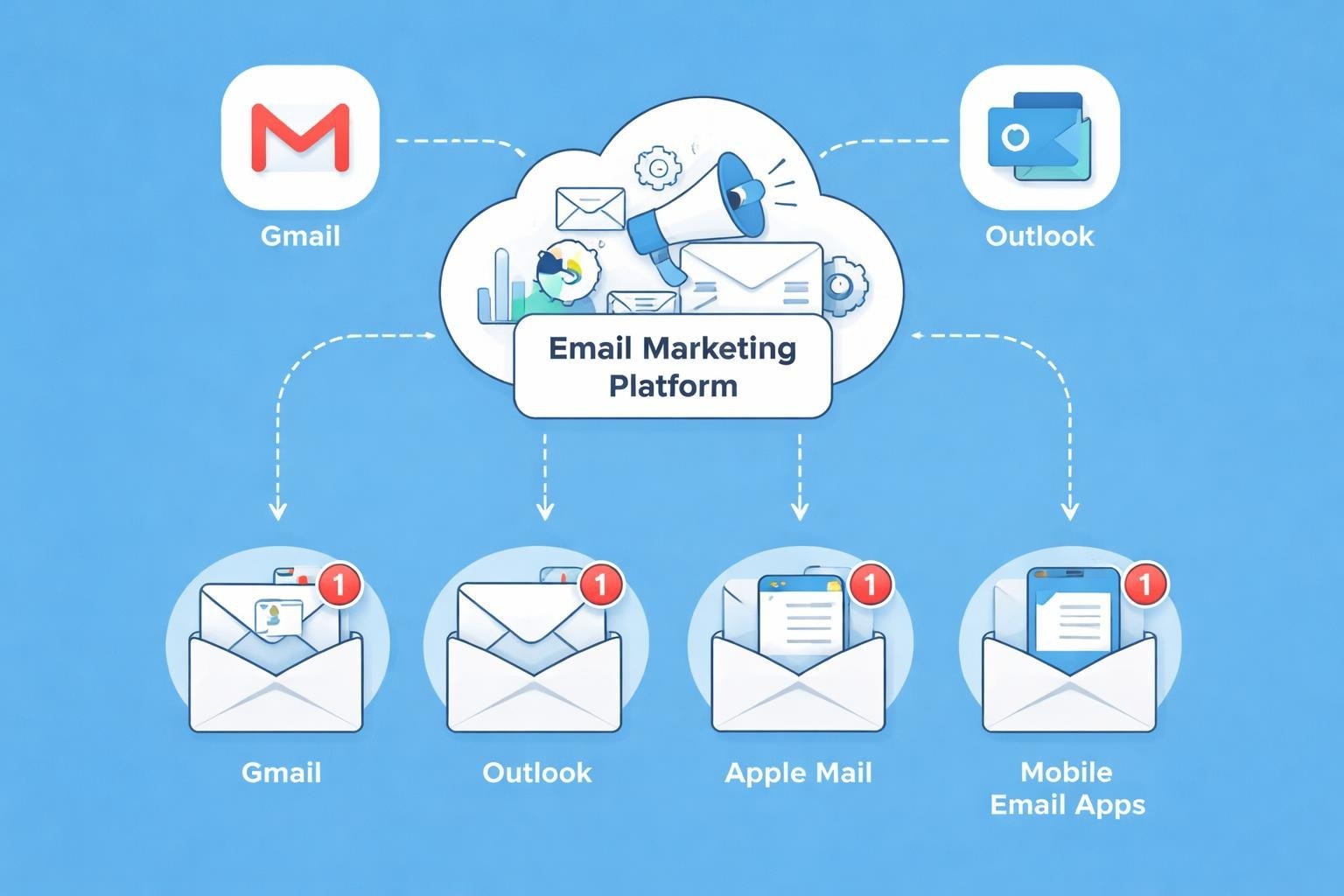
Every small business owner sends and receives dozens of emails daily, yet few truly understand the software making these communications possible. The applications we use to manage our electronic correspondence play a crucial role in how effectively we connect with customers, prospects, and partners. Whether you're running a boutique shop, a consultancy, or a growing service business, the platform you choose to handle your messages can significantly impact your productivity and professional image.
Understanding Email Client Fundamentals
An email client is a software application designed to send, receive, and manage electronic mail messages. These programmes connect to mail servers using standardised protocols, download your messages, and present them in an organised, readable format. Unlike webmail interfaces that require constant internet connectivity, many email clients store messages locally on your device.
The technology behind these applications has evolved considerably since the early days of electronic messaging. Modern platforms now offer sophisticated features including conversation threading, advanced search capabilities, calendar integration, and task management. For small business owners, these features transform a simple communication tool into a comprehensive productivity hub.
Desktop Applications vs Web-Based Solutions
Traditional desktop email clients install directly onto your computer, offering robust offline access and extensive customisation options. Applications like Microsoft Outlook, Mozilla Thunderbird, and Apple Mail have dominated this space for years, providing reliable performance and feature-rich environments.
Web-based solutions, conversely, operate entirely within your browser. Gmail, Outlook.com, and Yahoo Mail represent this category, offering seamless synchronisation across devices and minimal setup requirements. Small businesses often prefer these platforms for their accessibility and automatic updates.
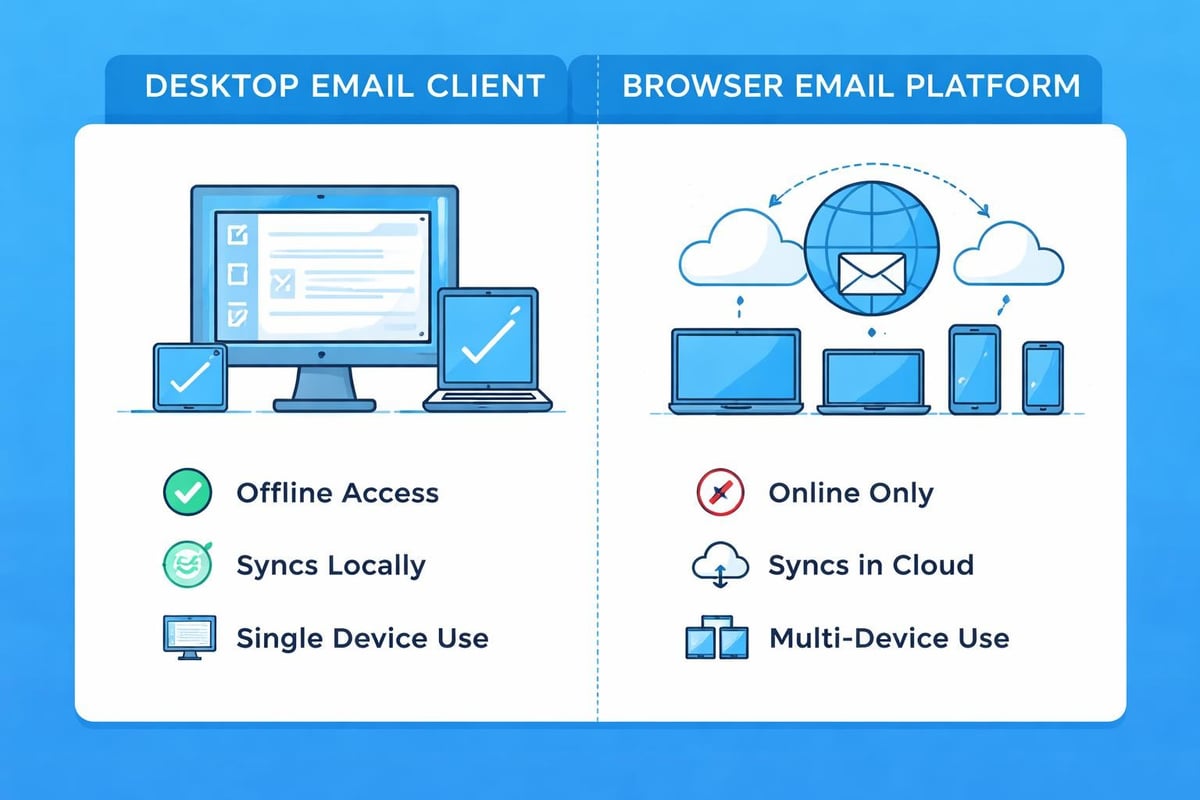
| Feature | Desktop Clients | Web-Based Clients |
|---|---|---|
| Offline Access | Full functionality | Limited or none |
| Installation Required | Yes | No |
| Device Synchronisation | Manual configuration | Automatic |
| Storage Location | Local device | Cloud servers |
| Update Process | Manual or scheduled | Automatic |
| Customisation Options | Extensive | Moderate |
Choosing the Right Platform for Your Business
Selecting appropriate email clients for your small business requires careful consideration of several factors. Your team size, budget constraints, technical expertise, and specific workflow requirements all influence which solution delivers optimal results.
Consider how many employees need access to business email accounts. A sole trader might manage perfectly well with a free web-based solution, whilst a team of fifteen requires more sophisticated user management and collaboration features. The comparison of email clients available today reveals significant variations in capabilities and pricing structures.
Protocol Support and Compatibility
Email clients communicate with mail servers using specific protocols, primarily IMAP, POP3, and SMTP. IMAP (Internet Message Access Protocol) synchronises messages across multiple devices, making it ideal for businesses where staff access email from various locations. POP3 (Post Office Protocol version 3) downloads messages to a single device, removing them from the server.
Key protocol considerations:
- IMAP enables multi-device access with real-time synchronisation
- POP3 suits single-device users requiring offline access
- SMTP handles outgoing message transmission
- Modern clients support multiple accounts across different protocols
- Security protocols (SSL/TLS) protect data transmission
Small businesses should prioritise platforms supporting IMAP to maintain flexibility as teams grow and remote work becomes standard. When you're setting up professional email addresses for your business, ensure your chosen client supports the protocols your email provider offers.
Mobile Email Management
The rise of smartphone usage has revolutionised how businesses handle electronic correspondence. Mobile email clients now account for a substantial portion of message opens, with many professionals checking their inbox before reaching the office. Understanding how your marketing campaigns appear on mobile platforms directly impacts engagement rates.
Native mobile applications from major providers offer streamlined interfaces optimised for touchscreen navigation. iOS Mail and Gmail's mobile app exemplify this approach, balancing functionality with screen space limitations. Third-party alternatives like Spark and Edison Mail provide additional features such as smart notifications and unified inboxes.
Responsive Design Considerations
When sending marketing communications to customers, remember that recipients use diverse email clients across various devices. An HTML template appearing perfect in desktop Outlook might render poorly in mobile Gmail. This reality makes testing email clients an essential step before launching campaigns.
The fragmentation across platforms presents ongoing challenges. Each client interprets HTML and CSS differently, leading to inconsistent visual presentations. Small businesses must balance creative ambition with practical compatibility, ensuring messages remain readable regardless of the recipient's chosen platform.
Security and Privacy Features
Protecting sensitive business information ranks amongst the highest priorities when selecting email clients. Data breaches and phishing attacks target small businesses with alarming frequency, making robust security features non-negotiable.
Modern platforms incorporate multiple layers of protection. Two-factor authentication adds an extra verification step beyond passwords. Encrypted connections (SSL/TLS) protect data during transmission between your device and mail servers. Some advanced clients offer end-to-end encryption, ensuring only intended recipients can read message content.
- Enable two-factor authentication on all business accounts
- Verify SSL/TLS encryption for incoming and outgoing connections
- Configure spam filters to reduce phishing attempt exposure
- Implement automatic security updates where available
- Educate team members about recognising suspicious messages
- Regularly review connected devices and active sessions
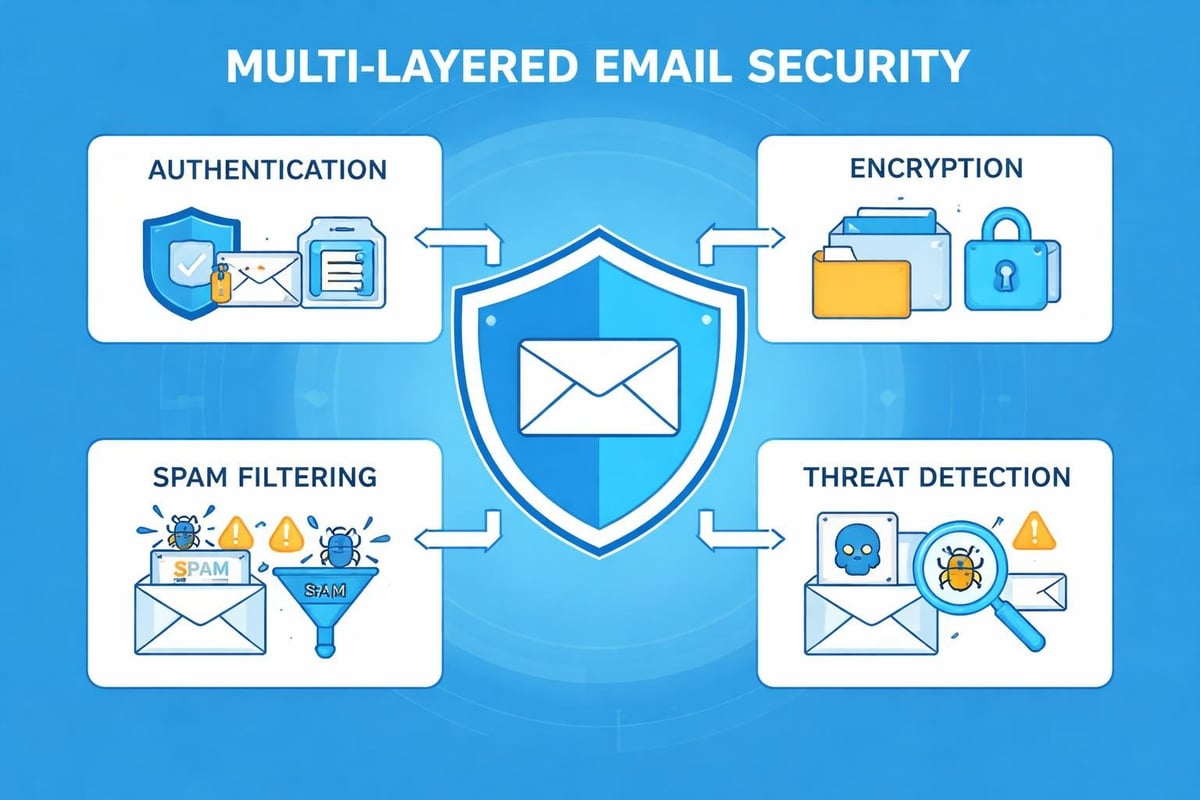
The LineMobility overview of popular email clients highlights security capabilities across different platforms, helping businesses make informed decisions based on protection requirements.
Integration Capabilities
Email doesn't exist in isolation within modern business operations. Your email clients should connect seamlessly with other tools your team uses daily, from customer relationship management systems to project management platforms.
Calendar integration transforms your email platform into a comprehensive scheduling tool. Meeting invitations, event reminders, and availability sharing streamline coordination with clients and colleagues. Contact management features ensure customer information remains current and accessible.
For small businesses running email marketing campaigns, integration between your sending platform and email clients becomes particularly relevant. Understanding how platforms like Astonish Email interact with recipient email clients helps optimise deliverability and engagement. Ensuring your marketing messages render correctly across the most popular email clients maximises campaign effectiveness.
Productivity Enhancement Tools
Beyond basic messaging, sophisticated email clients offer features that streamline daily workflows:
- Smart categorisation automatically sorts messages into focused and other categories
- Snooze functions temporarily remove messages from your inbox until specified times
- Templates save frequently sent message formats for quick reuse
- Search operators enable complex queries to locate specific messages instantly
- Rules and filters automatically process incoming messages based on predefined criteria
These capabilities particularly benefit small business owners juggling multiple responsibilities. Spending less time managing email frees resources for revenue-generating activities and strategic planning.
Email Client Market Landscape in 2026
The competitive landscape continues evolving as established providers enhance their offerings whilst newcomers introduce innovative approaches. Understanding current market dynamics helps businesses anticipate future developments and make forward-thinking platform choices.
Microsoft Outlook maintains strong enterprise presence, particularly amongst Windows-based organisations. Its tight integration with Microsoft 365 applications creates a cohesive productivity ecosystem. Gmail dominates the consumer space whilst making significant inroads into small business usage through Google Workspace.
Apple Mail serves the iOS and macOS user base with elegant simplicity, though its feature set remains comparatively basic. Mozilla Thunderbird represents the open-source alternative, offering extensive customisation for technically inclined users without licensing costs.
| Client | Market Position | Primary Strength | Best For |
|---|---|---|---|
| Microsoft Outlook | Enterprise leader | Microsoft integration | Windows-based businesses |
| Gmail | Consumer dominant | Accessibility & search | Cloud-first organisations |
| Apple Mail | iOS/macOS standard | Simplicity & design | Apple ecosystem users |
| Thunderbird | Open-source favourite | Customisation | Tech-savvy teams |
Optimising Client Configuration
Proper setup transforms email clients from basic messaging tools into productivity engines. Small businesses often overlook configuration opportunities that could save hours weekly and improve communication effectiveness.
Start by organising your folder structure logically. Create categories reflecting your business operations rather than generic labels. For instance, separate folders for customer enquiries, supplier communications, and internal team messages enable faster information retrieval. Archive older messages regularly to maintain inbox manageability.
Configure signature blocks containing essential contact information and professional disclaimers. Consistency across team members strengthens brand identity and ensures recipients have multiple contact options. When you're creating professional email addresses, paired with well-designed signatures, you project credibility.
Notification Management
Constant email interruptions fragment attention and reduce productivity. Strategic notification configuration helps maintain focus whilst ensuring urgent messages receive prompt attention.
Notification optimisation strategies:
- Disable audio alerts for non-priority senders
- Set specific times for inbox checking rather than continuous monitoring
- Use VIP or priority sender features for critical contacts
- Leverage focus modes that suppress notifications during deep work periods
- Configure different notification levels for business versus personal accounts
Accessibility and User Experience
The interface through which you interact with email significantly impacts daily efficiency. Email clients offering intuitive navigation, customisable layouts, and accessibility features enable faster message processing and reduced frustration.
Keyboard shortcuts accelerate common actions like composing, replying, and archiving messages. Learning even a handful of shortcuts saves cumulative hours over months. Most platforms provide shortcut reference guides or allow custom key binding.
Dark mode reduces eye strain during extended email sessions, particularly in low-light environments. Font size adjustments and high-contrast themes support users with visual impairments. Screen reader compatibility ensures email remains accessible to everyone on your team.
For businesses managing newsletter campaigns with platforms like e-publisher:mail, understanding how accessibility features in recipient email clients affect message consumption helps create more inclusive content.
Multi-Account Management
Small business owners frequently juggle multiple email addresses: personal accounts, business addresses, client-specific identities, and marketing campaign aliases. Efficient multi-account management within email clients prevents confusion and ensures appropriate sender identities.
Unified inbox features consolidate messages from various accounts into a single view, whilst maintaining the ability to respond from the correct address. Colour coding or visual indicators help distinguish between account types at a glance. Some advanced platforms offer account switching with just a single click.
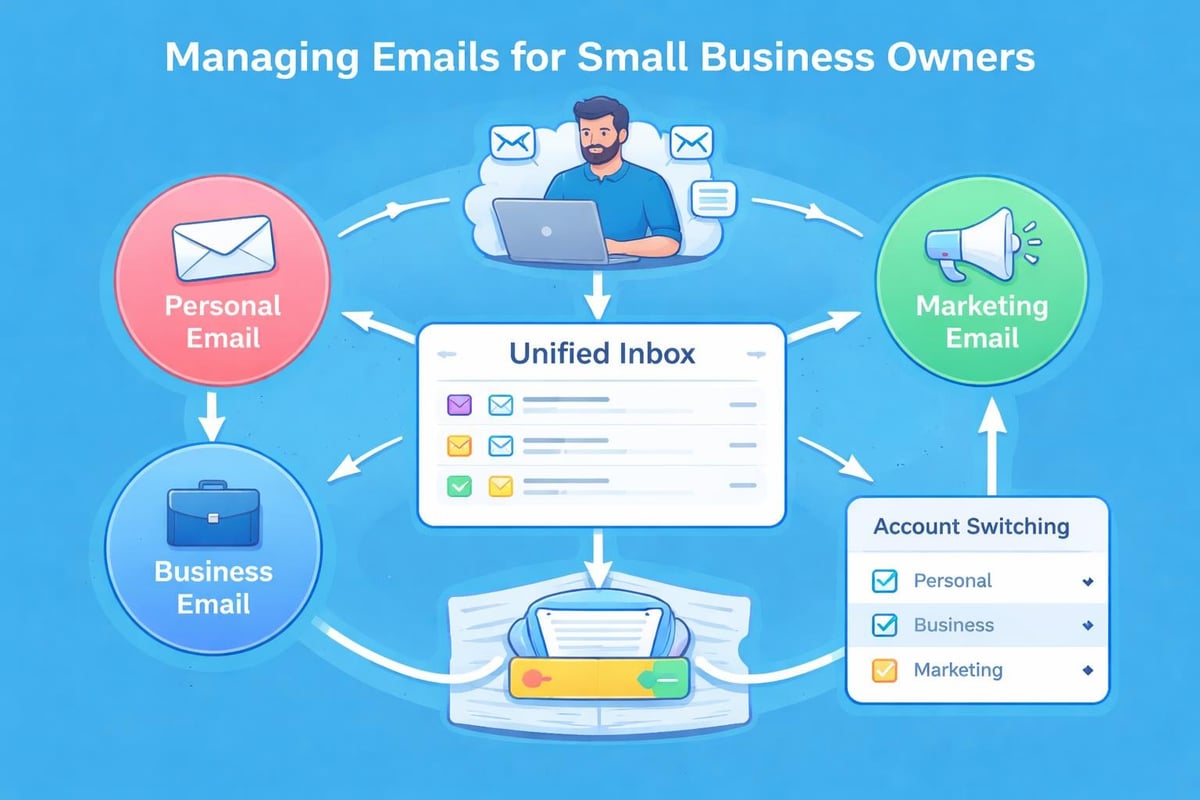
When handling business email for small business operations alongside personal correspondence, clear account separation prevents embarrassing mix-ups like sending client proposals from personal addresses.
Future Trends and Developments
Artificial intelligence integration represents the most significant evolution in email client technology. Smart composition suggestions predict sentence completion based on your writing patterns. Automated response generation drafts replies to routine enquiries, requiring only your approval before sending.
Advanced filtering algorithms learn from your behaviour, automatically categorising incoming messages with increasing accuracy. Priority inbox features surface important communications whilst reducing clutter from newsletters and promotional content.
Voice control and dictation capabilities allow hands-free email composition, particularly valuable for mobile users and accessibility requirements. Natural language search enables queries like "find the message from Sarah about the January proposal" rather than complex search operators.
Machine learning continues improving spam detection, reducing false positives whilst catching sophisticated phishing attempts. Sentiment analysis warns when message tone might be misinterpreted, helping avoid unintended offence in written communications.
Best Practices for Small Business Email
Establishing consistent email practices across your organisation creates professional standards and improves communication efficiency. Small businesses benefit from documented guidelines covering appropriate response times, signature formats, and subject line conventions.
Essential email practices include:
- Responding to customer enquiries within 24 hours during business days
- Using descriptive subject lines that accurately reflect message content
- Keeping messages concise and focused on single topics
- Proofreading before sending to catch errors and tone issues
- Including relevant context when forwarding or replying to older threads
- Regularly archiving completed conversations to maintain inbox clarity
These practices complement your choice of email clients, maximising the platform's capabilities whilst building customer trust through reliable, professional communication. Understanding the benefits of email for business growth motivates investment in proper email management infrastructure.
Making Your Final Decision
Selecting email clients that serve your small business effectively requires balancing current needs with future scalability. Start with clear requirements: team size, budget constraints, required integrations, and technical support availability.
Trial periods let you evaluate platforms before committing. Most providers offer free versions or limited-time full-feature access. Involve team members in testing, gathering feedback about interface preferences and workflow compatibility.
Consider total cost of ownership beyond subscription fees. Factor in training time, potential productivity gains, and integration expenses. Sometimes a slightly more expensive platform delivers significantly better results, justifying the additional investment.
Review your decision annually as business circumstances evolve. What worked perfectly for a two-person startup might constrain a growing team of eight. Remaining flexible and willing to migrate when necessary ensures your email infrastructure supports rather than hinders business development.
Understanding email clients and selecting the right platform empowers small businesses to communicate more effectively with customers whilst streamlining internal operations. Whether you prioritise security, mobile access, integration capabilities, or simple reliability, today's diverse market offers solutions matching virtually any requirement. Astonish Email helps small businesses maximise their email marketing potential by delivering campaigns that render beautifully across all major email clients, ensuring your message reaches customers exactly as intended.