Professional Email Address Guide for Small Businesses
February 23, 2026
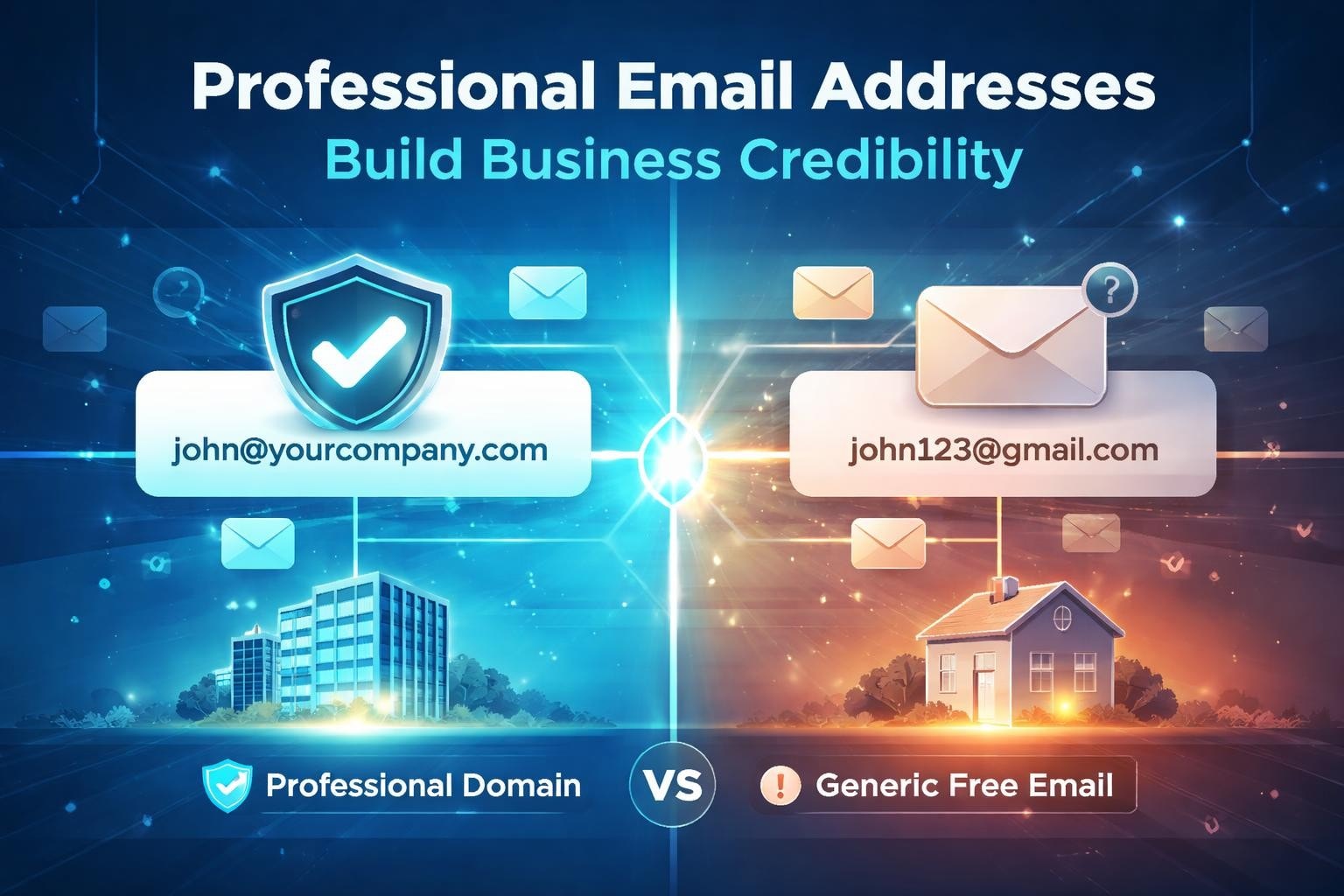
Your email address serves as a digital business card in every message you send. For small business owners, entrepreneurs, and marketing professionals, the difference between a generic free email address and a carefully chosen professional email address can determine whether potential customers view your business as credible or amateur. In 2026, with digital communication dominating business interactions, your email address contributes significantly to first impressions, brand recognition, and customer trust.
Why Your Professional Email Address Matters
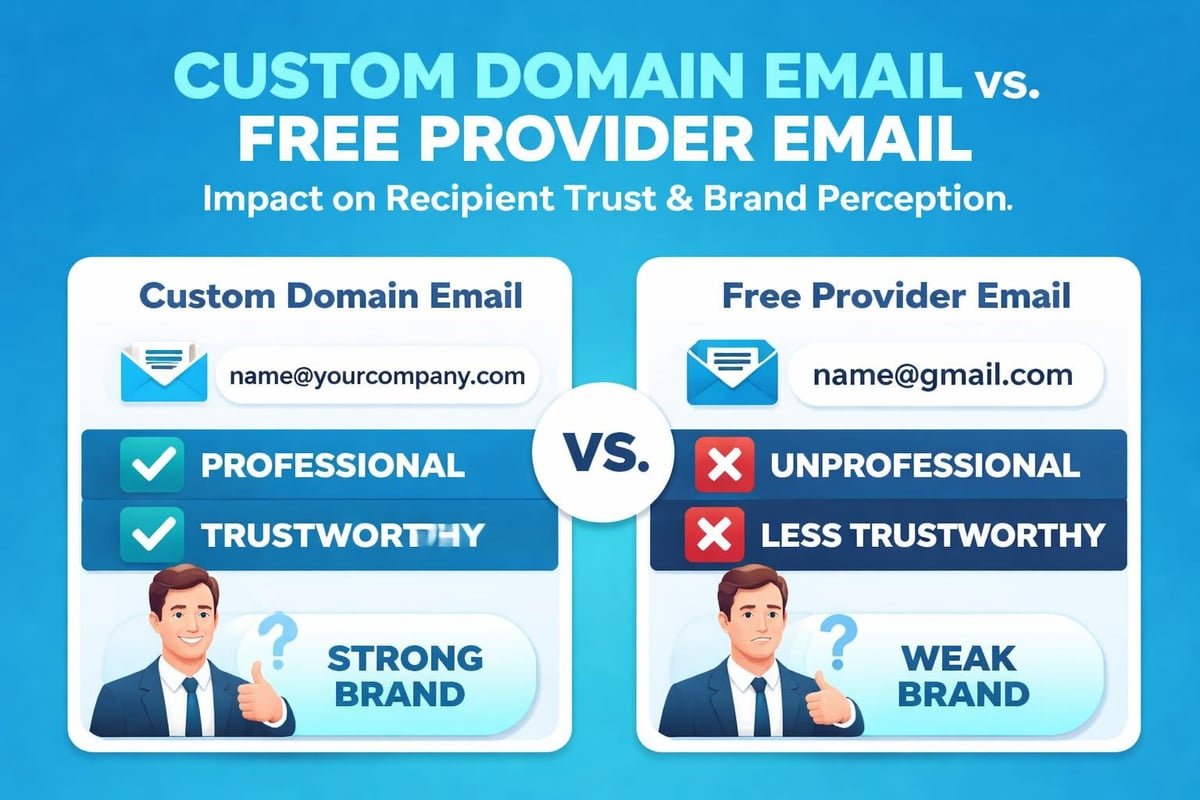
A professional email address demonstrates that you take your business seriously. When customers receive messages from [email protected] rather than [email protected], they immediately perceive higher credibility and legitimacy.
Small businesses benefit from professional email addresses in several critical ways:
- Enhanced brand recognition with every sent message
- Increased email deliverability and inbox placement rates
- Improved customer confidence when sharing sensitive information
- Greater consistency across marketing channels
- Professional appearance in email marketing campaigns
The psychology behind email perception reveals fascinating insights. Research consistently shows that recipients trust emails from custom domains more than those from free providers. This trust factor becomes particularly important when you're marketing for a small business and competing against larger, established companies.
Choosing the Right Format
Professional email addresses follow established conventions that balance memorability with functionality. The format you select should reflect your role, business structure, and communication purposes.
Standard Business Formats
Most businesses adopt one of these proven email address structures:
| Format Type | Example | Best For |
|---|---|---|
| [email protected] | [email protected] | Small teams, personal brands |
| [email protected] | [email protected] | Larger organizations, common names |
| [email protected] | [email protected] | Department-wide communications |
| [email protected] | [email protected] | Team inboxes, shared accounts |
According to professional email address examples from Birdeye, the firstname@domain format works exceptionally well for businesses with unique names, whilst the firstname.lastname structure prevents confusion when multiple team members share similar names.
Role-based addresses deserve careful consideration. Addresses like info@, hello@, or contact@ provide flexible solutions for growing teams but lack the personal touch that individual addresses offer. Many successful small businesses use both: role-based addresses for general enquiries and individual addresses for ongoing client relationships.
What to Avoid
Your professional email address should never include:
- Random numbers (unless part of your business name)
- Nicknames or informal variations
- Excessive dots or hyphens
- Outdated year references
- Unprofessional words or phrases
The best practices outlined by Mailchimp emphasize simplicity and memorability. An email address like [email protected] creates unnecessary complexity, whilst [email protected] communicates the same function with greater clarity.
Setting Up Your Custom Domain Email
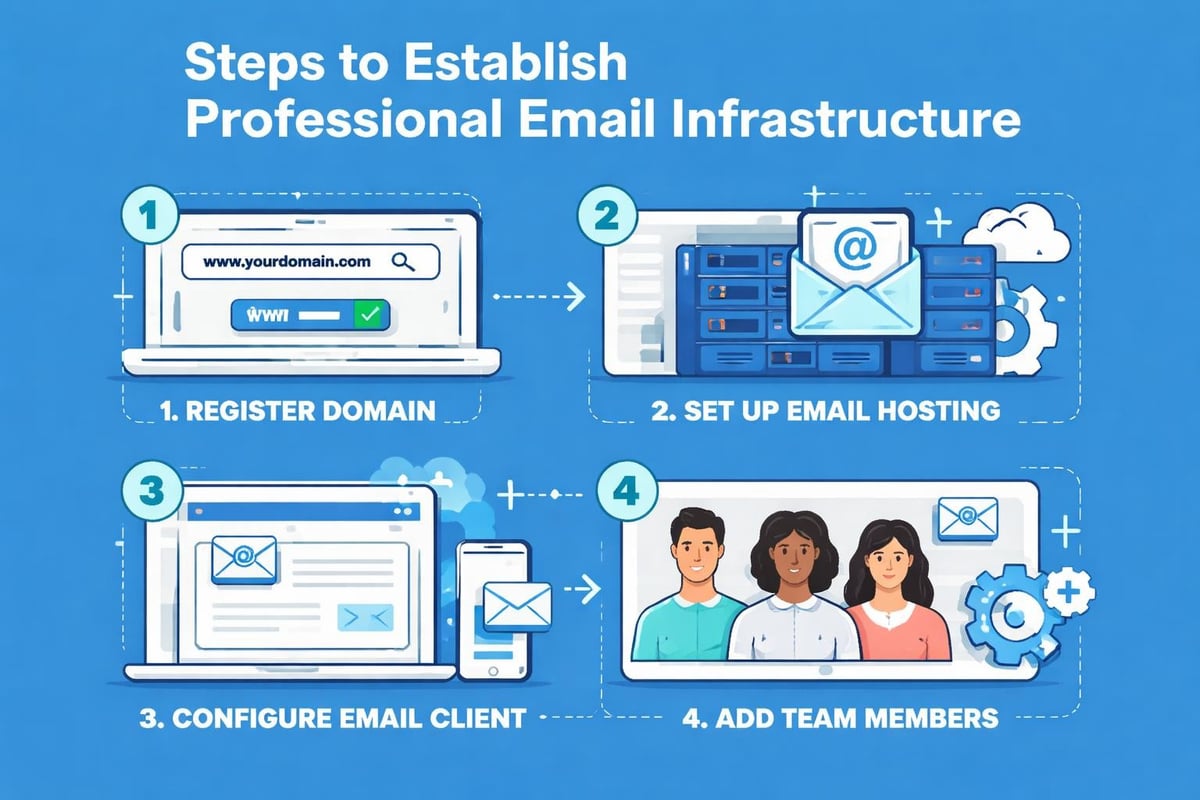
Creating a professional email address requires two fundamental components: a custom domain name and an email hosting service. The domain represents your digital property, whilst the hosting service manages the infrastructure that sends, receives, and stores your messages.
Domain Selection Strategy
Your domain name should match your business name as closely as possible. If yourbusiness.com is unavailable, consider these alternatives:
- Add a relevant keyword (yourbusinessonline.com)
- Include your location (yourbusinesslondon.com)
- Use a different domain extension (.co.uk, .net, .shop)
- Slightly modify the business name whilst maintaining recognition
Once you've secured your domain, you'll need email hosting. Options range from comprehensive business suites like Google Workspace and Microsoft 365 to specialized email hosting providers. The choice depends on your budget, technical expertise, and integration requirements.
Building Trust Through Email Professionalism
A professional email address forms the foundation of business communications, but maximizing its impact requires strategic implementation. The way you present and use your email address influences how recipients perceive your entire organization.
Consistency Across Channels
Your professional email address should appear consistently across all business touchpoints:
- Website contact pages and forms
- Social media profile bios
- Business cards and printed materials
- Email signatures and marketing campaigns
- Customer service documentation
This consistency reinforces brand recognition and helps customers remember how to reach you. When your email marketing campaigns use the same domain as your website and business cards, you create a cohesive brand experience that builds familiarity and trust.
Email Signature Integration
An effective email signature transforms your professional email address into a marketing asset. Every message you send becomes an opportunity to reinforce your brand and provide valuable information.
Essential signature elements include:
- Full name and job title
- Company name and logo
- Phone number and website URL
- Social media links (selectively)
- Legal disclaimers (when required)
According to insights from Podium's email address guide, businesses that maintain professional email signatures experience higher response rates and improved brand recall compared to those using minimal or inconsistent signatures.
Multiple Email Addresses for Different Functions
Strategic small businesses create specialized email addresses for distinct purposes. This approach improves organization, enhances customer experience, and provides clearer analytics about communication patterns.
| Purpose | Email Address | Benefits |
|---|---|---|
| General enquiries | [email protected] | Central contact point, easy to remember |
| Sales communications | [email protected] | Tracks sales conversations, professional appearance |
| Customer support | [email protected] | Dedicated help channel, clear expectations |
| Marketing campaigns | [email protected] | Separates promotional from transactional |
| Billing matters | [email protected] | Financial security, organized records |
This segmentation becomes particularly valuable as your business grows. Team members can share access to departmental inboxes whilst maintaining individual professional email addresses for personal client relationships.
Personal vs. Role-Based Addresses
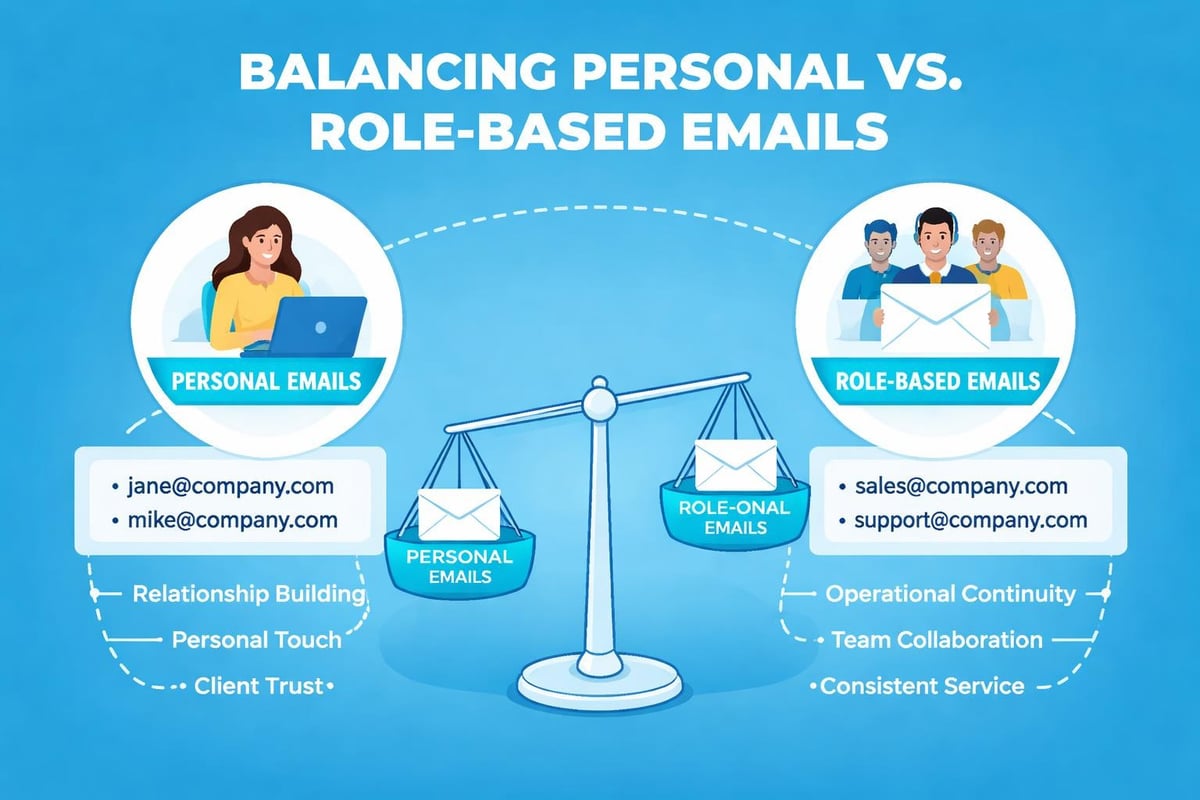
The debate between personal and role-based email addresses has no universal answer. Each approach offers distinct advantages:
Personal addresses ([email protected]) create stronger relationships. Customers prefer communicating with identifiable individuals rather than anonymous departments. This personal connection proves especially valuable in service industries and client-facing roles.
Role-based addresses ([email protected]) provide operational flexibility. Team members change, but departments remain constant. When Sarah leaves the sales team, you don't need to notify every customer about a new email address.
Many successful businesses solve this dilemma by using both. The customer receives messages from [email protected], but replies can also reach [email protected], ensuring continuity even during staff transitions.
Managing Multiple Email Accounts
Professional email management becomes challenging when you operate several addresses simultaneously. Small business owners often juggle personal addresses, business addresses, and role-based departmental addresses.
Effective multi-account strategies include:
- Email forwarding to consolidate messages in one inbox
- Email clients that support multiple account viewing
- Filters and labels that automatically organize incoming messages
- Scheduled checking times for different account types
- Team access protocols for shared departmental addresses
The professional email guidance from Zoho Mail recommends establishing clear protocols about which address to use in different scenarios. Your sales team should consistently use sales@ addresses for initial outreach but switch to personal addresses for ongoing relationships.
Professional Email Addresses in Marketing Campaigns
Email marketing effectiveness depends partly on sender credibility. Your professional email address influences deliverability, open rates, and subscriber engagement in measurable ways.
Sender Reputation Impact
Email service providers evaluate sender reputation based on numerous factors, including domain age, authentication protocols, and engagement metrics. A professional email address on a verified custom domain significantly improves deliverability compared to free email providers.
When you send marketing campaigns from [email protected] rather than a Gmail address, you signal to email providers that you're a legitimate business following best practices. This distinction affects whether your messages reach inboxes or spam folders.
Authentication protocols like SPF, DKIM, and DMARC work only with custom domain email addresses. These technical standards verify that messages genuinely originate from your domain, reducing spoofing risks and improving deliverability. Establishing proper email authentication protects both your sender reputation and your subscribers.
From Name and Address Combination
Your email campaigns need both a recognizable from name and a professional email address. The optimal combination balances brand recognition with personal connection.
| From Name | From Address | Use Case |
|---|---|---|
| Sarah at Astonish Email | [email protected] | Personal newsletters, relationship-focused |
| Astonish Email | [email protected] | Brand announcements, company updates |
| Astonish Email Team | [email protected] | Collaborative content, general communications |
| Sarah - Sales Director | [email protected] | Sales-focused campaigns, lead nurturing |
Testing different combinations reveals what resonates with your specific audience. Some subscribers respond better to individual names, whilst others prefer clear brand identification.
International Considerations
Professional email addresses for businesses operating internationally require additional strategic thinking. Cultural expectations, language considerations, and technical requirements vary across regions.
Country-specific domain extensions (.co.uk, .de, .au) can enhance local credibility but may limit international perception. The universal .com extension maintains broader recognition, whilst regional extensions demonstrate local commitment. Businesses serving multiple markets sometimes register both, using country-specific domains for localized communications whilst maintaining .com for international reach.
Language and Format Variations
Email address conventions differ subtly across cultures. British English preferences might favor [email protected], whilst American counterparts often use [email protected]. These differences seem minor but contribute to professional perception within specific markets.
Understanding the importance of using a business domain becomes even more critical in international contexts, where domain recognition serves as a trust signal transcending language barriers.
Security and Privacy Considerations
Your professional email address represents a potential security vulnerability if not properly protected. Small businesses face increasing cyber threats, and email remains the primary attack vector for phishing, malware, and social engineering attempts.
Essential security measures include:
- Two-factor authentication on all email accounts
- Regular password updates using strong, unique combinations
- Employee training about phishing recognition
- Encrypted email options for sensitive communications
- Backup systems preventing data loss
Role-based addresses like admin@ or billing@ attract more spam and phishing attempts than personal addresses. Implementing robust filtering and educating team members about suspicious messages protects your business and customers.
Transitioning from Free to Professional Email
Many small businesses start with free email providers before transitioning to professional addresses. This migration requires careful planning to maintain communication continuity whilst building new sender reputation.
Migration Best Practices
- Set up your new professional email addresses and test thoroughly
- Configure email forwarding from old to new addresses
- Update all public-facing materials gradually
- Inform existing customers about the change through multiple channels
- Maintain old addresses active for 6-12 months during transition
- Monitor both accounts to prevent missed messages
According to professional email address tips from Strikingly, businesses that communicate transparently about email changes maintain customer trust more effectively than those making abrupt transitions.
Your email signature should include a note about the new address for several months: "Please note my new email address: [email protected]. You can still reach me at my old address, but I encourage you to update your contacts."
Measuring Professional Email Impact
The business value of a professional email address extends beyond perception. Measurable metrics demonstrate concrete returns on this foundational investment.
Key performance indicators include:
- Email deliverability rates before and after transition
- Customer response rates to different sender addresses
- Spam complaint percentages across address types
- Brand mention and recognition surveys
- Customer acquisition costs via different channels
Small businesses using professional email addresses typically report improved response rates ranging from 15-30% compared to generic addresses. This improvement translates directly to business outcomes when combined with effective email marketing strategies.
Creating Email Addresses for Team Growth
As your business expands, your email strategy must accommodate new team members whilst maintaining consistency and professionalism. Planning ahead prevents confusion and ensures smooth scaling.
Establish naming conventions before hiring your fifth employee. Decide whether you'll use firstname@, firstname.lastname@, or another format, then apply it consistently. Document these decisions in an internal style guide that new team members can reference.
Consider these scenarios when planning:
- What happens when you hire two people named Sarah?
- How will you handle employee departures?
- Should contractors receive company email addresses?
- How will you organize departmental versus individual addresses?
Creating clear policies about professional email address assignment, usage, and retirement streamlines operations and maintains professional consistency as your team grows.
A professional email address represents far more than a technical requirement. It establishes credibility, strengthens brand identity, and creates consistency across every customer interaction. By implementing thoughtful email address strategies, small businesses compete effectively against larger competitors whilst building the trust essential for long-term success. Astonish Email helps small businesses maximize their email marketing impact with tools designed specifically for growing teams. Start building stronger customer relationships today through professional email communications that reflect your business values and commitment to excellence.