Email App for Business: Complete Guide 2026
March 24, 2026
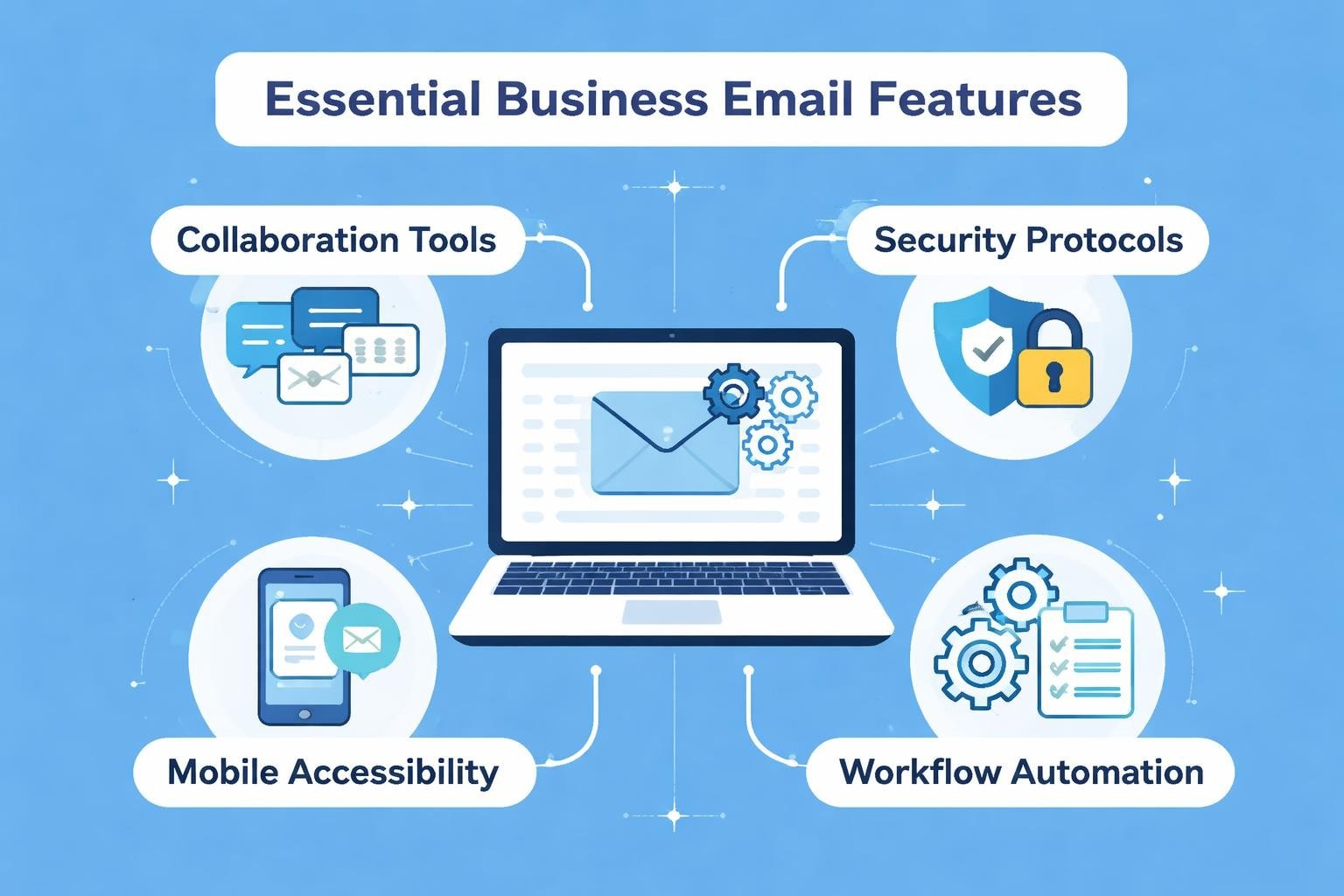
Selecting the right email app for business can dramatically transform how your organisation communicates, collaborates, and converts prospects into customers. With countless options available in 2026, from traditional desktop clients to cloud-based platforms with artificial intelligence capabilities, small business owners face a challenging decision that impacts daily productivity and long-term growth. The email application you choose becomes the central nervous system of your business communications, influencing everything from client relationships to internal team coordination.
Understanding Business Email Requirements
Business email needs differ fundamentally from personal email usage. Where individuals might prioritise simplicity and basic functionality, organisations require robust security protocols, team collaboration features, and professional branding capabilities.
Core Features Every Business Needs
Security and compliance sit at the foundation of any professional email solution. Your chosen platform must offer encryption, two-factor authentication, and compliance with data protection regulations relevant to your industry and location.
Professional organisations require these essential capabilities:
- Custom domain support for branded email addresses
- Advanced spam filtering and malware protection
- Calendar integration for scheduling and meeting coordination
- Contact management systems with segmentation options
- Mobile accessibility across devices and operating systems
- Integration capabilities with existing business tools
Scalability becomes crucial as your team grows. The best business email solutions accommodate expansion without requiring complete system overhauls or data migrations.
Collaboration and Productivity Tools
Modern business email platforms extend far beyond sending and receiving messages. Productivity applications now integrate calendaring, task management, and real-time collaboration features that streamline workflows.
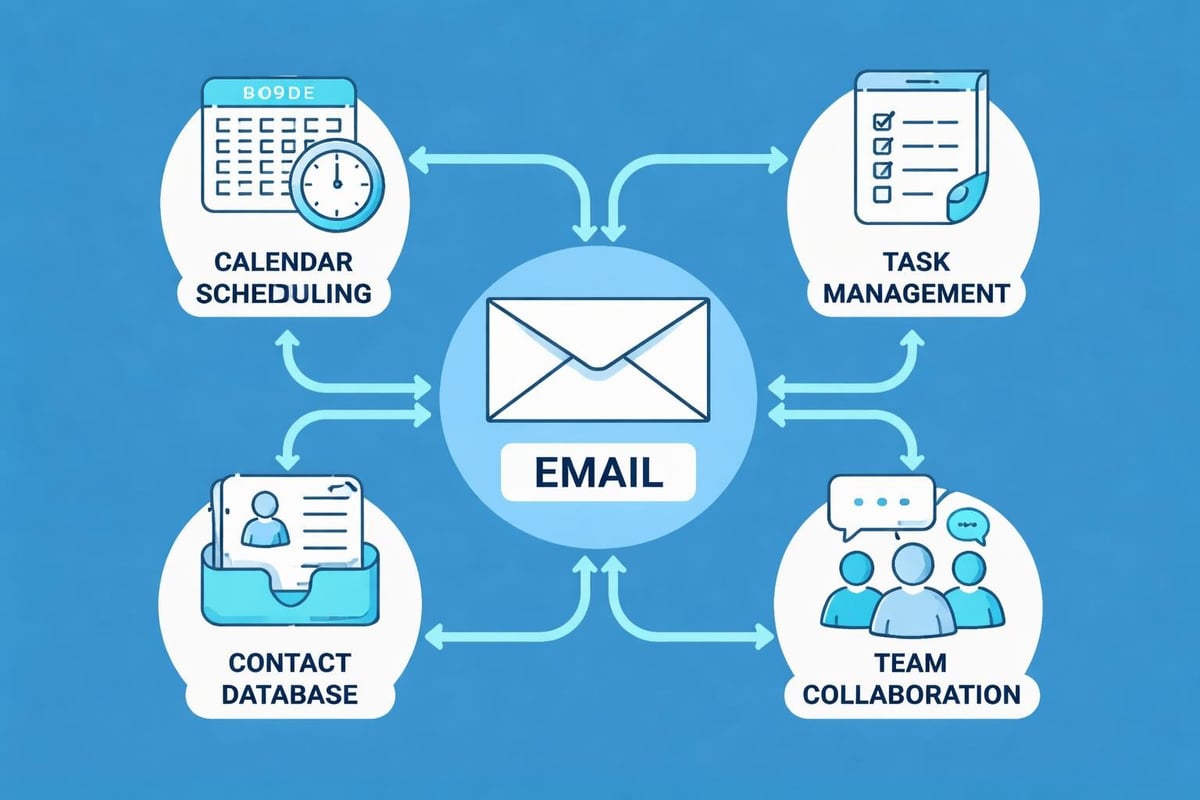
Team collaboration features transform email from an individual tool into a shared resource. Shared inboxes, delegated access, and conversation threading allow multiple team members to manage customer communications seamlessly.
| Feature | Benefit | Business Impact |
|---|---|---|
| Shared Calendars | Team visibility | Reduced scheduling conflicts |
| Conversation Threading | Context preservation | Faster response times |
| Template Libraries | Consistency | Improved brand messaging |
| Email Analytics | Performance tracking | Data-driven decisions |
Evaluating Email Platform Options
The market offers diverse solutions tailored to different business sizes and requirements. Understanding the landscape helps you identify which email app for business aligns with your specific needs.
Cloud-Based Versus Desktop Solutions
Cloud-based email platforms provide accessibility advantages, allowing team members to access communications from any location or device. These solutions typically offer automatic updates, built-in backup systems, and seamless synchronisation across devices.
Desktop email clients offer greater control over data storage and offline functionality. Some businesses prefer this approach for sensitive communications or industries with strict data residency requirements.
Hybrid approaches combine both benefits, providing desktop applications that synchronise with cloud servers. This flexibility accommodates various work patterns, from remote teams to office-based operations.
Specialised Business Email Applications
Leading email apps for businesses cater to specific organisational needs. Some prioritise customer relationship management integration, whilst others focus on marketing automation or team collaboration.
Budget-conscious startups might explore options like Neo Mail, which offers business-oriented features at competitive pricing points designed for growing enterprises.
Consider these evaluation criteria:
- Cost structure including per-user pricing and feature tiers
- Storage capacity for emails and attachments
- Support availability through channels and response times
- Migration assistance for transferring existing data
- Training resources to accelerate team adoption
Advanced Features Transforming Business Email
Artificial intelligence revolutionises how businesses manage communications in 2026. Smart features reduce manual work whilst improving response quality and timing.
AI-Powered Email Management
AI-enhanced platforms like Superhuman introduce capabilities that seemed futuristic just years ago. Automated follow-up reminders ensure no prospect falls through communication gaps, whilst real-time tracking provides insights into recipient engagement.
Intelligent categorisation automatically sorts incoming messages based on content, sender importance, and historical patterns. This reduces time spent on manual inbox management and ensures priority communications receive immediate attention.
Google's AI Inbox features demonstrate how generative artificial intelligence streamlines email workflows. Natural language queries allow users to locate specific messages or information without remembering exact dates or keywords.
Automation and Workflow Enhancement
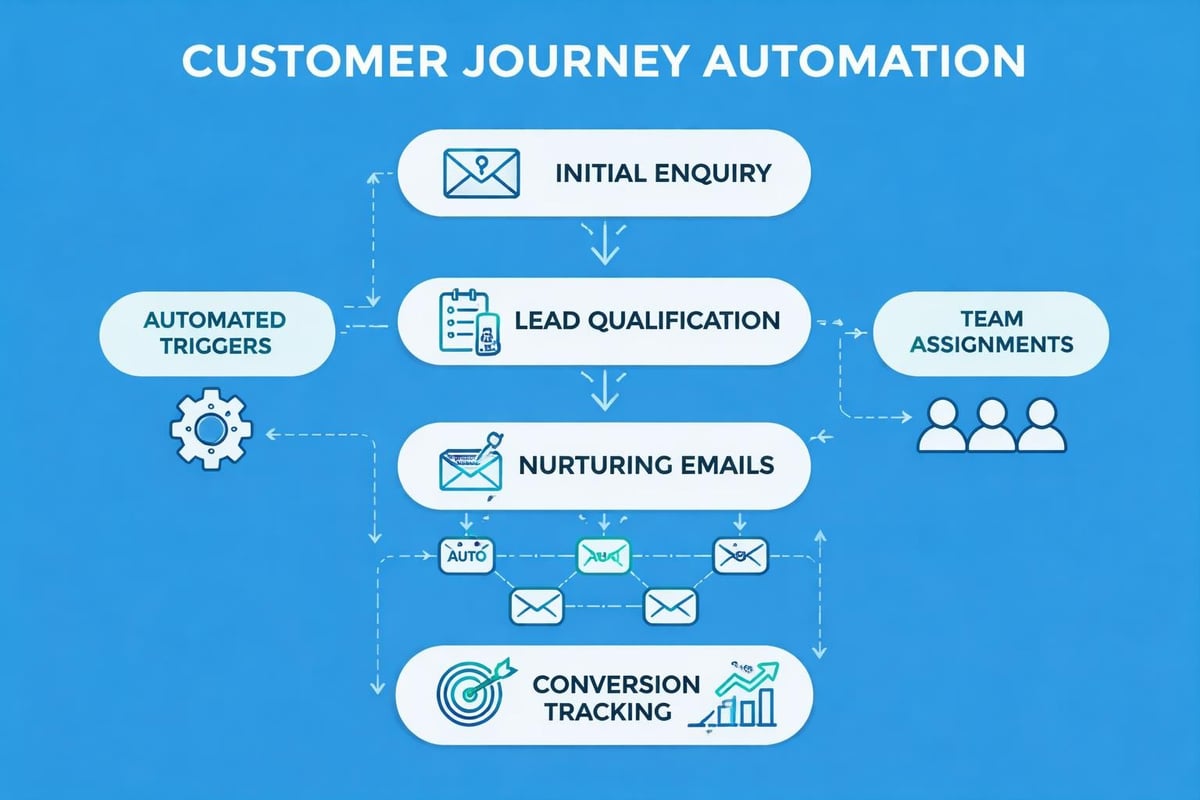
Email templates and automation save countless hours for teams handling repetitive communications. Customer service responses, appointment confirmations, and follow-up sequences can be standardised whilst maintaining personalisation through dynamic fields.
Workflow automation connects email activities to broader business processes:
- Trigger CRM updates when specific emails are received
- Automatically assign customer enquiries to relevant team members
- Schedule email sequences based on prospect behaviour
- Generate reports on team response times and volumes
Security Considerations for Business Email
Cybersecurity threats continue evolving, making email security a critical business priority. Organisations face risks from phishing attacks, malware distribution, and unauthorised access attempts.
Essential Security Protocols
Your email app for business must implement multiple security layers. Encryption protects messages both in transit and at rest, preventing unauthorised interception or access to sensitive communications.
Authentication mechanisms verify sender identities and protect against spoofing attacks. SPF, DKIM, and DMARC protocols work together to ensure your business emails reach recipients whilst preventing impersonators from misusing your domain.
| Security Feature | Protection Level | Implementation Priority |
|---|---|---|
| Two-Factor Authentication | High | Essential |
| End-to-End Encryption | Very High | Recommended |
| Advanced Spam Filtering | Medium | Essential |
| Mobile Device Management | High | Recommended |
| Audit Logging | Medium | Compliance-dependent |
Regular security training for team members reduces human error, which remains the most common vulnerability. Even the most secure email platform cannot protect against employees who unknowingly compromise credentials or share sensitive information inappropriately.
Compliance and Data Protection
Businesses operating in regulated industries require email solutions that facilitate compliance with sector-specific requirements. Healthcare organisations need HIPAA-compliant systems, whilst financial services require different certifications.
Understanding your email system requirements helps ensure your chosen platform meets regulatory obligations without creating operational inefficiencies.
Data retention policies must balance legal requirements with storage costs and information governance principles. Your email platform should enable customisable retention rules that automatically archive or delete messages based on age, sender, or content categories.
Integration Capabilities and Ecosystem Compatibility
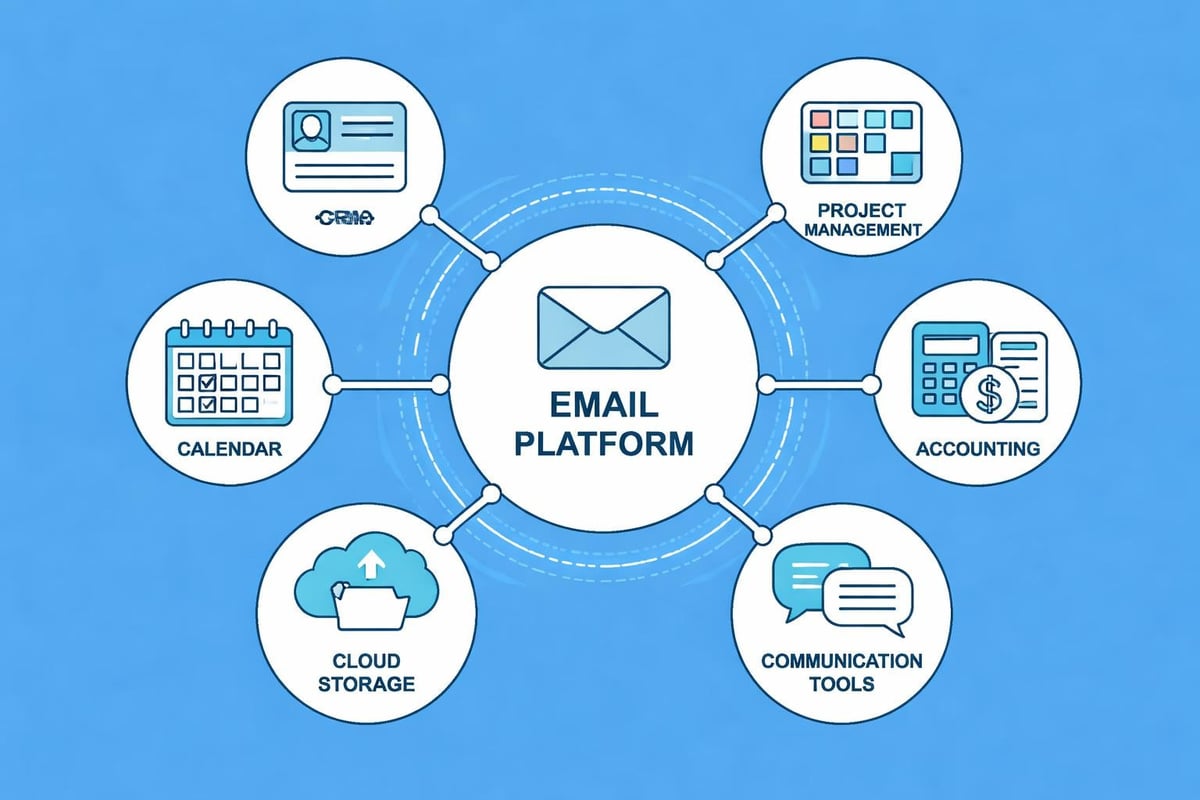
No business tool exists in isolation. Your email app for business must integrate smoothly with existing systems to maximise productivity and data flow.
CRM and Marketing Platform Connections
Customer relationship management integration ensures email communications automatically update contact records, opportunity stages, and interaction histories. This eliminates duplicate data entry and provides comprehensive customer views.
Marketing automation platforms require seamless email connectivity to execute campaigns, track engagement, and nurture prospects through sales funnels. Platforms like Constant Contact have evolved into comprehensive marketing solutions with sophisticated integration capabilities.
Understanding how to create professional email campaigns becomes easier when your marketing tools connect directly with your business email infrastructure.
Third-Party Application Ecosystem
Modern businesses rely on diverse software tools. Your email platform should offer:
- API access for custom integrations
- Pre-built connectors to popular business applications
- Zapier or similar automation for workflow creation
- Mobile app integrations supporting field teams
- Cloud storage connections for secure file sharing
Mobile Email Management for Business Teams
Remote work and field-based operations demand robust mobile email capabilities. Your chosen platform must deliver full functionality across smartphones and tablets without compromising security or user experience.
Mobile-First Design Considerations
Responsive interfaces adapt to various screen sizes whilst maintaining usability. Touch-optimised controls, swipe gestures, and simplified navigation accommodate mobile usage patterns that differ from desktop workflows.
Offline functionality ensures team members can compose messages, review communications, and prepare responses even without network connectivity. Messages synchronise automatically when connections restore, preventing productivity gaps.
Battery efficiency and data usage optimisation matter for field teams with limited charging opportunities or mobile data constraints. Well-designed mobile applications balance functionality with resource consumption.
Security on Mobile Devices
Mobile device management features protect business data on personal and company-owned devices. Remote wipe capabilities, enforced encryption, and container isolation prevent data leaks if devices are lost or stolen.
Application-level security supplements device protections. PIN codes, biometric authentication, and automatic logout timers add defence layers specifically for email access.
Cost Analysis and Budget Planning
Email platform costs extend beyond monthly subscription fees. Comprehensive budget planning accounts for implementation, training, maintenance, and potential migration expenses.
Pricing Models and Hidden Costs
Most email apps for business charge per-user monthly or annual fees. Volume discounts often apply for larger teams, whilst some providers offer tiered pricing based on feature access rather than user counts.
Consider these total cost factors:
- Licensing fees for core email functionality
- Add-on costs for advanced features or integrations
- Storage upgrades beyond included allowances
- Migration services from previous systems
- Training and support packages
- IT administration time for ongoing management
Free trials allow hands-on evaluation before committing. Most reputable providers offer 14 to 30-day trial periods with full feature access, enabling teams to test functionality with real workflows.
Exploring different pricing tiers helps identify the optimal balance between capabilities and budget constraints for small business operations.
Return on Investment Calculations
Measuring email platform ROI involves both quantifiable metrics and qualitative improvements. Time savings from automation, reduced IT support requirements, and improved customer response rates contribute measurable value.
| ROI Factor | Measurement Method | Expected Impact |
|---|---|---|
| Time Savings | Hours per week per user | 15-25% productivity gain |
| Reduced IT Costs | Support ticket reduction | 20-30% fewer issues |
| Improved Response Times | Average reply duration | 30-40% faster responses |
| Customer Satisfaction | Survey scores | 10-15% improvement |
Opportunity costs of inadequate email systems often exceed direct expenses. Lost sales from delayed responses, customer frustration with unprofessional communications, and competitive disadvantages compound over time.
Team Adoption and Change Management
Selecting an excellent email app for business delivers limited value without successful team adoption. Change management strategies facilitate smooth transitions and maximise platform utilisation.
Training and Onboarding Strategies
Structured training programmes introduce features progressively rather than overwhelming users with comprehensive functionality immediately. Basic communications capabilities come first, followed by advanced automation and integration features.
Role-specific training addresses different team member needs. Sales professionals require CRM integration expertise, whilst customer service representatives benefit from shared inbox and templating guidance.
Self-service resources complement formal training. Video tutorials, searchable knowledge bases, and interactive guides allow team members to learn at their own pace and reference materials when questions arise.
Measuring Adoption Success
Adoption metrics reveal whether your investment delivers intended benefits:
- Active user percentages tracking regular platform engagement
- Feature utilisation rates showing which capabilities teams embrace
- Support ticket volumes indicating confusion or difficulty
- Productivity metrics measuring communication efficiency improvements
- User satisfaction scores gathered through regular feedback
Addressing adoption challenges early prevents long-term inefficiencies. Regular check-ins, champion programmes, and ongoing training opportunities sustain momentum beyond initial implementation.
Selecting Your Optimal Solution
Choosing the right email app for business requires systematic evaluation against your specific requirements. Generic recommendations rarely account for unique organisational contexts, workflows, and priorities.
Decision Framework
Begin by documenting current pain points and desired improvements. Involve team members who use email daily, gathering insights about frustrations and wishlist features that would enhance their productivity.
Create a weighted scoring matrix evaluating platforms against your prioritised criteria. Essential requirements receive higher weights than nice-to-have features, ensuring the selection process focuses on truly important capabilities.
Testing shortlisted options through trials or demonstrations provides practical insights that specifications alone cannot deliver. Involve diverse team members representing different roles and technical comfort levels.
Reviewing comprehensive email client comparisons offers expert perspectives on leading platforms, though final decisions should always reflect your organisation's unique context.
Implementation planning should begin during selection. Understanding migration complexity, training requirements, and integration work helps set realistic timelines and resource expectations.
Choosing an email app for business represents a strategic decision that impacts daily operations, team productivity, and customer relationships. By evaluating security features, collaboration tools, integration capabilities, and total cost of ownership against your specific requirements, you can identify the platform that best supports your organisation's communication needs. Astonish Email provides small businesses with powerful email marketing capabilities designed to grow alongside your organisation, combining professional features with straightforward usability that gets your team communicating effectively from day one.