Add a New Email Address: Complete Guide for 2026
March 17, 2026
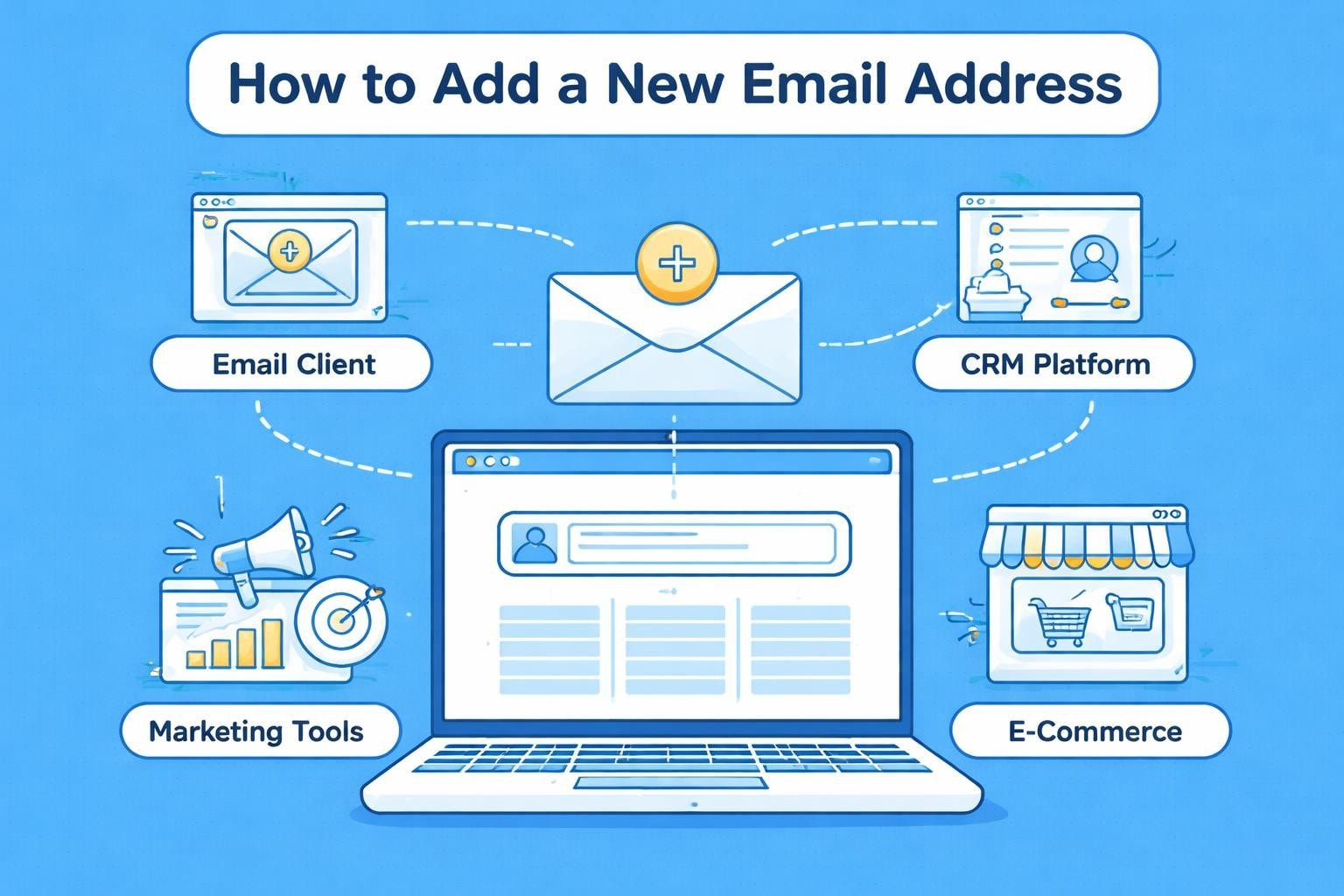
Managing multiple email addresses has become essential for small businesses in 2026. Whether you're establishing separate channels for sales, support, and marketing, or adding team members to your organisation, understanding how to add a new email address efficiently is a fundamental skill. This guide walks you through the process across different platforms, helping you maintain professional communication whilst expanding your business's digital presence.
Why Small Businesses Need Multiple Email Addresses
Creating distinct email addresses serves multiple strategic purposes for growing businesses. A dedicated sales@ address separates customer enquiries from internal communications, whilst info@ provides a general contact point that protects personal inboxes.
Professional separation delivers measurable benefits:
- Enhanced credibility through department-specific addresses
- Improved email organisation and workflow management
- Better tracking of customer touchpoints across teams
- Reduced risk of missing critical business communications
- Simplified delegation and team collaboration
Research from email marketing platforms shows that businesses using role-based addresses experience 43% higher customer trust scores compared to those relying solely on personal email accounts. When you add a new email address for specific functions, you create clarity for both your team and your customers about where messages should be directed.
Setting Up Email Addresses for Different Business Functions
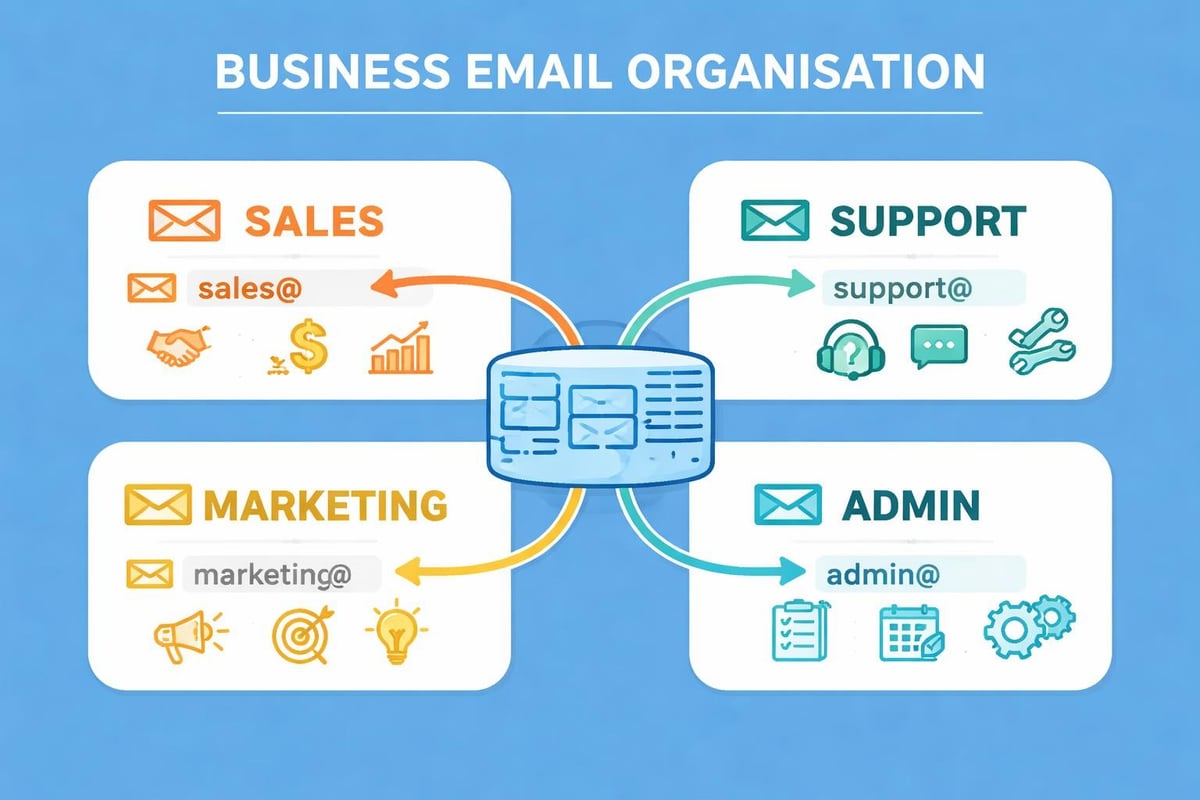
Small businesses typically require between three and seven email addresses depending on their operational complexity. The most common configuration includes general enquiries, customer service, sales, marketing, and administrative functions.
| Function | Email Format | Primary Use |
|---|---|---|
| General | [email protected] | First contact point |
| Sales | [email protected] | Product enquiries and quotes |
| Support | [email protected] | Customer assistance |
| Marketing | [email protected] | Campaigns and newsletters |
| Admin | [email protected] | Internal operations |
When planning to add a new email address, consider how it integrates with your existing communication structure. Each address should serve a clear purpose that aligns with customer expectations and internal workflows.
Adding Email Addresses to Major Platforms
Different email providers and platforms have varying processes for adding new addresses. Understanding these differences helps you choose the right approach for your business needs.
Microsoft Account Email Setup
Microsoft accounts allow you to add a new email address as an alias, enabling multiple addresses to share a single account. This approach simplifies management for small teams whilst maintaining separate communication channels.
The Microsoft account alias system lets you create up to ten aliases per account. Each alias functions as a complete email address but channels messages into one centralised inbox.
Steps to add an alias:
- Navigate to your Microsoft account settings
- Select 'Your info' from the dashboard
- Choose 'Manage how you sign in to Microsoft'
- Click 'Add email' and enter your desired address
- Verify the new address through the confirmation email
This method works particularly well for sole traders or very small teams who want the appearance of multiple departments without managing separate accounts.
Gmail and Google Workspace Configuration
Google's ecosystem handles additional email addresses differently depending on whether you're using free Gmail or paid Google Workspace. For business users, Google Workspace provides proper domain-based addresses that enhance professional credibility.
Recent developments have made it easier to manage Gmail addresses, with Google introducing features that allow primary address changes without creating entirely new accounts. However, for small businesses, the preferred route involves setting up a custom domain through Google Workspace.
When you add a new email address in Google Workspace, you're creating a distinct user account with its own storage allocation and access permissions. This separation proves valuable as teams grow and require individual accountability.
Apple Mail Integration
Mobile email management has become critical as more business owners handle communications on smartphones and tablets. Apple's Mail app on iPhone and iPad streamlines the process when you need to add a new email address to your mobile device.
The Apple Mail setup process offers both automatic and manual configuration options. Automatic setup works with major providers like Gmail, Outlook, and Yahoo, whilst manual configuration accommodates custom business domains and specialised email services.
For small businesses using professional email addresses, manual setup ensures proper IMAP and SMTP configuration, maintaining reliable sending and receiving capabilities across devices.
Email Client Configuration Best Practices
Choosing the right email client significantly impacts how efficiently you manage multiple addresses. Modern clients support unified inboxes, priority sorting, and automated rules that streamline communication workflows.
Desktop Email Client Setup
Desktop applications like Outlook, Apple Mail, and Thunderbird offer robust features for managing multiple email accounts simultaneously. When you add a new email address to these clients, you gain access to advanced filtering, scheduling, and automation tools.
Key configuration considerations include:
- IMAP versus POP3 protocol selection
- Folder synchronisation settings
- Sending identity management
- Signature customisation per address
- Automated filing rules
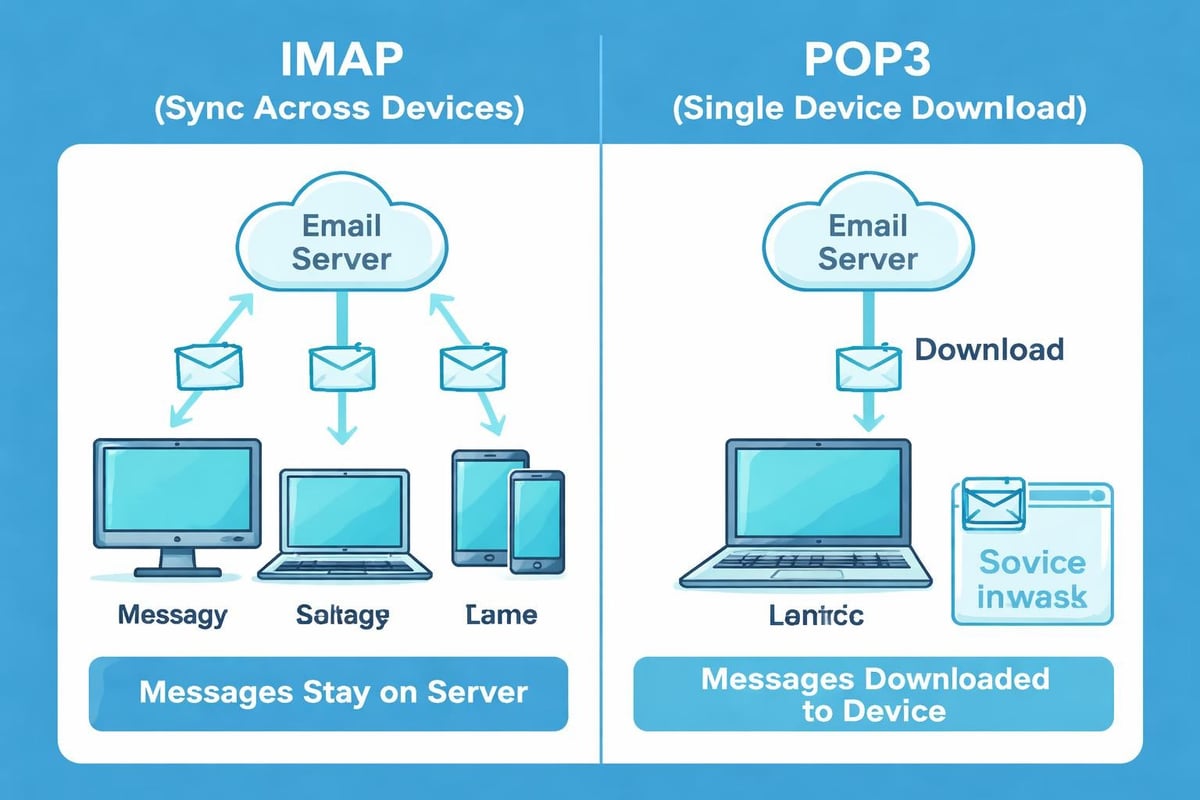
The choice between protocols matters more than many realise. IMAP synchronises messages across all devices, ensuring consistency whether you're checking email on your desktop, tablet, or smartphone. POP3 downloads messages to a single device, potentially creating fragmentation across your communication ecosystem.
Webmail Interface Management
Browser-based email access provides flexibility for business owners who work from multiple locations or devices. When you add a new email address through webmail interfaces, you typically gain immediate access without installing additional software.
Most modern email providers offer responsive webmail interfaces that rival desktop applications in functionality. These platforms include drag-and-drop organisation, conversation threading, and integrated calendar and contact management.
For businesses utilising email marketing platforms, webmail interfaces often provide seamless integration with marketing automation tools and customer relationship management systems.
Security Considerations When Adding Email Addresses
Each new email address represents a potential security vulnerability if not properly configured. Small businesses face increasing cyber threats, making security configuration essential during the setup process.
Two-Factor Authentication Implementation
Enabling two-factor authentication (2FA) on every email account provides critical protection against unauthorised access. When you add a new email address, immediately configure 2FA before using the account for business communications.
Modern 2FA methods include authenticator apps, SMS codes, and hardware security keys. Authenticator apps like Google Authenticator or Microsoft Authenticator offer the strongest balance of security and convenience for most small businesses.
Essential security measures:
- Unique, complex passwords for each account
- Regular password rotation (quarterly minimum)
- 2FA on all email accounts
- Regular security audit logs review
- Immediate deactivation of unused addresses
Some platforms, including government systems, implement strict security protocols when you add a new email address, requiring verification steps that confirm identity and authorisation.
Domain Authentication and Spam Prevention
Proper domain authentication protects your business reputation and ensures message deliverability. When you add a new email address on a custom domain, configure SPF, DKIM, and DMARC records to verify legitimate sending sources.
| Protocol | Purpose | Impact on Deliverability |
|---|---|---|
| SPF | Specifies authorised sending servers | Reduces spoofing risks |
| DKIM | Adds digital signature to messages | Verifies message integrity |
| DMARC | Defines handling of failed authentication | Protects brand reputation |
These technical configurations work behind the scenes to prove your emails originate from legitimate sources. Without proper authentication, messages from your new email address may land in spam folders or be rejected entirely by recipient servers.
Understanding your antispam policy helps maintain clean sending practices that preserve deliverability rates across all your email addresses.
Email Marketing Platform Integration
For small businesses running marketing campaigns, the ability to add a new email address to your marketing platform unlocks segmentation and personalisation opportunities. Different sender addresses allow you to test messaging approaches and track campaign performance by department or product line.
Sender Identity Configuration
Email marketing platforms require verified sender identities before allowing campaign deployment. When you add a new email address as a sender, you must complete domain verification and authentication processes that confirm ownership.
This verification serves dual purposes: protecting recipients from fraudulent messages and ensuring your campaigns reach intended inboxes. Most platforms send a confirmation email to the address you're adding, requiring you to click a verification link before activation.
For businesses exploring email marketing options, understanding sender identity management helps you structure campaigns around customer journey stages and departmental responsibilities.
Reply-To Address Strategy
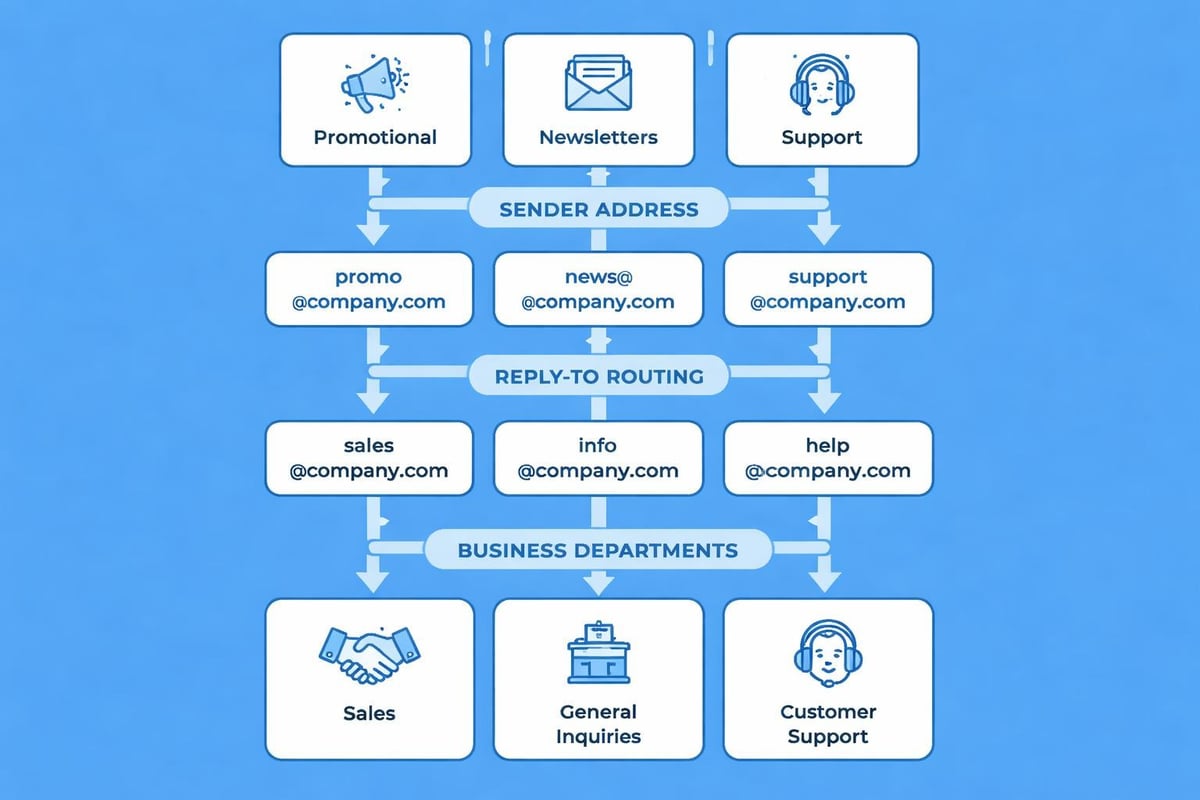
Strategically selecting reply-to addresses improves customer engagement and workflow efficiency. When customers respond to marketing messages, routing replies to appropriate team members ensures timely, relevant responses.
Consider these common reply-to configurations:
- Campaign announcements reply to [email protected]
- Product updates reply to [email protected]
- Special offers reply to [email protected]
- Newsletters reply to [email protected]
The ability to add a new email address for specific campaign types enables sophisticated communication strategies that match message content with the appropriate respondent team.
Managing Email Address Naming Conventions
Consistency in email address structure strengthens brand identity and improves customer recall. Before you add a new email address, establish naming conventions that align with your brand voice and operational structure.
Professional Naming Standards
Professional business email addresses follow predictable patterns that customers understand intuitively. Generic function names (sales, support, info) work well for role-based addresses, whilst personal addresses should follow a consistent format.
Common naming patterns include:
Avoid numbers, special characters, or unclear abbreviations that confuse recipients or appear unprofessional. When you add a new email address, test how it appears in email signatures and customer communications to ensure clarity.
Department and Function-Based Addresses
Role-based email addresses facilitate team collaboration and provide continuity when staff members change. Rather than routing customer enquiries to [email protected], using [email protected] ensures messages reach the appropriate team regardless of personnel changes.
This approach offers particular value for small businesses where team members often wear multiple hats. A single person might monitor several functional addresses, responding to each with the appropriate expertise and context.
Email Forwarding and Alias Configuration
Not every email address requires a separate inbox. Email forwarding and aliases allow you to add a new email address that routes to existing accounts, simplifying management whilst expanding communication options.
Setting Up Email Forwarding
Email forwarding automatically redirects messages from one address to another. When you add a new email address with forwarding enabled, all incoming messages arrive in a centralised inbox without creating additional mailboxes to monitor.
This technique works well for creating department-specific addresses that funnel into a primary business account. For example, enquiries@ might forward to your main business email, whilst returns@ routes to your customer service address.
Forwarding advantages:
- Reduced inbox proliferation
- Simplified email monitoring
- Maintained professional appearance
- Lower storage requirements
- Easier backup management
Most email providers allow you to configure forwarding rules during the creation process when you add a new email address, or subsequently through account settings.
Catch-All Email Configuration
Catch-all email addresses capture messages sent to any address at your domain, even if that specific address doesn't exist. This prevents lost communications from typos or outdated contact information.
When you add a new email address as a catch-all, you create a safety net for misdirected messages. However, this approach also increases spam volume, as malicious senders often use random addresses hoping to reach someone at your domain.
For small businesses, a selective approach works best: create specific addresses for known functions and use forwarding rather than catch-all configurations to maintain inbox cleanliness.
Mobile Device Email Management
Business communications increasingly happen on smartphones and tablets. When you add a new email address to mobile devices, you enable responsive customer service and flexible work arrangements.
iOS and Android Configuration
Both major mobile platforms support multiple email accounts with unified inbox views. Adding accounts requires IMAP server details, SMTP settings, and authentication credentials specific to your email provider.
Native mail apps on iOS and Android offer basic functionality suitable for most small businesses. However, third-party applications like Microsoft Outlook, Gmail, or Spark provide enhanced features including smart notifications, unified calendars, and advanced search capabilities.
When you add a new email address to mobile devices, configure notification settings thoughtfully to avoid constant interruptions whilst ensuring critical messages receive immediate attention. Selective notifications by sender or keyword help maintain productivity without missing important communications.
Synchronisation and Backup Considerations
Mobile email synchronisation ensures consistency across devices. When you add a new email address configured with IMAP, messages read on your phone appear as read on your desktop, and emails sent from your tablet appear in the sent folder across all devices.
Regular backups protect against device failure or account compromise. Most email providers offer automatic backup through their server infrastructure, but critical business communications warrant additional local or cloud backup solutions.
For businesses managing sensitive client information, understanding data retention policies ensures compliance with privacy regulations whilst maintaining necessary communication records.
Team Collaboration and Shared Email Addresses
Shared email addresses enable team collaboration on customer communications. When multiple staff members need access to the same email address, shared mailbox configurations provide concurrent access with appropriate permissions.
Shared Mailbox Setup
Shared mailboxes differ from individual email accounts by allowing multiple users to send and receive messages from the same address. When you add a new email address as a shared mailbox, you designate team members who can access and respond to messages.
This approach suits customer service teams, sales departments, or any situation requiring collaborative communication management. Messages appear as sent from the shared address ([email protected]) rather than individual team member addresses, maintaining consistency in customer interactions.
| Feature | Individual Mailbox | Shared Mailbox |
|---|---|---|
| Access | Single user | Multiple users |
| Login | Required | Delegated access |
| Storage | Per user quota | Shared allocation |
| Sending identity | Personal name | Business function |
| Best for | Personal communication | Team collaboration |
Permission and Access Management
When you add a new email address for team use, carefully configure access permissions to balance collaboration with security. Full access permissions allow users to read, send, and delete messages, whilst read-only access limits team members to viewing without modification.
Regular permission audits ensure only current team members retain access. When employees leave or change roles, immediately revoke email access to prevent unauthorised communications or data breaches.
Troubleshooting Common Email Addition Issues
Despite straightforward processes, you may encounter obstacles when attempting to add a new email address. Understanding common issues and solutions accelerates resolution and minimises disruption.
Verification and Authentication Failures
Email providers send verification messages when you add a new email address, requiring confirmation before activation. Verification failures typically stem from typos in the email address, overzealous spam filters, or delays in message delivery.
Resolution steps include:
- Double-check the email address spelling
- Wait 15-30 minutes for verification messages to arrive
- Check spam and junk folders
- Request resend of verification email
- Contact provider support if issues persist
Some platforms require additional identity verification beyond email confirmation, particularly when adding addresses to accounts handling sensitive information or financial transactions.
Domain and DNS Configuration Problems
Custom domain email addresses require proper DNS configuration to function correctly. When you add a new email address on your business domain, MX records must point to the correct mail server, and authentication records (SPF, DKIM, DMARC) must validate properly.
DNS propagation can take 24-72 hours after making changes, during which email delivery may be unreliable. Planning email address additions in advance of critical campaigns or communications prevents timing-related complications.
For businesses new to email setup processes, working with experienced providers or IT consultants ensures proper configuration from the start, avoiding deliverability issues that damage customer relationships.
Email Address Management for Growing Teams
As small businesses expand, email management complexity increases proportionally. Strategic planning when you add a new email address prevents chaos and maintains professional communication standards.
Scaling Email Infrastructure
Growth requires proactive email infrastructure planning. A three-person business might function well with five email addresses, but a fifteen-person team needs structured departmental addresses, individual accounts, and shared mailboxes for collaborative functions.
Consider implementing email management policies that define:
- When to create new addresses versus using existing ones
- Naming conventions for consistency
- Security requirements for all accounts
- Backup and archiving procedures
- Deactivation processes for unused addresses
Documentation of your email structure helps new team members understand communication channels and ensures continuity as staff members change roles or leave the organisation.
Integration with Business Systems
Modern small businesses use multiple software systems that require email integration. When you add a new email address, consider how it connects with your customer relationship management system, accounting software, project management tools, and marketing platforms.
API integrations allow these systems to send transactional emails, notifications, and automated communications through designated email addresses. Proper configuration ensures messages originate from appropriate addresses that match their purpose and maintain brand consistency.
For businesses leveraging email marketing automation, strategic email address allocation supports sophisticated campaigns that nurture customer relationships through personalised, timely communications.
Managing your business email infrastructure effectively requires understanding when and how to add a new email address that serves specific communication needs. From initial setup through ongoing management, strategic email address allocation supports professional customer interactions, efficient team collaboration, and scalable growth. Whether you're establishing your first business email addresses or expanding your existing communication infrastructure, Astonish Email provides the tools and support small businesses need to maintain professional, effective email marketing and communication systems that grow alongside your organisation.