System Email: Essential Guide for Small Businesses
February 17, 2026
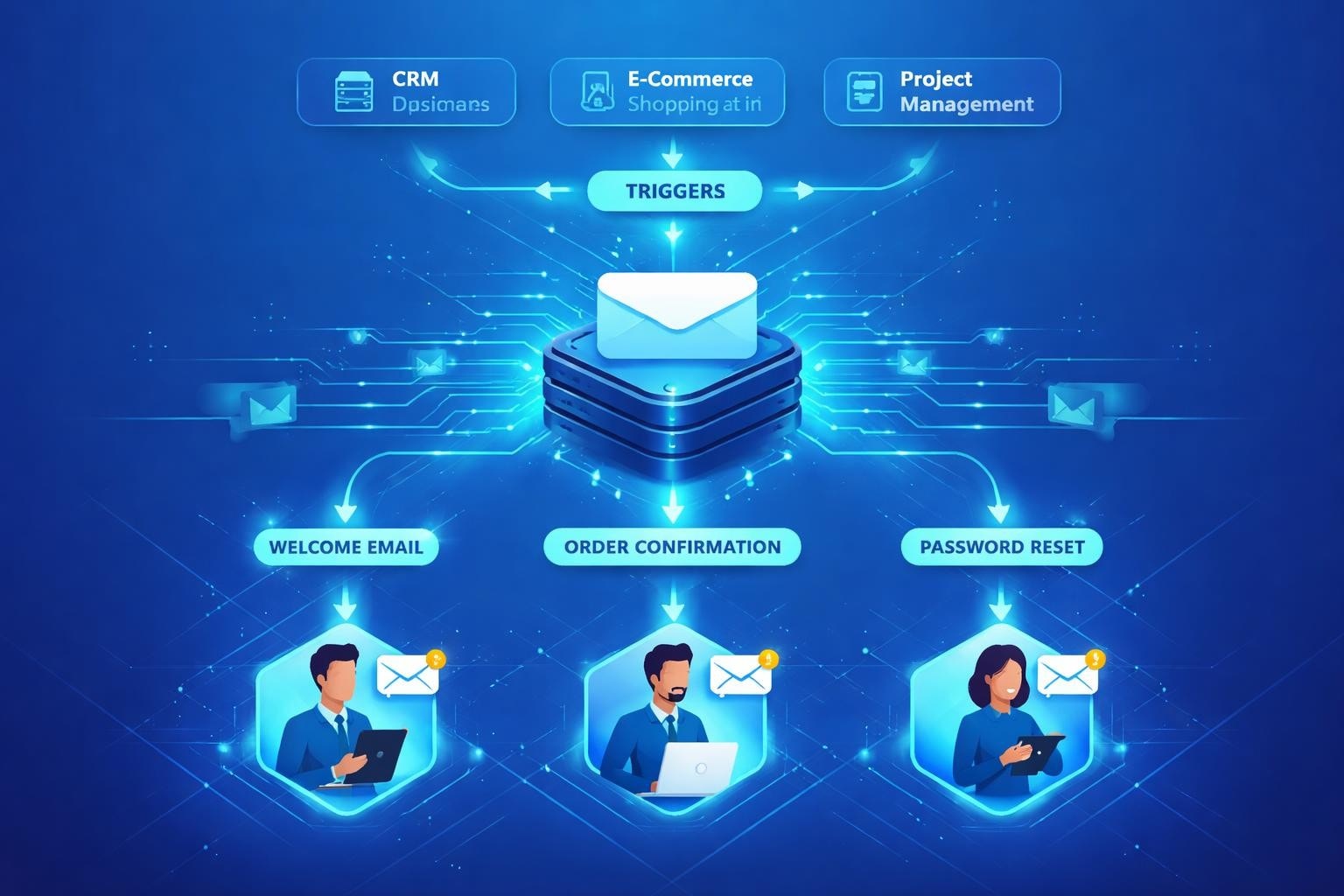
Every digital platform you use sends automated messages to keep you informed. These notifications arrive without human intervention, triggered by specific events or conditions within software applications. Understanding how system email functions and implementing proper management strategies can significantly improve your business communications whilst reducing security risks and ensuring compliance.
What Is System Email and Why It Matters
System email refers to automated electronic messages generated by software applications, platforms, or servers without direct human composition. These messages serve critical operational functions ranging from password resets to transaction confirmations.
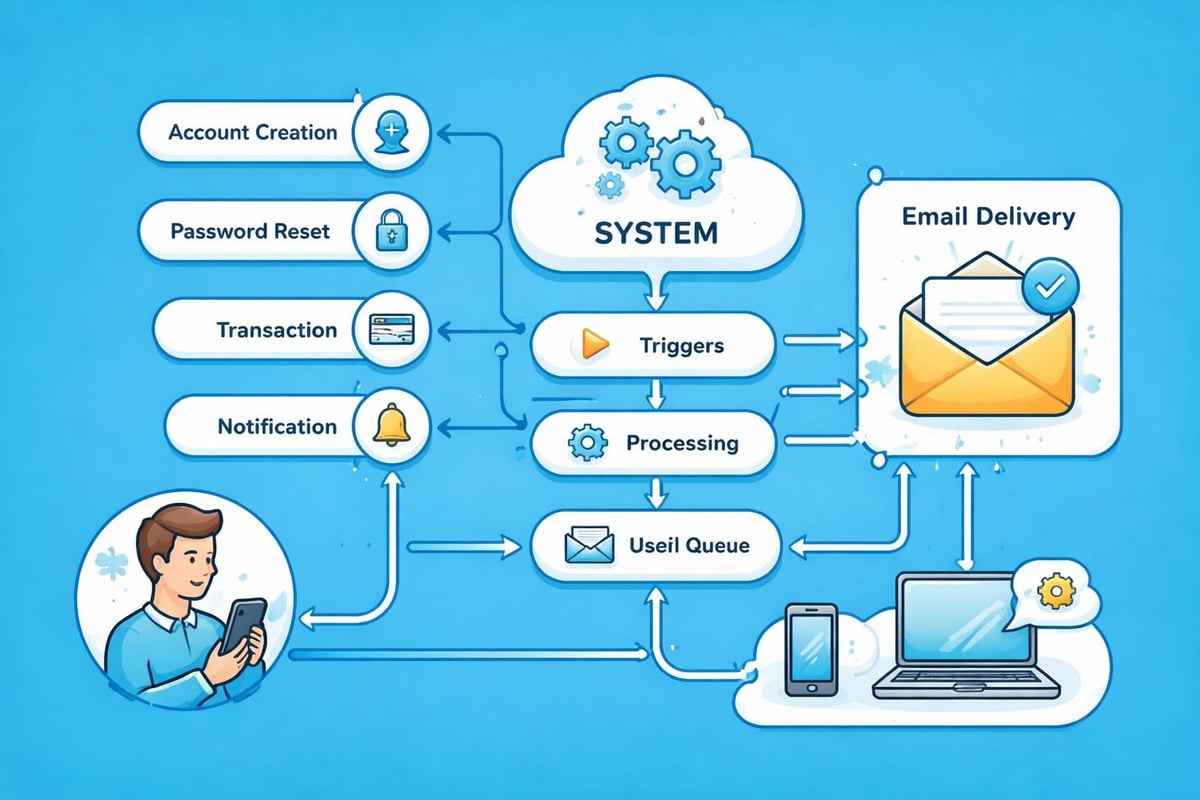
Unlike marketing campaigns or personal correspondence, system email operates on predetermined triggers. When a customer completes a purchase, creates an account, or requests support, the underlying software automatically generates and dispatches appropriate notifications. This automation ensures consistent, timely communication whilst freeing your team to focus on strategic initiatives.
Core Functions of Automated Notifications
System email serves multiple essential purposes:
- Account creation confirmations and welcome sequences
- Password reset requests and security alerts
- Order confirmations and shipping updates
- Payment receipts and invoice delivery
- System status notifications and error reports
- Scheduled report distribution
- Compliance and audit trail documentation
The reliability of these messages directly impacts customer experience. A delayed order confirmation or missing password reset link creates frustration and erodes trust. Small businesses particularly benefit from properly configured system email, as it provides enterprise-level responsiveness without additional staffing costs.
Technical Infrastructure Behind Automated Messages
Effective system email requires robust technical foundations. Your mail server configuration, authentication protocols, and delivery infrastructure determine whether messages reach intended recipients or vanish into spam folders.
Essential Authentication Protocols
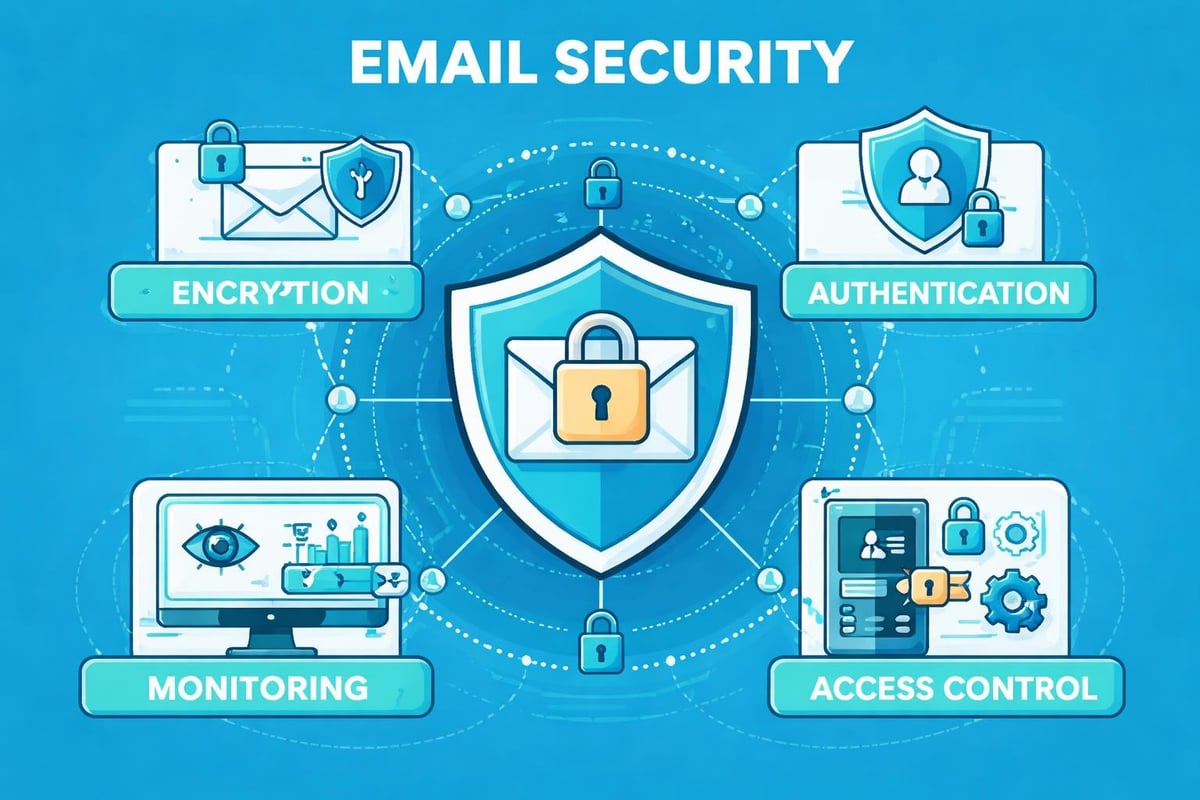
Modern email security demands multiple verification layers. SPF (Sender Policy Framework), DKIM (DomainKeys Identified Mail), and DMARC (Domain-based Message Authentication, Reporting, and Conformance) work together to prove your messages originate from legitimate sources. Email spoofing remains a persistent threat, making these protocols non-negotiable for businesses sending transactional messages.
DMARC implementation provides additional protection by instructing receiving servers how to handle messages that fail authentication checks. Without proper configuration, your critical system email may never reach customers, damaging your reputation and operational efficiency.
| Protocol | Primary Function | Business Impact |
|---|---|---|
| SPF | Authorises sending servers | Prevents domain impersonation |
| DKIM | Cryptographic signature verification | Confirms message integrity |
| DMARC | Policy enforcement and reporting | Provides visibility into email authentication |
The NIST guidelines for electronic mail security offer comprehensive recommendations for configuring these protocols correctly. Following these standards ensures your system email maintains high deliverability whilst protecting your domain reputation.
Compliance Requirements for Automated Communications
System email must adhere to various regulations, even though it differs from promotional content. Understanding these requirements prevents costly violations and maintains customer trust.
Regulatory Framework Considerations
The CAN-SPAM Act primarily targets commercial messages, yet certain provisions affect transactional email. Your system email must include accurate header information, valid physical addresses, and clear identification of your business. Whilst system email typically receives exemptions from unsubscribe requirements, maintaining transparency remains crucial.
Key compliance elements include:
- Accurate sender identification and routing information
- Clear subject lines reflecting message content
- Valid physical postal address inclusion
- Prompt processing of any opt-out requests for non-essential notifications
- Proper data handling according to GDPR or relevant privacy laws
Many small businesses overlook that system email creates data retention obligations. When you send order confirmations or account notifications, you're processing personal information requiring protection. Understanding your data retention policy ensures compliance whilst managing storage costs effectively.
Security Best Practices for System Email Management
System email represents both an operational necessity and a potential security vulnerability. Implementing appropriate safeguards protects your business and customers from various threats.
Encryption and Content Protection
Sensitive information frequently travels through system email. Password reset links, financial statements, and personal data require protection during transmission. Transport Layer Security (TLS) encryption ensures messages remain confidential between your servers and recipients.
According to updated NIST guidelines for email security, encryption should cover both transmission and, where appropriate, message content itself. Small businesses handling payment information or health data must prioritise these protections.
The enterprise email security best practices outlined by security experts extend to system email management. Regular security audits, monitoring for suspicious activity, and prompt patching of email infrastructure prevent breaches that could compromise customer data.
Optimising Deliverability for Critical Notifications
Even perfectly configured system email fails if it doesn't reach recipient inboxes. Deliverability optimisation ensures your critical messages arrive promptly and avoid spam filters.
Reputation Management Strategies
Email service providers evaluate sender reputation when determining message placement. System email from established, properly authenticated sources enjoys higher deliverability than messages from new or suspicious domains. Email sender accreditation programmes provide third-party verification that improves inbox placement rates.
Deliverability factors to monitor:
- Bounce rates and invalid address management
- Spam complaint frequency
- Sending volume consistency
- Authentication protocol pass rates
- Engagement metrics (opens, clicks)
- List hygiene and validation
| Metric | Healthy Range | Action Required |
|---|---|---|
| Hard Bounce Rate | Below 2% | Remove invalid addresses immediately |
| Spam Complaints | Below 0.1% | Review content and sending practices |
| Authentication Pass Rate | Above 95% | Fix DNS records and configuration |
Small businesses often struggle with deliverability because they lack dedicated email infrastructure. Choosing the right email marketing platform provides professional sending infrastructure without requiring technical expertise.
Content Strategy for Effective System Email
Whilst system email serves functional purposes, poor content undermines its effectiveness. Well-crafted automated messages strengthen customer relationships and reduce support enquiries.
Writing Clear, Actionable Messages
System email should communicate essential information concisely. Recipients need to understand the message purpose within seconds and know exactly what action, if any, they should take.
Strong subject lines specify the notification type. "Your Order #12345 Has Shipped" provides more value than "Update from Our Store". Clear calls-to-action guide recipients toward desired behaviours, whether tracking a package or completing account setup.
Content elements for effective system email:
- Descriptive subject line matching message content
- Personalisation using customer name and relevant details
- Clear explanation of why the message was sent
- Specific next steps or actions required
- Contact information for questions or concerns
- Branding consistent with your business identity
Templates streamline system email creation whilst ensuring consistency. However, templates require regular review to maintain relevance. An outdated order confirmation template mentioning discontinued services confuses customers and appears unprofessional.
When creating professional email communications, consider accessibility requirements. Plain text alternatives, appropriate contrast ratios, and clear language ensure all recipients can engage with your notifications effectively.
Managing System Email Volume and Frequency
Too many automated notifications annoy recipients and increase unsubscribe rates. Strategic management balances necessary communication with user preferences.
Notification Hierarchy and Consolidation
Not all system email deserves immediate delivery. Critical security alerts require instant transmission, whilst weekly activity summaries can wait. Categorising notifications by urgency and importance enables smarter delivery strategies.
Consolidation reduces message volume without sacrificing information delivery. Rather than sending five separate emails about order processing stages, consider one comprehensive update or allow customers to choose their preferred notification frequency.
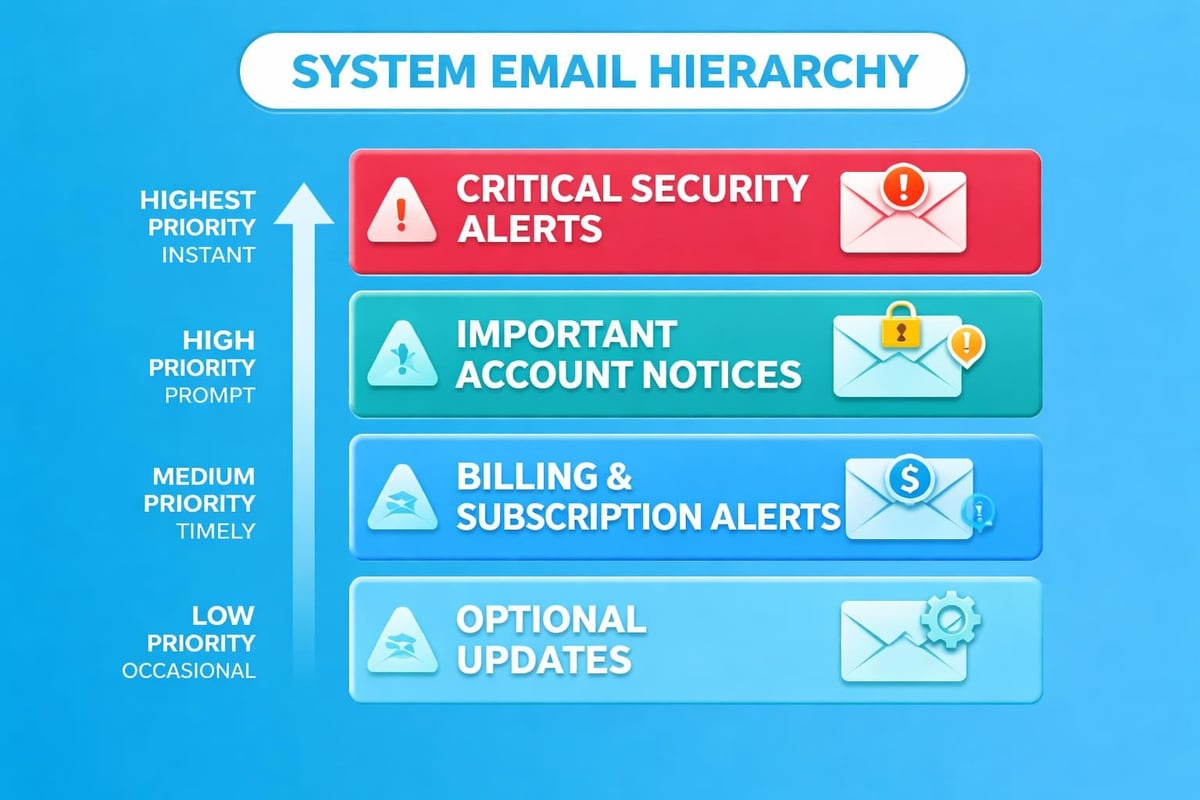
User preferences should govern non-essential system email. Whilst you cannot allow customers to opt out of password resets or legal notices, optional notifications like product recommendations or feature updates benefit from preference management. This approach demonstrates respect for recipient attention whilst maintaining necessary communications.
Platforms like Astonish Email help small businesses manage these complexities through intelligent automation and preference centres that balance operational needs with customer experience.
Monitoring and Analytics for System Email Performance
System email generates valuable data revealing customer behaviour patterns and operational issues. Proper monitoring identifies problems before they escalate whilst uncovering improvement opportunities.
Key Performance Indicators
Essential metrics for system email evaluation:
- Delivery rate (successfully delivered vs. sent)
- Open rate for critical notifications
- Click-through rate on actionable messages
- Time to delivery from trigger event
- Bounce categorisation and causes
- Device and client usage patterns
Unlike marketing email, system email analytics focus on reliability and functionality rather than conversion. A password reset email with a 100% delivery rate but 50% open rate suggests customers may not recognise the sender or the message lacks urgency cues.
| System Email Type | Primary Metric | Target Performance |
|---|---|---|
| Password Resets | Delivery + Open Rate | 99%+ delivery, 80%+ opens |
| Order Confirmations | Delivery Time | Within 5 minutes |
| Security Alerts | Delivery + Engagement | 99.5%+ delivery, monitored opens |
| Receipts | Delivery Rate | 99%+ delivery |
Regular auditing identifies configuration drift and emerging problems. Monthly reviews of authentication pass rates, delivery speeds, and bounce patterns enable proactive maintenance. When metrics decline, investigation often reveals DNS changes, server issues, or recipient filtering adjustments requiring response.
For businesses managing multiple system email types, centralised monitoring through comprehensive email platforms simplifies oversight and ensures nothing falls through the cracks.
Integration Strategies for Business Systems
System email rarely operates in isolation. Effective implementation requires integration across your technology stack, from customer relationship management platforms to e-commerce systems.
API-Driven Automation
Modern applications communicate through APIs (Application Programming Interfaces), enabling sophisticated system email workflows. When a customer completes checkout in your e-commerce platform, the system triggers multiple automated processes including inventory updates, payment processing, and confirmation email delivery.
Well-designed integrations ensure data consistency across systems. Customer information should flow seamlessly between your database, email platform, and other tools without manual intervention. This automation reduces errors whilst accelerating communication delivery.
Integration best practices include:
- Centralised customer data management to prevent discrepancies
- Real-time trigger mechanisms for time-sensitive notifications
- Fallback procedures when primary systems experience issues
- Testing protocols for integration changes before production deployment
- Logging and monitoring to track message generation and delivery
Small businesses often benefit from platforms offering pre-built integrations with popular business tools. Rather than developing custom connections, these ready-made solutions enable rapid deployment whilst maintaining reliability.
When selecting email solutions for business operations, evaluate integration capabilities alongside core features. The best system email platform seamlessly connects with your existing technology rather than requiring workflow restructuring.
Future Developments in Automated Communication
System email continues evolving as technology advances and customer expectations shift. Understanding emerging trends helps businesses prepare for changing requirements.
Artificial Intelligence and Personalisation
Machine learning algorithms increasingly influence system email content and delivery timing. Rather than sending identical notifications to all users, AI-powered systems analyse individual behaviour patterns to optimise message timing and content.
A customer who consistently opens emails in the evening might receive their order updates at 7 PM rather than immediately upon shipment. This personalisation improves engagement without requiring manual segmentation.
Enhanced security measures will become standard as threats evolve. The research published in SafeEmail proposals suggests future systems may incorporate advanced encryption and authentication methods beyond current protocols.
Anticipated developments include:
- Predictive delivery timing based on recipient behaviour
- Dynamic content adjustment reflecting real-time data
- Enhanced privacy protections complying with evolving regulations
- Improved cross-device compatibility and rendering
- Deeper integration with messaging platforms beyond traditional email
Businesses adopting these innovations early gain competitive advantages through superior customer experience. However, maintaining foundational best practices remains essential regardless of technological advancement.
System email forms the backbone of modern business communication, delivering critical information that keeps customers informed and operations running smoothly. By implementing proper authentication, maintaining security standards, and optimising delivery, small businesses create reliable notification systems that build trust and reduce support burdens. Whether you're just establishing your automated communications or refining existing processes, Astonish Email provides the tools and infrastructure small businesses need to manage system email professionally and effectively.