Email For My Business: The Essential Guide For 2026
December 22, 2025
Imagine a world where every customer instantly trusts your business, and every message you send is secure and reliable. In 2026, getting the right email for my business is no longer optional. It is the backbone of credibility, productivity, and growth.
This essential guide will show you how to set up, manage, and optimise your business email, step by step. Discover why it matters, how to choose the best platform, and what features you need to stay ahead. Ready to build trust and efficiency? Let’s get started.
Why Professional Email Matters in 2026
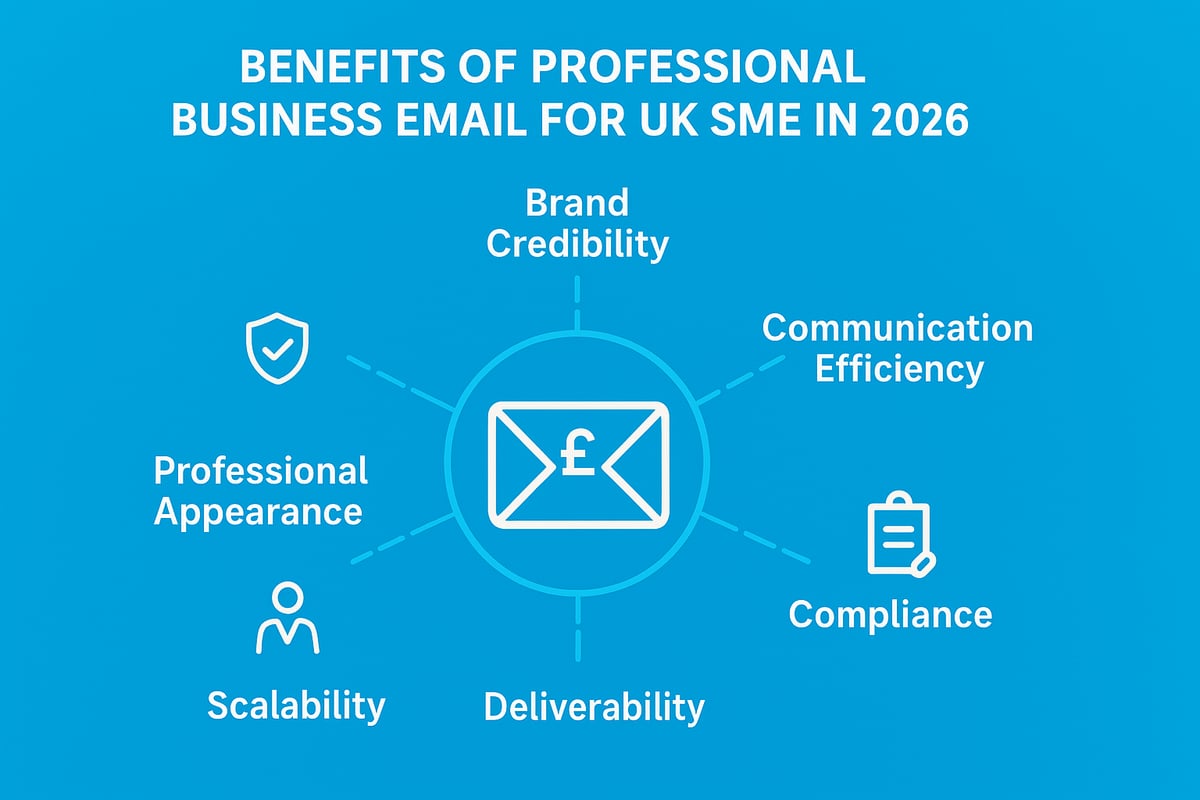
Imagine a client’s first impression hinging on your email address. In 2026, “email for my business” is more than a contact method, it is a pillar of trust, compliance, and growth. Below, we break down why professional business email is indispensable for modern enterprises.
Enhancing Brand Credibility and Trust
A professional “email for my business” builds immediate confidence. When you use a branded address like [email protected], your communications look legitimate and established. According to HubSpot, 75% of customers trust businesses with branded email addresses over those using free accounts.
Consider a small business that switched to a professional email setup. They saw conversion rates rise by 20%, highlighting the direct link between a credible email presence and customer trust. This small detail can set your brand apart in a crowded market.
Improving Communication Efficiency
A dedicated “email for my business” streamlines interactions within your organisation. Modern business email platforms unify inboxes and integrate with calendars, CRM systems, and productivity tools. This integration means fewer missed messages and faster responses.
Small and medium enterprises report a 30% reduction in response times after adopting integrated email platforms. Features such as shared calendars and team mailboxes enable seamless collaboration, keeping workflows smooth and efficient.
Compliance and Data Protection
In 2026, regulatory compliance is non-negotiable. Using “email for my business” ensures your communications meet the legal standards required by GDPR and the UK Data Protection Act. Professional email solutions provide secure archiving, audit trails, and access controls.
Compliance essentials include:
- Secure email storage within UK/EU data centres
- Automated retention and deletion policies
- Encrypted communications to protect sensitive data
Fines for mishandling business email can be significant, making the right setup critical for both legal and reputational reasons.
Deliverability and Marketing Impact
Deliverability is a core advantage of using “email for my business”. Branded email addresses are less likely to be flagged as spam, boosting your message’s chances of reaching the recipient’s inbox. In fact, professional emails enjoy an 18% higher open rate (Campaign Monitor, 2024).
Email marketing delivers impressive returns, with an average of £40 for every £1 spent. For further insights on optimising your strategy, see email marketing for small business.
| Metric | Generic Email | Branded Email |
|---|---|---|
| Average Open Rate (%) | 16 | 34 |
| Spam Flag Rate (%) | 25 | 8 |
| Marketing ROI (£ per £1) | 12 | 40 |
Scalability and Growth Potential
As your business expands, “email for my business” must scale with you. Modern platforms let you add users, departments, and aliases effortlessly. Startups can transition from a small team to 50+ employees without changing their core email infrastructure.
Flexible user management supports growth, allowing businesses to maintain structure and communication quality as they scale. This adaptability is essential for staying agile and responsive in a changing market.
Professional Appearance vs. Free Email Accounts
The difference between a branded “email for my business” and a generic free provider is stark. Customers perceive domain-based email as more legitimate and trustworthy. Free accounts can undermine your professional image and expose your business to security risks.
Relying on free email services may also limit your features and support options. Investing in a professional solution ensures your business always presents itself at its best.
Choosing the Right Email Platform for Your Business
Selecting the best email for my business is a critical decision in 2026. The right platform will not only enhance productivity but also ensure security, compliance, and easy scalability. With so many options available, understanding what truly matters can help you make an informed choice that supports your growth.
Key Features to Consider
When evaluating email for my business, prioritise features that directly impact your daily operations. Look for:
- Custom domain support for brand credibility.
- Sufficient storage and attachment limits.
- Advanced security measures like encryption and two-factor authentication.
- Reliable spam filtering and recovery options.
Understanding attachment limits can prevent workflow disruptions. To dive deeper into this topic, see Email size limits explained.
A platform that meets these criteria will lay a strong foundation for business communication and growth.
Comparing Top Business Email Providers
Choosing the right email for my business often comes down to the leading platforms. Here is a concise comparison:
| Provider | Price (per user/mo) | Storage | Integrations | UK/EU Data Centres | Support |
|---|---|---|---|---|---|
| Microsoft 365 | £4.50+ | 50GB+ | CRM, Office Apps | Yes | 24/7, Phone, Chat |
| Google Workspace | £4.60+ | 30GB+ | Google Apps, CRM | Yes | 24/7, Email, Chat |
| Zoho Mail | £0 (Free)+ | 5GB+ | Zoho Suite, CRM | Yes | Email, Chat |
| ProtonMail | £4.30+ | 5GB+ | Limited | Yes | |
| Astonish Email | £0 (Free)+ | 10GB+ | Drag-and-drop builder | UK | UK-based, Email |
Selecting a provider that aligns with your business size, budget, and integration needs is essential for long-term success.
Integration With Other Business Tools
Integration is a game-changer when considering email for my business. Seamless syncing with your CRM, project management, e-commerce, and accounting systems saves time and reduces errors.
For example, sales teams who link their email and CRM systems report a 25% increase in follow-up efficiency. This integration streamlines workflows, ensuring customer communications are always tracked and managed.
Adopting a platform with robust integration options can significantly boost your team's productivity.
Cost Considerations and ROI
Budget plays a pivotal role in choosing email for my business. Most providers offer flexible subscription models, from monthly per-user fees to annual discounts.
Free tiers are attractive for startups, but often come with limitations. As your business scales, investing in a paid plan unlocks advanced features and greater storage. The return on investment is clear, as professional email platforms can drive higher efficiency and credibility.
Evaluate the long-term value, not just upfront costs, to make the smartest choice for your needs.
Support and Reliability
Reliable support is non-negotiable for any business. When selecting email for my business, prioritise platforms with 99.9% uptime guarantees and accessible customer service channels.
Look for providers offering live chat, phone, or email support. Rapid assistance ensures minimal disruption, helping you maintain consistent communication with clients and team members.
A dependable platform with strong support keeps your business running smoothly.
Data Residency and Compliance
Data security and compliance are crucial when choosing email for my business, especially for UK organisations. Ensure your provider offers UK or EU data centre options to meet GDPR and data protection requirements.
Non-compliance can result in hefty fines and reputational damage. Always verify where your data is stored and confirm that your chosen platform adheres to all relevant regulations.
Prioritising compliance safeguards your business and builds customer trust.
Astonish Email: An Option for UK Small Businesses
Astonish Email offers tailored solutions for UK businesses seeking a reliable email for my business. Features include a drag-and-drop builder, mobile optimisation, and UK-based support for non-technical users.
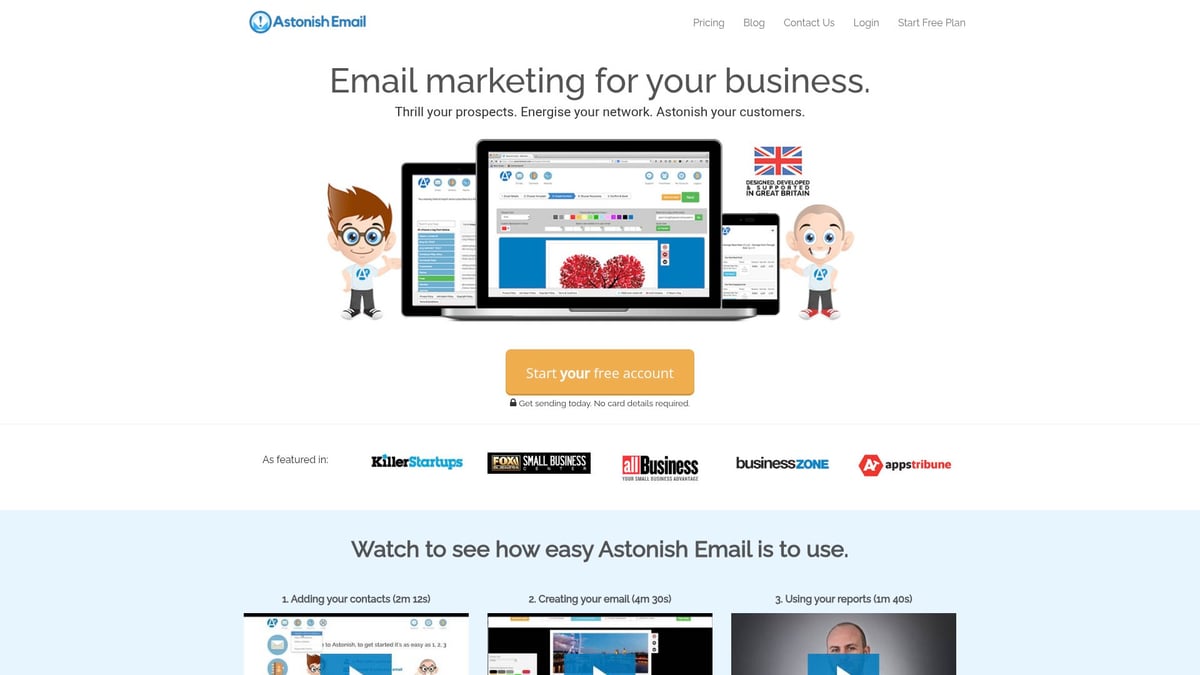
Security is robust, with 256-bit encryption and automated unsubscribe management. Real-time analytics provide insights, while affordable plans and a free trial (no credit card required) make it accessible for small teams.
With a proven ROI and easy setup, Astonish Email is a compelling choice for growing UK businesses.
Step-by-Step: Setting Up Email for Your Business in 2026
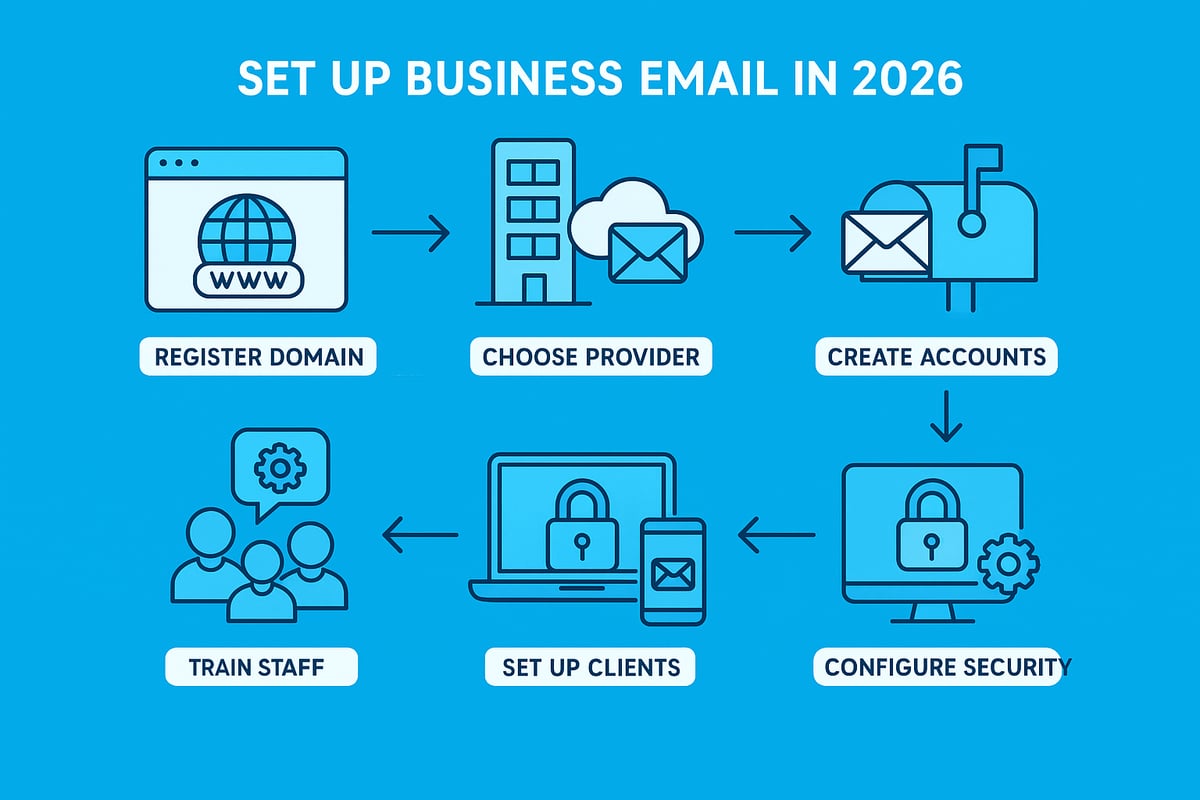
Setting up email for my business in 2026 is a strategic process that lays the foundation for secure, professional communication. This section provides a clear, actionable roadmap, from securing your domain to training your team. Each step ensures your business email is robust, compliant, and ready for growth.
Step 1: Registering Your Business Domain
The first step in setting up email for my business is choosing and registering a domain that reflects your brand. A domain like yourbusiness.co.uk boosts recognition and credibility. Select a name that is memorable, easy to spell, and matches your business identity.
When registering, use trusted registrars such as Namecheap, GoDaddy, or 123 Reg. Compare prices, renewal terms, and support options. Avoid confusing extensions or common typos, as these can lead to lost emails and missed opportunities.
A strong domain is the cornerstone of a professional email for my business, setting the tone for every interaction.
Step 2: Selecting Your Email Hosting Provider
With your domain secured, the next step in setting up email for my business is selecting an email hosting provider. Consider features like custom domain support, storage, security, and integration with business tools.
Compare providers such as Microsoft 365, Google Workspace, Zoho Mail, and Astonish Email. Evaluate costs, support, and ease of use. For businesses seeking no-cost options, see this practical guide on how to get a free email account.
Choose a provider that meets your current needs and allows for future growth, ensuring your email for my business remains flexible and effective.
Step 3: Creating User Accounts and Mailboxes
After selecting a provider, create user accounts for your team. Structuring email for my business means assigning addresses to staff, departments, or roles. Common formats include [email protected] for clarity and professionalism.
Use aliases for shared functions, such as sales@ or support@. This approach helps route enquiries efficiently and maintains a consistent brand presence. Establish clear naming conventions to avoid confusion as your business expands.
A well-organised email for my business ensures seamless internal and external communication.
Step 4: Configuring Security Settings
Securing email for my business is vital to protect sensitive data and maintain customer trust. Start by enabling two-factor authentication (2FA) for all accounts. This adds a crucial layer of protection against unauthorised access.
Configure SPF, DKIM, and DMARC records to enhance deliverability and guard against spoofing. These settings authenticate your messages, reducing the risk of phishing attacks. Many providers offer step-by-step guides or automated tools to simplify this process.
Prioritising security in email for my business helps ensure compliance and peace of mind.
Step 5: Email Client Setup and Mobile Access
Next, configure email for my business on desktop and mobile devices. Most providers support clients like Outlook, Apple Mail, and native apps on Android and iOS. Follow the provider’s setup instructions to connect accounts, ensuring seamless access across all devices.
Synchronise calendars and contacts for improved productivity. Test sending and receiving emails from each device to confirm everything works smoothly. Reliable access to email for my business supports timely responses and efficient workflows.
Step 6: Migrating Old Emails and Contacts
If your business is transitioning from a previous system, migrating old emails and contacts is a crucial step in setting up email for my business. Use migration tools provided by your new host, or opt for third-party services if necessary.
Back up all existing data before migration. After the process, verify that important emails and contacts have transferred correctly. Address any missing information promptly to avoid disruptions.
A successful migration ensures the continuity of email for my business and preserves valuable communication history.
Step 7: Training Staff and Setting Policies
The final step involves training your team and establishing clear usage policies for email for my business. Provide onboarding guides covering best practices, acceptable use, and data security.
Encourage staff to report suspicious emails and follow password protocols. Regular refresher sessions and accessible support resources help maintain high standards. Well-informed employees are your first line of defence and ensure email for my business operates smoothly and securely.
Advanced Features to Maximise Business Email Productivity
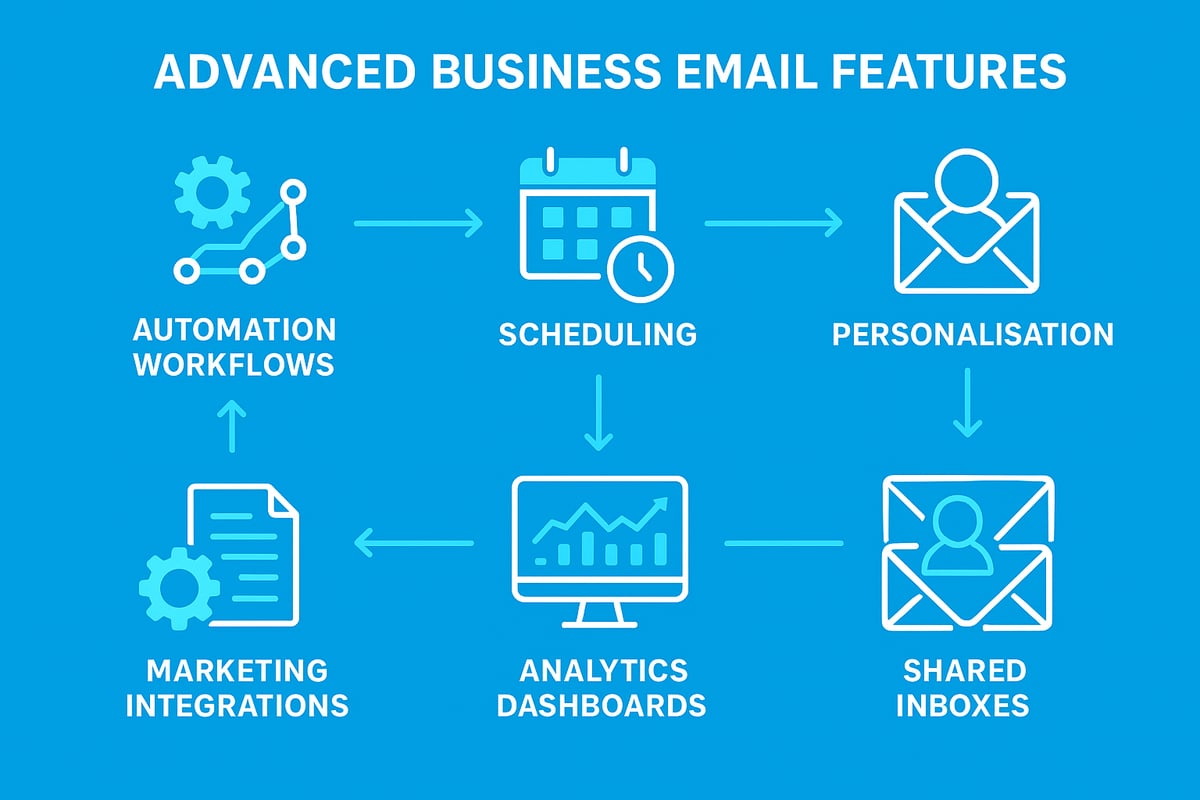
Unlocking the full potential of email for my business in 2026 means harnessing advanced features that do more than just send and receive messages. Modern platforms offer tools that streamline workflows, personalise communication, and maximise team efficiency. Let us explore the essential features that can elevate your email strategy.
Automation and Scheduling
Automation transforms how you use email for my business by reducing manual work and ensuring timely responses. Set up auto-responders to acknowledge enquiries instantly, schedule follow-up emails, and create drip campaigns for onboarding or marketing.
Key automation benefits include:
- Automatic replies to customer queries
- Scheduled sends for optimal timing
- Triggered workflows based on recipient actions
For example, automated onboarding emails can boost customer engagement by up to 40 percent. This empowers your team to focus on strategic tasks while routine communication is handled seamlessly.
Email Personalisation and Segmentation
Personalisation is crucial for making every message count. With email for my business, dynamic content can be tailored to each recipient, using their name, preferences, or purchase history. Segmentation allows you to group contacts and send targeted messages.
Consider these strategies:
- Personalised subject lines to increase open rates
- Content blocks that adapt to recipient data
- Segmented campaigns for better relevance
According to Mailchimp, personalised subject lines can lift open rates by 26 percent. These tools help you connect with your audience on a deeper level.
Collaboration and Shared Inboxes
Efficient teamwork is essential when managing email for my business. Shared inboxes enable multiple staff to monitor and reply to messages from addresses like support or sales, ensuring no enquiry is missed.
Key collaboration features:
- Shared mailboxes for team access
- Delegation of messages and tasks
- Permission controls for security
With shared inboxes, teams can collaborate in real time, assign conversations, and maintain a unified brand voice.
Analytics and Reporting
Understanding how your emails perform is vital for continuous improvement. Most platforms offer analytics that track opens, clicks, response times, and more.
Analytics dashboards allow you to:
- Monitor key engagement metrics
- Identify best-performing campaigns
- Refine communication strategies
By leveraging these insights, you can improve results and demonstrate the impact of email for my business.
Integrating with Marketing Tools
Integration with marketing tools takes email for my business to the next level. Connect your email platform to CRM systems, automation software, and social media channels for a seamless workflow.
Benefits of integration:
- Unified customer data and history
- Automated campaign triggers
- Consistent messaging across platforms
Integrated campaigns have been shown to drive three times higher engagement than standalone efforts.
Template Management and Brand Consistency
Maintaining a consistent brand image is essential when using email for my business. Modern platforms allow you to design, store, and share branded templates across your team.
Template management features include:
- Customisable, reusable email templates
- Centralised template libraries
- Easy sharing and updates for all users
Consistent templates ensure every message reinforces your brand identity and saves time on repetitive design work.
Email Security Essentials for Businesses in 2026
Email for my business is now a frontline target for cyber threats. As attacks grow more sophisticated, understanding and implementing robust security measures is vital. In 2026, the right security practices help protect sensitive data, maintain compliance, and preserve your business’s reputation.
Threat Landscape: Phishing, Ransomware, and Spoofing
The threat landscape for email for my business is constantly evolving. By 2025, 85% of UK businesses experienced phishing attacks, with criminals now using AI to craft convincing messages. These advanced techniques reduce typos and increase the success rate of phishing, making it harder for staff to spot fake emails. Ransomware and spoofing attacks can disrupt operations and cause financial loss. Learn more about how AI-driven phishing threats are changing the landscape and what to watch for in your inbox.
Best Practices for Secure Email Use
To keep email for my business secure, staff training is essential. Regular security awareness sessions teach teams how to identify suspicious messages and avoid risky behaviour. Strong password policies, including frequent updates and unique credentials, help block unauthorised access. Multi-factor authentication adds an extra layer of protection. For comprehensive guidance, see this resource on secure email for small businesses, which covers actionable steps tailored to SMEs.
Encryption and Secure Communication
Encryption ensures that only authorised recipients can read the messages sent via email for my business. End-to-end encryption is now standard for sensitive communications, protecting data both in transit and at rest. Secure file transfer protocols are recommended for sharing confidential attachments. Businesses should review their email platform’s encryption features and activate them for all critical communications to reduce interception risks.
Compliance and Data Protection
Regulatory compliance is non-negotiable for email for my business. The GDPR and UK Data Protection Act require businesses to safeguard personal and client data. This means implementing secure archiving, setting retention policies, and ensuring that email storage is within compliant jurisdictions. Regular audits and policy reviews keep your business aligned with the latest legal requirements, reducing the risk of hefty fines.
Incident Response and Recovery
Despite best efforts, breaches can still occur. Every email for my business needs a clear incident response plan. This includes immediate isolation of affected accounts, notification procedures, and a step-by-step recovery guide. Regular backups are crucial, enabling quick restoration of lost data. Testing disaster recovery plans ensures your business can bounce back with minimal disruption.
The Future of Business Email: Trends and Innovations
Looking ahead to 2026, email for my business is evolving rapidly, shaped by technology, security needs, and changing customer expectations. Staying ahead of these trends is vital for businesses that want to remain credible, efficient, and competitive.
AI and Automation in Email Management
Artificial intelligence is transforming email for my business, making inboxes smarter and more efficient. In 2026, AI tools can sort messages, predict priorities, and even draft replies. Automated scheduling and smart reminders reduce admin time by up to 20 percent, according to Gartner. These features help businesses focus on meaningful conversations rather than repetitive tasks.
Enhanced Integration with Business Ecosystems
Modern platforms now connect email for my business with cloud apps, chat tools, and project management suites. Seamless integration allows teams to switch between communication and collaboration without losing context. This connectivity boosts workflow efficiency and ensures that customer interactions are always tracked and actionable.
Security Innovations
Security remains a top priority for email for my business. In 2026, advanced threat detection uses real-time monitoring and AI to block phishing, ransomware, and spoofing attempts. Research into dual-path phishing detection is driving innovative defences that combine language analysis with URL scanning. Quantum-safe encryption is also emerging, promising to protect sensitive data against future threats.
Personalisation and Customer Experience
Customer expectations are rising, and email for my business must keep pace. AI-driven personalisation enables hyper-targeted messages, tailored offers, and dynamic content. Businesses using these capabilities see up to double the customer retention compared to generic messaging. Personalised communication not only improves customer experience but can also drive measurable growth.
Sustainability and Green Hosting
Environmental responsibility is increasingly important for email for my business. Providers now offer eco-friendly hosting options, using renewable energy and carbon-neutral infrastructure. SMEs are seeking out sustainable IT solutions, both to reduce their carbon footprint and to meet customer expectations for ethical business practices.
Regulatory Changes and Compliance
The regulatory landscape for email for my business is evolving. Anticipated updates to UK and EU regulations will require businesses to adapt their data handling and retention policies. Preparing for these changes now helps organisations stay compliant and avoid costly penalties as new laws come into force.