Making an Email Address: The Essential Guide for 2026
February 5, 2026
Struggling with making an email address that stands the test of time? You are certainly not alone. In today’s fast-moving digital world, a reliable email is the foundation of your online identity.
This essential guide takes the guesswork out of making an email address. We will break down every step, share security best practices, and address both personal and business needs.
Discover how to select the right provider, create a strong username, secure your account, and integrate seamlessly with modern platforms. Ready to future-proof your communication? Let’s get started.
Why Your Email Address Matters in 2026
Email remains at the heart of our digital lives. With over 4.7 billion users worldwide, it is the primary method for both personal and business communication. If you are making an email address in 2026, you are joining a global network that continues to expand every year. According to the Email Industry Data Report 2025–2026, the number of daily emails sent and received is at an all-time high, underscoring the ongoing importance of email as a communication tool.
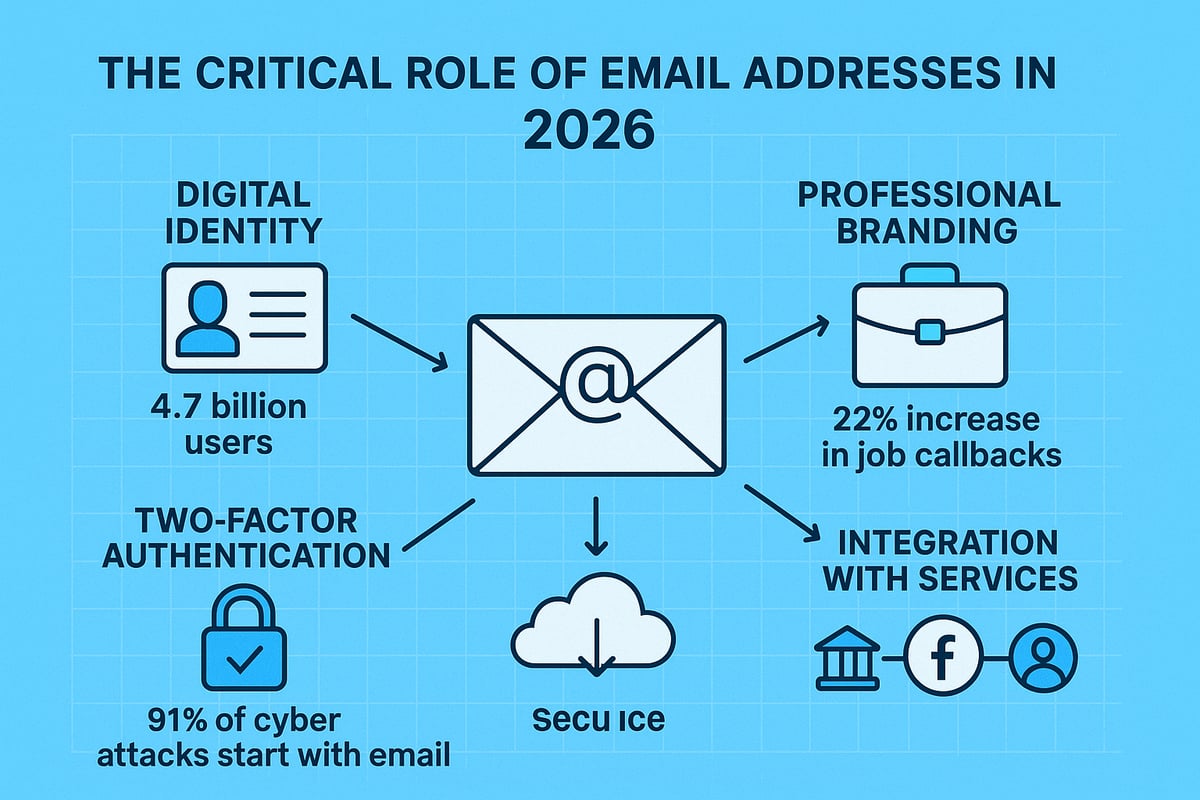
Today, making an email address is more than just choosing a username. It is your digital fingerprint, used for everything from logging into social media to accessing your bank account. Two-factor authentication and account recovery processes now rely heavily on email, making it a core element of your online security. A single compromised account can grant attackers access to your most sensitive information, so the steps you take when making an email address are critical.
Email addresses also play a substantial role in your professional identity. Recruiters and employers often form first impressions based on your contact details. Studies show that a professional email address can increase job callback rates by 22 percent, as reported by Indeed in 2023. Conversely, a carelessly chosen address can damage credibility and reduce your chances of being taken seriously. When making an email address, consider how it reflects your personal or business brand.
Your email is a gateway to countless digital services. From cloud storage and online banking to newsletters and e-commerce, access to these platforms often depends on the security of your email account. An insecure email address opens the door to threats such as identity theft and fraud. With the rise of AI-driven spam and phishing, making an email address with a trusted provider is more important than ever.
Privacy concerns are also shaping how people approach making an email address. GDPR and frequent data breaches have prompted a shift towards privacy-focused providers and features like end-to-end encryption. Choosing a provider that aligns with your data protection needs is key to safeguarding your digital identity.
Let us compare examples of email addresses that can enhance or harm your credibility:
| Enhances Credibility | Damages Credibility |
|---|---|
| [email protected] | [email protected] |
| [email protected] | [email protected] |
| [email protected] | [email protected] |
Selecting a strong, memorable address is a best practice when making an email address for personal or business use.
In summary, making an email address in 2026 is a strategic decision. It affects your security, reputation, and access to vital services. With evolving technology and increased threats, taking the time to choose wisely is more important than ever.
Step-by-Step Guide: Creating an Email Address in 2026
Creating an email address in 2026 is straightforward if you follow the right steps. With technology evolving, making an email address that is secure and future-proof requires careful planning. This guide breaks down each part of the process, helping you avoid common mistakes and set up a reliable digital identity.
Choosing the Right Email Provider
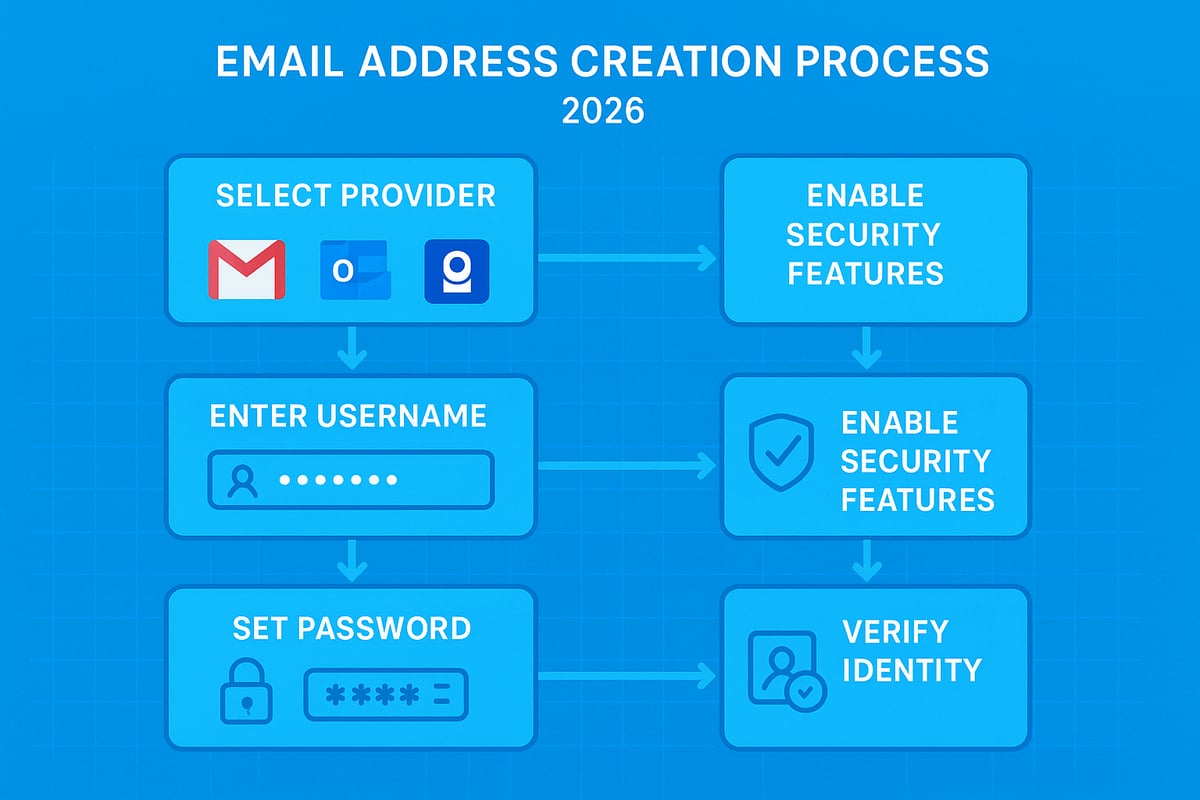
The first step in making an email address is selecting a provider that fits your needs. In 2026, leading names like Gmail, Outlook, ProtonMail, and Zoho continue to dominate, but privacy-focused newcomers have also gained traction. Each provider offers a different blend of security, storage, interface, and integration with other services.
Consider the following factors when making an email address:
- Security features: End-to-end encryption, two-factor authentication, and advanced spam filtering.
- Storage limits: Free accounts often have less space, while paid options offer more flexibility.
- Interface and integration: A smooth dashboard and compatibility with your devices are essential.
- Regional compliance: Ensure GDPR compliance and, for UK users, check data residency options.
- Deliverability: A provider’s reputation affects whether your emails land in inboxes or spam.
| Provider | Security | Storage (Free) | Interface | GDPR Compliance |
|---|---|---|---|---|
| Gmail | High | 15 GB | Modern | Yes |
| Outlook | High | 15 GB | Modern | Yes |
| ProtonMail | Very High | 1 GB | Simple | Yes |
| Zoho | High | 5 GB | Customisable | Yes |
ProtonMail, for instance, saw a 30% growth among UK users in 2025 due to its privacy features. Deciding between a free and paid account is crucial, as free tiers may have limitations in storage or support. For a detailed walkthrough on how to get an email address, review guides that compare providers and highlight the pros and cons of each.
When making an email address, your choice of provider will also impact spam filtering and deliverability, so take time to research before committing.
Selecting a Secure and Memorable Username
A secure and memorable username is vital when making an email address. Your username shapes first impressions and affects both security and professionalism. For personal use, opt for a combination of your real name and, if needed, numbers or symbols that are not easily guessed.
Tips for making an email address username:
- Avoid common formats like johnsmith123, as these are easily targeted.
- Use a mix of upper and lower case letters, and consider special characters if allowed.
- Keep the username between 8–20 characters for security and memorability.
- Check availability across providers to ensure consistency.
For business use, stick to formats like [email protected] or [email protected] for clarity and credibility. Personal addresses may allow more creativity, but always avoid anything that could be seen as unprofessional.
When making an email address for your brand, ensure your username aligns with your online identity. An effective username supports your reputation and makes your email easy to recall, while a poor choice can damage credibility.
Setting a Strong Password and Enabling Security Features
The next step in making an email address is securing your account with a strong password and enabling advanced security features. Passwords should be at least 14 characters, mixing upper and lower case letters, numbers, and symbols. Avoid dictionary words and personal information, as these are easily cracked.
Enable two-factor authentication (2FA) as soon as possible. 2FA options in 2026 include SMS codes, authenticator apps, and biometric verification. Microsoft’s rollout of passwordless login for Outlook in 2025 has set a new standard, allowing users to log in with fingerprint or facial recognition.
Checklist for making an email address secure:
- Use a unique password for each account.
- Enable 2FA via app or biometrics.
- Choose security questions with answers not found on social media.
According to the 2024 Verizon DBIR, 80% of breaches are linked to weak or reused passwords. When making an email address, these steps are non-negotiable for future security.
Completing Registration and Initial Setup
After choosing your provider, username, and password, you are ready to complete registration. Making an email address requires providing accurate information and verifying your identity. This typically involves entering a phone number, backup email, or even government ID for added security.
Follow these steps:
- Enter your details as prompted by the provider.
- Agree to the terms and privacy policy.
- Complete identity verification via SMS or email.
- Set up recovery options to prevent lockout.
After your first login, explore the dashboard and customise your settings for notifications, themes, and accessibility. Making an email address is only the beginning; personalising your inbox enhances your experience and keeps you organised.
Testing and Validating Your New Email Address
Testing is a crucial final step in making an email address. Send a test email to yourself and a trusted contact to check deliverability. Confirm you can both send and receive messages without delay.
Next, review your spam and junk folders. Whitelist important contacts to ensure you never miss critical emails. Set up notifications on your devices to stay updated.
For extra peace of mind, use email validation tools to check if your new address is blacklisted or has any deliverability issues. When making an email address, regular testing helps you spot problems early and maintain your digital reputation.
Securing and Managing Your Email Address
Protecting your digital identity in 2026 requires more than simply making an email address. With cyber threats evolving rapidly, robust security and effective management are essential for both personal and professional communication.
Advanced Security Measures for 2026
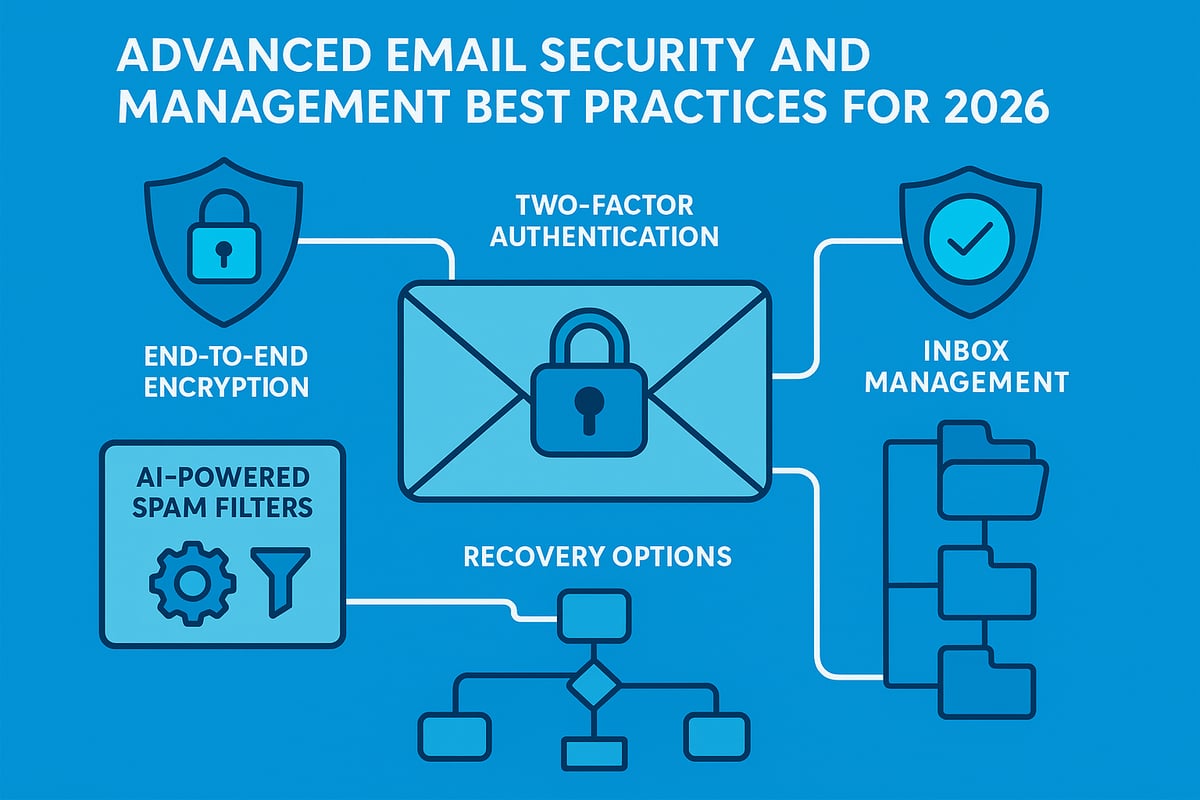
When making an email address, prioritising security features is vital. End-to-end encryption is now standard for privacy-focused providers, ensuring only you and your recipient can read your messages. Services like ProtonMail and Tutanota offer strong encryption, which is especially important for sensitive or confidential communication.
Consider using email aliasing or disposable addresses when signing up for new services. Aliases help mask your main address, protecting it from spam and phishing attempts. Many providers now integrate breach monitoring tools, alerting you if your credentials appear in leaked databases.
AI-powered phishing detection, such as the updates Google introduced to Gmail in 2026, can identify and quarantine threats in real time. VPNs and secure Wi-Fi networks further reduce your exposure to unauthorised access, especially when accessing your inbox remotely. For a detailed overview of security protocols like SPF, DKIM, and DMARC, see Email Security Best Practices for 2026.
Taking these steps when making an email address will safeguard your account and protect your broader digital identity.
Efficient Inbox Management
After making an email address, keeping your inbox organised is crucial. Most platforms now use AI to automatically sort messages into categories like Primary, Social, and Promotions. However, setting up your own labels, folders, and rules offers more control and clarity.
Here are some practical strategies:
- Create folders for work, personal, and subscription emails.
- Use filters to automatically route newsletters or receipts.
- Unsubscribe from unwanted emails with one-click tools.
- Set auto-responders for holidays or busy periods.
- Design a professional signature for business correspondence.
Outlook’s AI sorting, introduced in 2025, learns your preferences and adapts over time, further streamlining your inbox. According to Radicati Group (2024), the average user receives 121 emails daily, making effective organisation vital.
When making an email address, plan your inbox structure from the start. This helps you stay productive and ensures important messages never get lost.
Email Address Maintenance and Recovery
Regular maintenance is a non-negotiable part of making an email address secure for the long term. Update your recovery information—such as backup emails and trusted phone numbers—at least twice a year. This simple habit can prevent lockouts and speed up recovery if issues arise.
Stay vigilant for signs your account may be compromised:
- Unexpected password resets or login alerts
- Missing or unread emails
- Contacts reporting suspicious messages from your address
If you lose access, use your provider’s recovery forms and support channels promptly. Google’s 2024 data shows that 15% of users experience account lockouts annually, underlining the importance of up-to-date recovery details.
Sometimes, creating a new email address is safer than trying to recover a compromised one. Evaluate the situation based on the sensitivity of the compromised data and the provider’s support options. By following these maintenance steps when making an email address, you ensure your digital presence remains resilient and protected.
Integrating Your Email with Modern Platforms
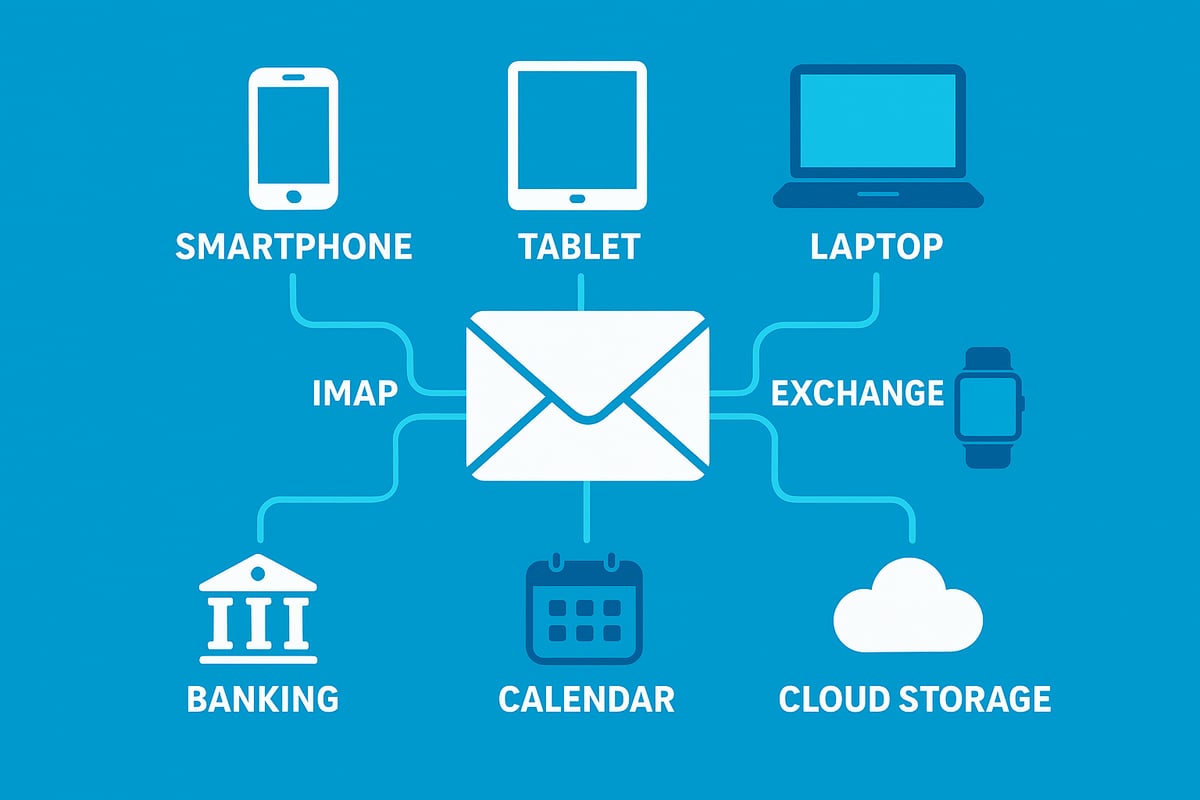
Staying connected across all your devices and digital services is crucial when making an email address in 2026. Seamless integration not only enhances productivity but also provides peace of mind that your communication channels remain secure, accessible, and up to date.
Connecting Email to Smartphones and Devices
Once you are making an email address, the next step is to link it with your everyday devices. Begin by adding your new email to smartphones, tablets, and computers. Most platforms, including iOS, Android, and Windows, offer guided setup wizards for quick integration.
Protocols play a significant role in how your messages sync:
| Protocol | Best For | Sync Type |
|---|---|---|
| IMAP | Multiple devices | Real-time |
| POP3 | Single device | Download only |
| Exchange | Business users | Full sync |
IMAP is often the preferred choice, as it keeps your inbox consistent across devices. For advanced users or business accounts, Exchange provides added features like calendar and contact syncing.
Do not forget to enable push notifications for instant alerts and customise sync settings for wearable tech, such as smartwatches. For a detailed walkthrough on device integration, visit Adding an email account to devices.
Using Your Email for Online Accounts and Services
In 2026, making an email address means more than just sending messages. Your email becomes a universal login for social media, banking, shopping, and government portals. This central role makes it essential to manage your permissions carefully.
Segmenting your usage is wise. Create separate addresses for personal, professional, and sensitive accounts. This approach limits exposure if one account is compromised and helps manage notifications more efficiently.
Relying on one email for everything can increase risks. If your main inbox is breached, all linked services are at risk. Many platforms now support privacy tools, such as Apple’s Hide My Email, which lets you mask your real address for added security.
Always review which apps and services have access to your email. Revoke permissions for unused accounts and set strong, unique passwords for each login. This proactive step guards your digital identity as you continue making an email address that stands the test of time.
Automating and Streamlining Email Tasks
Automation is transforming the way we use email in 2026. When making an email address, consider how you can integrate it with productivity tools like calendars, task managers, and customer relationship management (CRM) systems.
AI assistants are now commonplace, offering smart scheduling, auto-replies, and advanced filtering. Features such as Gmail’s Smart Compose predict your responses, while AI-driven sorting in Outlook helps prioritise important messages.
Set up rules to automatically archive, label, or forward emails based on criteria you define. Integrate your inbox with to-do lists or project management tools for a unified workflow.
Here is a quick guide to getting started:
- Link your email to your preferred calendar app for event reminders.
- Enable AI-powered suggestions to save time on replies.
- Use automation tools to categorise and prioritise messages.
By harnessing these modern integrations, you ensure that making an email address is not just about communication, but about boosting efficiency and staying ahead in a connected world.
Common Mistakes and How to Avoid Them
Creating a secure and reliable email is more complex than it appears. Many people slip up during the process of making an email address, leading to compromised accounts or missed opportunities. Understanding these common errors will help you build a strong digital foundation.
Avoid Weak Passwords and Unprofessional Usernames
One of the most frequent mistakes when making an email address is choosing an easy password or reusing one from other accounts. Weak passwords are a direct path for hackers, and reused credentials multiply your risk. Always create a password that is long, complex, and unique.
Selecting a username that is hard to remember or appears unprofessional can also have serious consequences. For personal accounts, avoid random numbers or nicknames. For business, your email should reflect your name or role clearly. For more on making a professional impression, see Creating a business email address.
A strong, memorable username paired with a robust password protects your identity and reputation.
Do Not Ignore Recovery Options or Phishing Risks
Many users skip adding recovery options during the process of making an email address, which can result in permanent lockout if you forget your password or lose access. Always provide a backup email and phone number, and update these details regularly.
Falling for phishing emails is another major risk. Attackers use convincing messages to steal your credentials or install malware. Learn to spot red flags like urgent requests or suspicious links. AI-based tools are now helping to detect threats, as outlined in LLM-PEA: Leveraging Large Language Models Against Phishing Email Attacks.
Vigilance and preparation are your best defences against these evolving tactics.
Stay Informed on Provider Policies and Security Features
Another oversight when making an email address is neglecting to review your provider’s terms of service. Inactivity policies or storage limits can lead to unexpected account deletion or data loss. Always read the fine print before you commit.
Outdated security settings are a silent threat. Providers regularly introduce new features, like two-factor authentication or passwordless login. Failing to activate these leaves your account exposed. In 2025, a real-world phishing attack compromised thousands of accounts because users had not enabled the latest defences.
Remember, 91% of cyber attacks start with email. Take time to understand your provider’s tools and keep your settings updated.
Practical Steps for a Safer Email Experience
To avoid these pitfalls, make a checklist when making an email address:
- Use a unique, complex password and change it regularly.
- Select a professional and memorable username.
- Set up and update recovery options.
- Stay alert for phishing attempts and use AI-powered security tools.
- Review provider terms and enable new security features as they launch.
By following these steps, you will secure your email against the most common threats in 2026 and beyond.
Future Trends in Email Address Creation and Management
The landscape of making an email address is evolving rapidly. As we approach 2026, new technologies and shifting user expectations are reshaping how digital identities are created, secured, and managed. Understanding these future trends is essential for anyone aiming to keep their email setup effective and resilient.
The Decentralised Future: Blockchain and Disposable Identities
Decentralised and blockchain-based solutions are redefining the process of making an email address. These platforms offer tamper-proof records and enhanced privacy, appealing to users who prioritise data sovereignty. Startups are also introducing one-time use or disposable email identities, making it easier to protect your primary inbox from spam and leaks.
With blockchain, users can own their credentials outright, reducing reliance on traditional providers. This shift is particularly relevant as concerns around centralised data storage and access continue to grow. Choosing the right platform when making an email address will be key to maintaining control in this new era.
Biometric and Passwordless Innovations
The next wave of innovation in making an email address involves moving beyond traditional passwords. Biometric authentication, such as fingerprint or facial recognition, is becoming more common, providing both convenience and security. Passwordless login methods, including hardware tokens and mobile push notifications, are gaining traction.
Digital IDs are also being integrated into the process, allowing for seamless and secure authentication across platforms. These advancements help reduce the risk of breaches and are likely to become standard features when making an email address in the near future.
AI, Privacy, and Smarter Inbox Management
Artificial intelligence is transforming how we manage email. In 2026, AI-driven spam filtering and smart inboxes will be critical components of making an email address truly future-proof. These tools can automatically categorise messages, detect phishing attempts, and learn user preferences for more effective organisation.
Privacy is another growing priority. Users are demanding providers that respect data sovereignty and comply with local regulations. Comparing leading providers is now more complex, as features like AI filtering and privacy protections become deciding factors. For a look at how these options stack up, see this Comparing Email Hosting Pricing: 8 IMAP Providers for 2025 guide.
Email’s Role in Web3 and What’s Next
Making an email address is not just about communication anymore. With the rise of Web3 technologies and digital IDs, email is becoming a core part of decentralised identity systems. Some experts predict email addresses could either become obsolete or more essential as gateways to online services.
To prepare, users should stay informed about emerging authentication methods, privacy standards, and provider innovations. By understanding these trends, anyone making an email address in 2026 can ensure their digital identity remains secure, adaptable, and relevant.