Making a Business Email: Your Expert Guide for 2026
January 1, 2026
In 2026, your business’s credibility is shaped by every digital interaction. A professional email address is no longer a luxury—it is essential for building trust and supporting growth in a digital-first world.
This guide is your step-by-step resource for making a business email that stands out. You will discover why it matters, how to set it up, and the best practices for branding, security, and integration.
Ready to create a polished, secure business presence? Let’s explore the essentials for success and ensure your email reflects your brand’s ambition.
Why a Professional Business Email Matters in 2026
In 2026, making a business email is not just a technical necessity, but a strategic asset for any modern enterprise. Email remains the backbone of business communication, with over 4.7 billion users expected globally. A professional address, such as [email protected], instantly signals credibility and trust. Compare this to a generic address and the difference in perceived legitimacy is clear.
The Role of Email in Modern Business Communication
Email remains the primary channel for business correspondence. With billions relying on it daily, making a business email that looks professional can set you apart from competitors. Clients trust companies that use branded email domains. For example:
[email protected]   # Professional
[email protected]    # Generic
A custom domain reassures customers that you are invested in your brand, which can influence buying decisions.
Data Security and Compliance Requirements
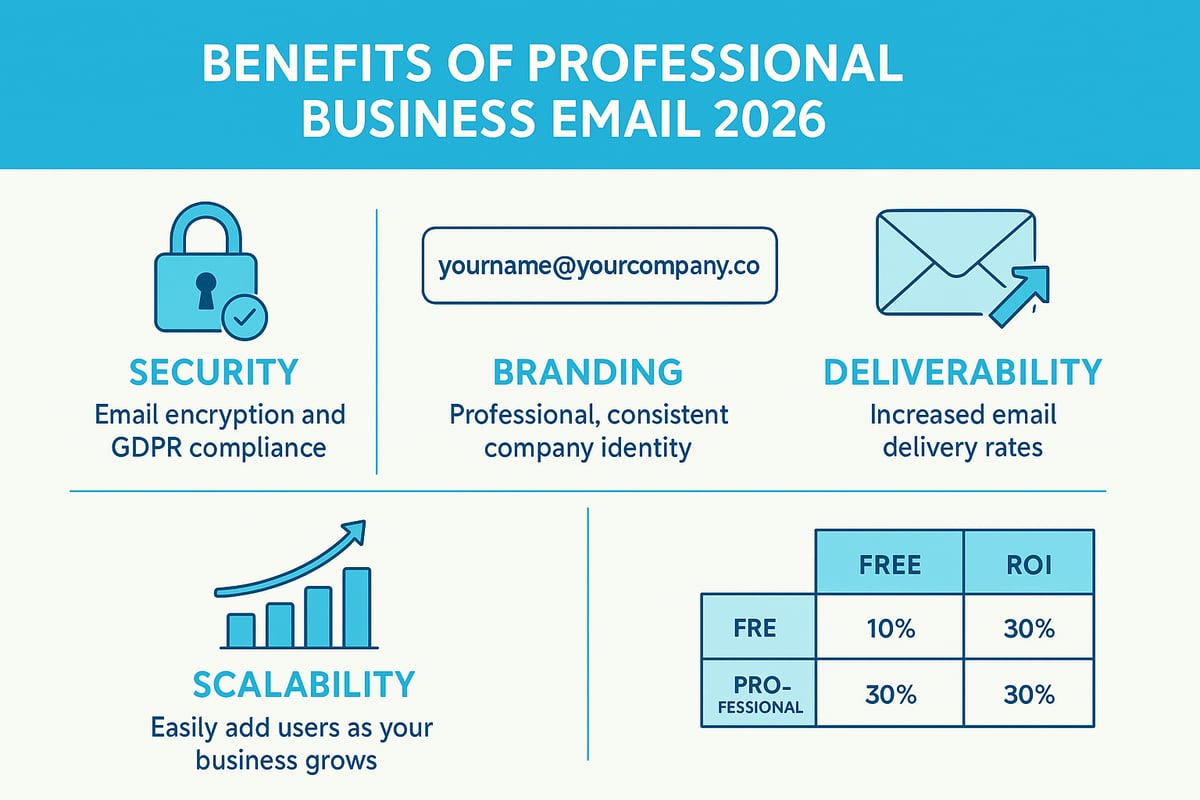
Modern regulations like GDPR and the UK Data Protection Act place strict demands on how data is handled. Professional email solutions offer built-in encryption and compliance features, making a business email far more secure than free alternatives. According to a 2025 survey, 72% of UK SMEs cite email security as their top communication concern. Meeting these standards is essential for safeguarding sensitive information and maintaining customer confidence.
Deliverability and Marketing Effectiveness
Using a custom domain for making a business email significantly boosts deliverability. Branded addresses are less likely to be flagged as spam, which means your marketing and transactional emails reach the primary inbox. This can have a direct impact on open and click rates, helping ensure your messages are seen and acted upon. Consistent inbox placement is critical for campaign success.
Brand Consistency and Recognition
A unified email presence strengthens your brand at every customer touchpoint. Making a business email with your company domain allows you to use custom signatures, logos, and templates. Many small businesses have reported up to a 30% increase in customer recall after switching to branded emails. Consistency in communication reinforces your identity and builds long-term loyalty.
Scalability for Growing Teams
As your organisation expands, so do your email needs. With a professional setup, making a business email for each department or team member is straightforward. You can quickly create addresses like sales@ or support@, manage user permissions centrally, and delegate access. This flexibility is vital for supporting growth and maintaining operational efficiency.
Cost and ROI Considerations
Investing in professional email might seem costly at first, but the long-term benefits far outweigh the expenses. On average, businesses see a £40 return for every £1 spent on email marketing (DMA UK, 2025). For a detailed comparison between free and paid options, see this guide to free and paid email options. Choosing the right solution can maximise your ROI and support sustainable growth.
| Solution Type | Initial Cost | Long-term Value | Average ROI |
|---|---|---|---|
| Free | £0 | Limited, less secure | Low |
| Professional | From £3/mo | High, secure, branded | £40/£1 spent |
Competitive Edge in the Evolving Digital Landscape
In a crowded market, making a business email with a credible and secure presence gives you a clear advantage. Customers are more likely to engage with businesses that demonstrate professionalism in every interaction. As digital standards evolve, staying ahead with branded, compliant, and secure email addresses is essential for ongoing success.
Step-by-Step: Setting Up Your Business Email in 2026
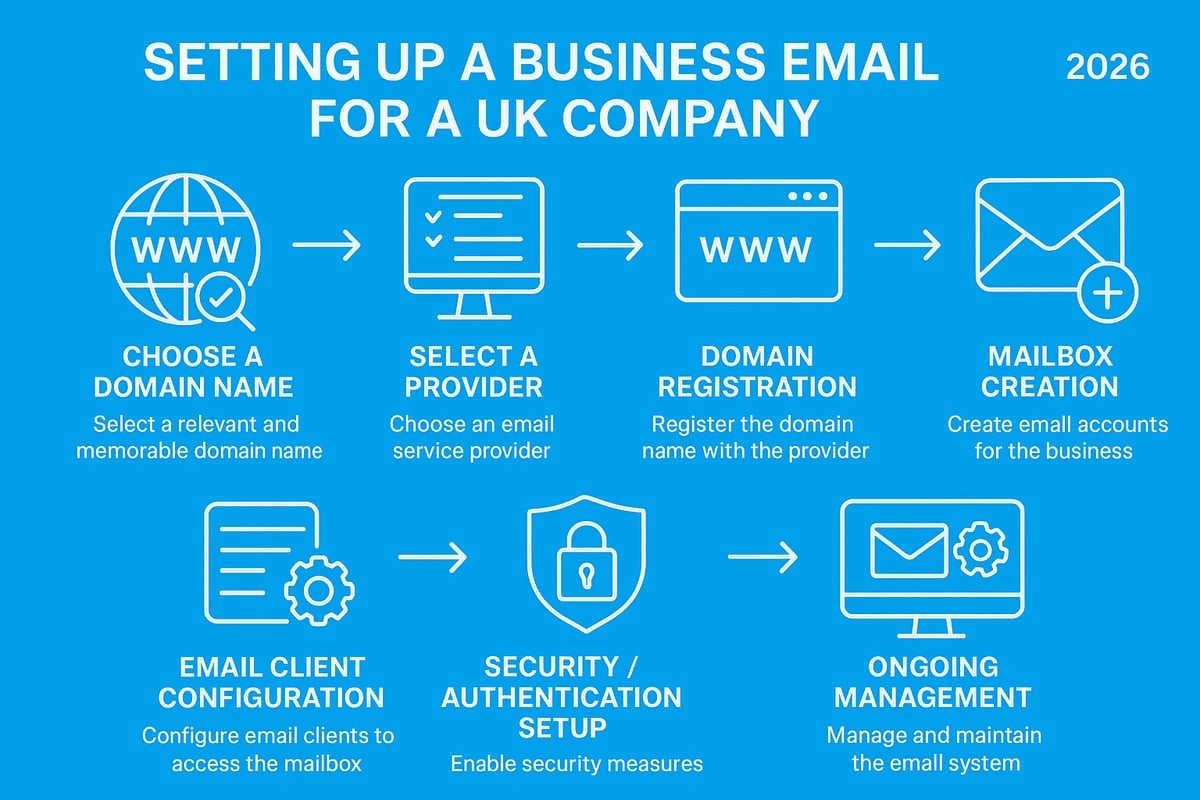
Setting up your business email in 2026 is easier than ever, but getting it right is essential for professionalism and growth. This guide walks you through every stage of making a business email, ensuring your communications are secure, reliable, and reflect your brand. By following these steps, you will position your business for success in the digital landscape.
Step 1: Choosing the Right Domain Name
The first step in making a business email is selecting a domain that fits your brand. Your domain should be short, memorable, and easy to spell. Avoid using numbers or unnecessary characters, as these can make your email look unprofessional.
For UK businesses, using a .co.uk or .com extension enhances credibility. For example, smithconsulting.co.uk is more trustworthy than smith123consultingservices.com. Think of your domain as the digital front door to your business.
If you need a detailed walkthrough, refer to Creating a business email address for more tips and examples. Taking time with this step is vital for making a business email that stands out and builds trust.
Step 2: Selecting a Reliable Email Hosting Provider
Your choice of provider impacts every aspect of making a business email. Consider uptime guarantees, customer support, scalability, and security features. Leading options for UK SMEs include Google Workspace, Microsoft 365, Zoho Mail, and Proton Mail.
Below is a comparison table of popular providers:
| Provider | Uptime | Security Features | Entry Price (UK) |
|---|---|---|---|
| Google Workspace | 99.9% | 2FA, encryption, anti-spam | £4.60/user/month |
| Microsoft 365 | 99.9% | 2FA, encryption, anti-phish | £4.50/user/month |
| Zoho Mail | 99.9% | Encryption, DLP, SPF/DKIM | £0.80/user/month |
| Proton Mail | 99.99% | End-to-end encryption, 2FA | £5.00/user/month |
When making a business email, weigh these factors carefully to ensure your email is robust and future-proof.
Step 3: Registering and Configuring Your Domain
After choosing your domain, purchase it through a trusted registrar like GoDaddy, 123 Reg, or Namecheap. Once registered, you will need to configure DNS records to connect your domain with your email host.
Key steps include:
- Purchasing your domain
- Accessing the DNS management panel
- Adding MX, SPF, and DKIM records provided by your email host
Here is an example of adding an MX record:
Type: MX
Host: @
Value: mail.yourprovider.com
Priority: 10
These technical steps are essential for making a business email that delivers reliably and avoids being marked as spam.
Step 4: Creating User Accounts and Mailboxes
Now, set up your primary and secondary email addresses, such as hello@, support@, or sales@. This allows your team to manage communications efficiently and keeps your business organised.
Consider these mailbox types:
- Individual accounts (e.g., [email protected])
- Aliases (e.g., info@ forwarding to a team)
- Shared inboxes for collaborative support
Making a business email system scalable ensures you can add more addresses as your business grows.
Step 5: Configuring Email Clients and Devices
To access your emails on different devices, configure your email clients using IMAP or SMTP settings. Most providers offer guides for Outlook, Apple Mail, and mobile devices.
Cloud-based email clients offer easy access from anywhere, while desktop clients can provide advanced features for power users. When making a business email setup, consider synchronisation and backup options to keep your data safe and accessible.
Here is a typical IMAP setup:
IMAP server: imap.yourprovider.com
Port: 993
Encryption: SSL/TLS
Testing on all devices ensures seamless communication across your team.
Step 6: Testing and Troubleshooting
Before launching, send test emails to check deliverability and spot any issues. Look for missing messages, spam folder problems, or authentication errors.
Checklist for testing:
- Confirm emails are received and sent correctly
- Verify SPF, DKIM, and DMARC records are active
- Ensure no messages go to spam or bounce
Making a business email work flawlessly requires proper authentication setup, reducing the risk of blacklisting and improving inbox placement.
Step 7: Ongoing Management and Maintenance
Finally, maintain your business email by regularly updating passwords, auditing access, and monitoring usage. Set up automated backups and disaster recovery plans to protect your data.
Ongoing tasks include:
- Adding or removing users as your team changes
- Monitoring security alerts and suspicious activity
- Reviewing permissions and access levels
By prioritising these actions, you ensure your investment in making a business email continues to deliver value and security as your business evolves.
Branding and Personalisation: Making Your Email Stand Out
In today's competitive landscape, branding and personalisation are critical when making a business email that leaves a lasting impression. A well-crafted email not only conveys professionalism but also reinforces your brand identity at every customer touchpoint. By paying close attention to design, messaging, and compliance, your emails can become powerful tools for engagement and trust.
Designing Professional Email Signatures
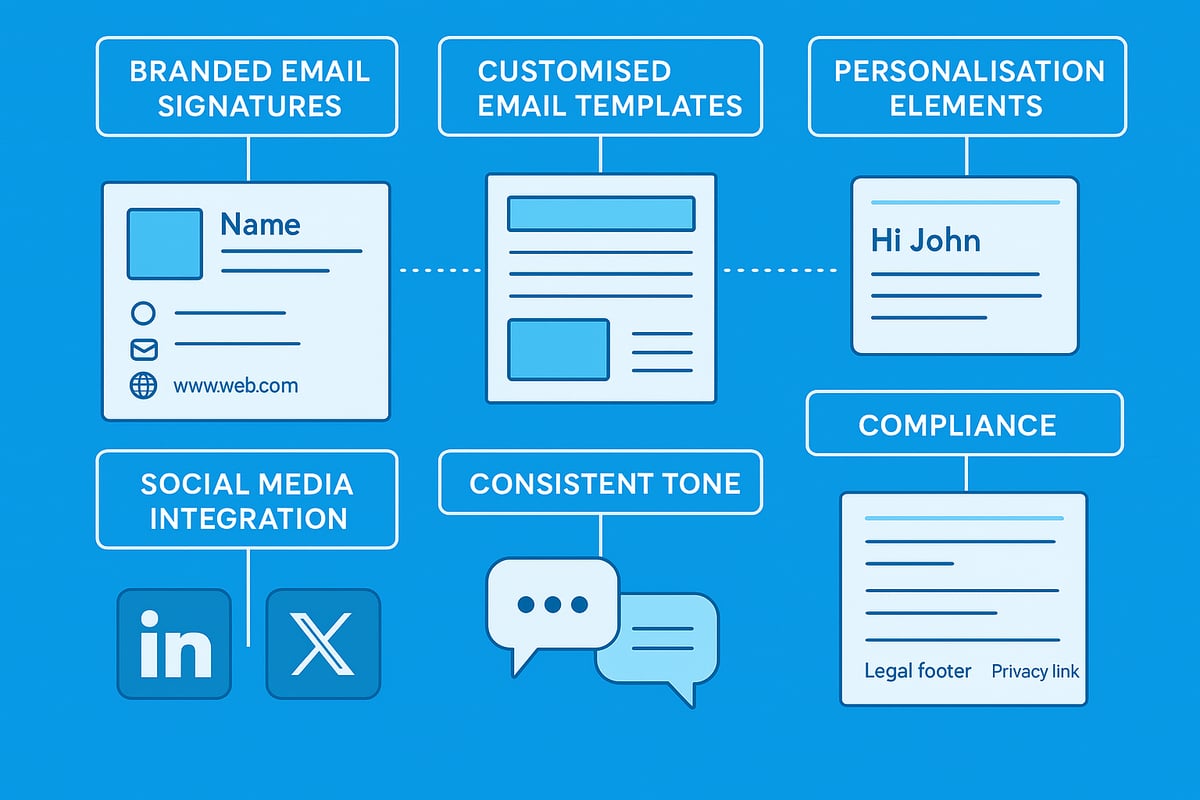
A professional email signature is a cornerstone of making a business email stand out. It should include your name, job title, company logo, contact details, and any necessary legal disclaimers. Consistency across all employee signatures ensures a unified brand image. You can streamline this process using signature management tools or templates.
For inspiration and step by step guidance, explore this resource on designing branded email signatures. Well-designed signatures not only enhance credibility but also reinforce brand recall with every message sent.
Customising Email Templates and Themes
Custom templates are essential for making a business email both efficient and visually appealing. Incorporate your brand colours, fonts, and logos into every template to ensure consistency. Reusable templates for newsletters, invoices, and announcements save time while maintaining professionalism.
A recent case study showed that businesses adopting branded templates experienced significant increases in customer engagement. With thoughtful design, your emails will always reflect your brand's personality and values.
Personalisation for Engagement
Personalisation is a proven method for boosting engagement when making a business email strategy. Use dynamic fields to insert recipient names, tailored offers, or relevant content based on customer data. This approach makes every message feel unique and valued.
According to Campaign Monitor, personalised emails achieve up to 14 percent higher click through rates. By segmenting your audience and customising content, you can drive better results from your email campaigns.
Integrating Social Media and Calls to Action
Adding social media links and strong calls to action makes making a business email a gateway to deeper engagement. Include buttons for platforms like LinkedIn, X, or Instagram in your signature or template. Encourage recipients to visit your website, book a call, or follow your social channels.
Examples of effective CTAs include "Book a free consultation" or "See our latest updates on LinkedIn." These elements help drive traffic and foster ongoing relationships.
Consistent Tone and Messaging
Maintaining a consistent tone in every message is vital when making a business email that reflects your brand. Align your language and style with your broader brand voice, whether that's formal, friendly, or authoritative. Train your team to use approved templates and guidelines to ensure unified communication.
Consistent messaging builds trust and helps customers instantly recognise your business, no matter which team member is communicating.
Legal and Compliance Considerations
Every business email must comply with UK and EU regulations. Always include unsubscribe links, references to your privacy policy, and any legal footers required by law. These elements protect your business while demonstrating transparency and respect for customer rights.
Regularly review your templates to ensure ongoing compliance. As regulations evolve, staying proactive keeps your email practices safe and effective.
Security, Privacy, and Compliance for Business Email
In 2026, making a business email secure and compliant is more critical than ever. The landscape of digital threats continues to evolve, and businesses must stay ahead to protect sensitive data and maintain trust. Let us explore the essential components of security, privacy, and compliance for your business email setup.
Common Email Threats in 2026
The landscape of email threats is constantly changing. Phishing attacks now use advanced social engineering to trick even experienced staff. Business email compromise (BEC) schemes have grown more subtle, targeting financial processes and sensitive data.
Malware delivery through attachments and links remains a significant risk. According to the UK Cyber Security Breaches Survey, 83% of UK businesses experienced phishing attempts in 2025. When making a business email, it is vital to anticipate these evolving threats and build in strong defences from the start.
Essential Security Features
A secure approach to making a business email means prioritising robust security features. Two-factor authentication (2FA) adds an extra layer of protection, making it harder for attackers to gain access. End-to-end encryption ensures that only intended recipients can read your emails.
Strong password policies further reduce risk. The table below summarises essential features:
| Security Feature | Benefit |
|---|---|
| Two-factor authentication | Prevents unauthorised access |
| End-to-end encryption | Protects message content |
| Secure passwords | Reduces credential theft |
When making a business email, choose providers offering these features as standard.
Compliance with UK and International Regulations
Compliance is a cornerstone of making a business email fit for modern enterprises. UK businesses must meet GDPR requirements, data residency rules, and sector-specific regulations. Failing to comply can result in fines and reputational harm.
It is crucial to stay updated on evolving standards, such as the changes outlined in the Cyber Essentials scheme updates 2026. Regular audits and policy reviews will help maintain compliance and demonstrate accountability.
Employee Training and Awareness
Technology alone cannot protect your business. When making a business email, regular employee training is key to building a security-aware culture. Staff should learn to spot phishing attempts and handle sensitive data with care.
Phishing simulations and clear response protocols prepare teams for real-world attacks. Empowering every employee with knowledge reduces the human risk factor and keeps your business resilient.
Backup, Archiving, and Disaster Recovery
Data loss can cripple a business. Effective making a business email strategies include automated backups and reliable archiving. Retention policies ensure emails are stored for the required period, supporting compliance and operational needs.
Disaster recovery plans allow for fast restoration after incidents. According to Cyber Essentials, 60% of SMEs lack a formal backup plan, highlighting the importance of proactive planning.
Monitoring and Incident Response
Active monitoring is essential in making a business email secure. Real-time alerts help detect suspicious activity quickly. Incident response plans outline the steps to contain and recover from breaches.
Regular reviews and updates keep these plans effective. Monitoring tools and clear reporting lines ensure your business is ready to respond to any threat swiftly.
Choosing a Provider with Strong Support
Selecting the right provider is the final step in making a business email system that is secure and reliable. Responsive, UK-based support is invaluable during incidents.
Look for providers offering direct phone and email support, local expertise, and rapid resolution times. This support ensures any issues are addressed before they impact your operations, giving you peace of mind as your business grows.
Integrating Business Email with Other Tools and Workflows
Modern businesses thrive on efficiency and connectivity. Integrating your business email with essential tools is a vital step in making a business email work for you, not just as a communication channel but as a productivity hub.
Connecting Email to Productivity Suites
Integrating your email with productivity suites such as Google Workspace and Microsoft 365 is fundamental when making a business email. These platforms allow you to sync calendars, share contacts, and access cloud storage directly from your inbox.
- Streamlined scheduling
- Real-time document collaboration
- Centralised information access
This setup ensures every team member stays organised and productive, reducing manual work and supporting seamless workflows.
CRM and Marketing Automation Integration
Connecting your email to CRM systems like HubSpot, Salesforce, or Zoho is a game changer for making a business email truly powerful. Automated email campaigns, customer journey tracking, and triggered follow-ups after form submissions are all possible.
- Personalised communication
- Improved lead management
- Automated touchpoints
This integration turns your inbox into a proactive sales and marketing tool, saving time and boosting conversion rates.
Collaboration and Team Communication Tools
Linking business email with platforms such as Slack, Teams, or project management tools increases team efficiency. Shared inboxes and delegation features make it easy to manage group emails and assign tasks.
- Centralised communication threads
- Faster response times
- Enhanced teamwork
These connections help teams handle customer queries without missing important messages.
Email Analytics and Reporting
Understanding performance is crucial when making a business email strategy. Integrated analytics tools track open rates, clicks, and engagement, providing actionable insights.
- Measure campaign effectiveness
- Identify successful communication patterns
- Refine support and sales processes
With regular reporting, you can adapt your approach and drive better results from every email sent.
Mobile and Remote Access
Remote work demands secure, flexible access to email from any device or location. Mobile apps offer push notifications, offline access, and remote wipe features to keep your information safe and accessible.
- Work on the go
- Stay updated with real-time alerts
- Protect sensitive data
This flexibility ensures your team remains responsive, no matter where they are.
Automation for Routine Tasks
Automation streamlines daily operations in making a business email. Set up auto-responders, filters, and workflow automations to handle tasks like invoice reminders or support ticket acknowledgements.
- Reduce manual workload
- Ensure timely responses
- Increase consistency
Automated processes free up valuable time so you can focus on growth and customer service.
Astonish Email: Empowering Small Businesses with Easy, Professional Email Marketing
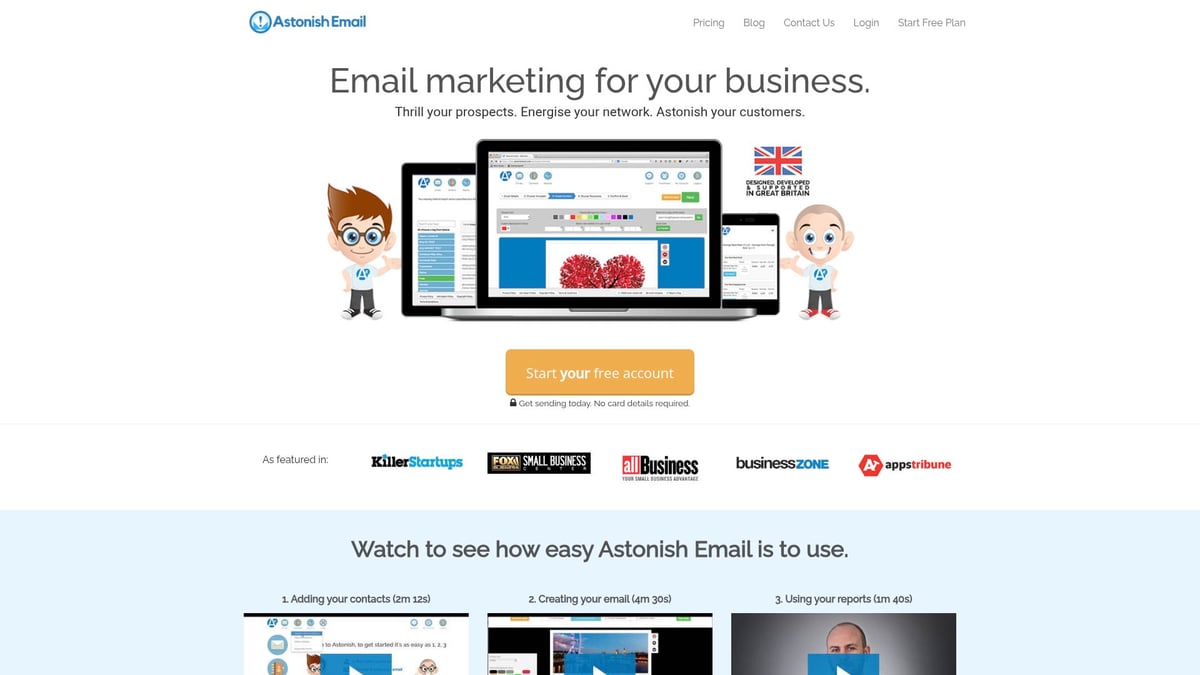
Astonish Email offers a drag-and-drop campaign builder, contact management, and real-time reporting, making it ideal for UK small businesses. With free and paid plans, UK-based support, and GDPR compliance, Astonish Email enables anyone making a business email to run effective campaigns without technical skills. Testimonials highlight time-saving benefits and measurable ROI for growing enterprises.
Future Trends: Business Email in 2026 and Beyond
The world of business communication is evolving rapidly, and making a business email that keeps pace with new trends is essential for long-term success. As we look ahead to 2026 and beyond, several transformative shifts will shape how enterprises manage, secure, and optimise their email communications.
AI and Automation in Email Management
Artificial intelligence is making a business email smarter and more efficient. In 2026, expect AI-driven features like predictive replies, smart inbox sorting, and automated scheduling to become standard. These tools reduce manual workload, flag urgent messages, and streamline responses, allowing teams to focus on high-value tasks. AI also supports advanced spam filtering and can help prioritise customer queries, improving both productivity and customer service.
Enhanced Security Protocols
Security will be a top priority for any organisation making a business email strategy. Quantum-resistant encryption, biometric authentication, and zero-trust frameworks are entering mainstream adoption. Major providers are enforcing stricter authentication standards, with protocols like SPF, DKIM, and DMARC now a baseline requirement. For details on upcoming requirements, see Email authentication enforcement 2025. Staying ahead with robust security measures is critical to protect sensitive business data.
Evolving Compliance Landscape
New regulations are reshaping the rules for making a business email, particularly in the UK and EU. The introduction of bills such as the Cyber Security and Resilience Bill 2025 means stricter standards for data handling and breach reporting. Businesses must monitor legal developments, adapt privacy policies, and ensure their email practices remain compliant. Failing to do so could result in hefty fines and reputational damage.
Integration with Emerging Communication Channels
The future of making a business email involves seamless integration with chat, voice assistants, and unified inbox platforms. Imagine switching from email to instant messaging or video calls without losing context. Unified communications help teams collaborate more efficiently and ensure customers receive consistent, timely responses across all channels. This convergence enhances both internal workflows and external client engagement.
Sustainability and Green IT Initiatives
Sustainability is becoming a key consideration when making a business email solution. Providers are investing in eco-friendly hosting, renewable energy data centres, and technologies that lower the digital carbon footprint. Choosing green-certified email hosts not only supports environmental goals but can also appeal to eco-conscious customers. As regulatory and consumer focus on sustainability grows, this trend is set to accelerate.
The Rise of Hyper-Personalisation and Preparing for Change
Hyper-personalisation is redefining the approach to making a business email. Advanced segmentation, behavioural triggers, and dynamic content allow businesses to deliver highly relevant messages to each recipient. In fact, 80% of consumers expect personalised experiences by 2026. To keep pace, businesses must stay agile, regularly review their email strategies, and invest in ongoing training and technology upgrades for continued growth.