All Email In One Guide: Simplify Your Inbox in 2026
December 21, 2025
Managing multiple inboxes can feel overwhelming in 2026. With work, personal, and project emails scattered across platforms, digital communication has never been more complex. This chaos can drain productivity and cloud your focus.
Imagine transforming this mess into clarity by bringing all email in one unified inbox. Streamlining your messages not only saves time but also gives you mental space to focus on what matters.
This guide will show you how to simplify your inbox using the latest tools, strategies, and best practices. You will discover unified inbox solutions, easy setup steps, smart management tips, automation, security essentials, and future trends to keep you ahead.
The Modern Email Challenge: Why Inboxes Are More Complex Than Ever
Managing digital communication has become increasingly complicated in 2026. Most people now juggle several inboxes, making it difficult to stay on top of everything. The sheer volume of messages, notifications, and logins can easily lead to feeling overwhelmed.
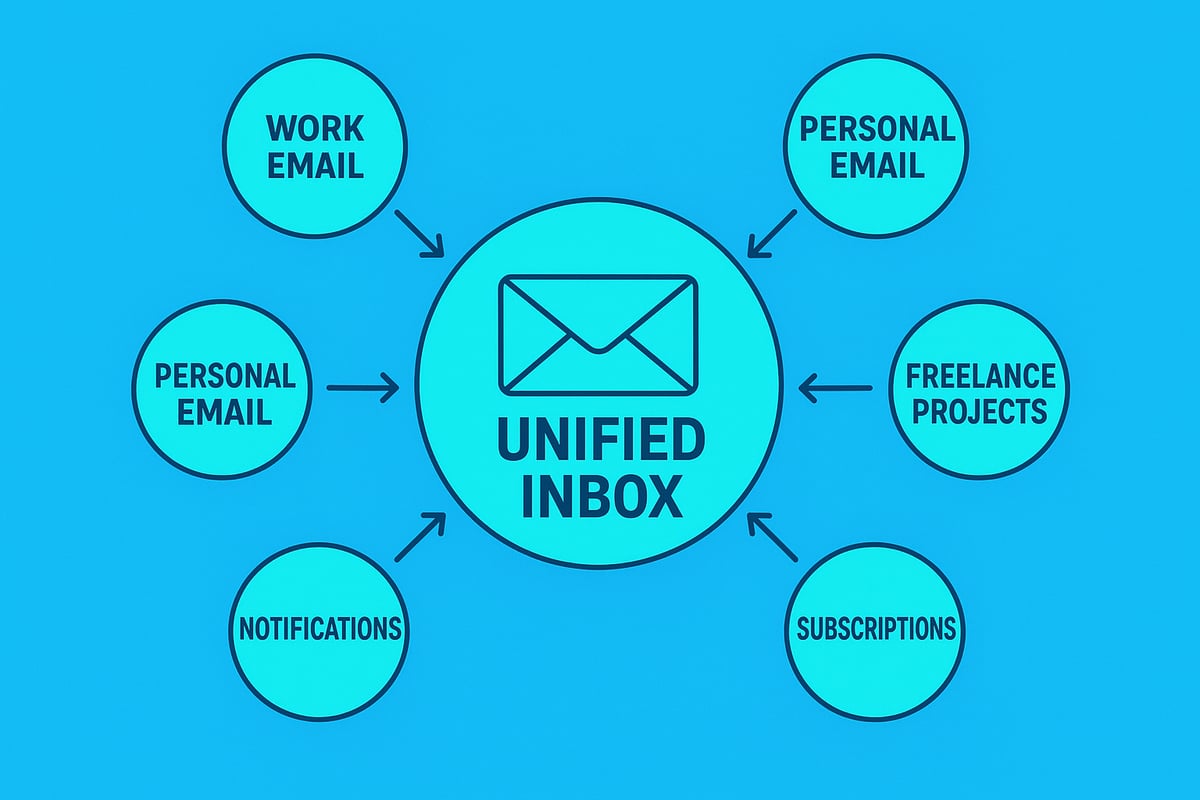
The Proliferation of Email Accounts
Today, professionals and individuals alike manage a growing number of email addresses. You might have separate accounts for work, personal life, side projects, newsletters, subscriptions, and even online shopping. Recent industry research shows that the average professional manages between three and six email accounts. For more on this, see the average number of email accounts per user.
This proliferation is one of the main reasons why many are seeking all email in one solutions. With every new account, the risk of missing important messages rises, and the complexity of digital life increases.
Fragmented Communication and Its Consequences
Switching between multiple inboxes can lead to fragmented conversations. Imagine trying to track a single client discussion that jumps from Gmail to Outlook to iCloud. Important details might be buried in different threads, or worse, missed entirely. This fragmentation results in delayed responses, missed deadlines, and unnecessary stress.
For those who want to avoid these pitfalls, an all email in one approach is becoming essential. It offers a way to bring order to chaos, so you never lose sight of a critical message again.
Productivity Impact: Time and Focus Lost
Constantly switching between email accounts is a major drain on productivity. Each time you check a different inbox, you break your focus. Over the course of a week, this can add up to hours wasted just searching for messages or logging in and out.
Consider this quick comparison:
| Task | Separate Inboxes | All Email In One |
|---|---|---|
| Searching for an email | 3-6 steps | 1 step |
| Checking notifications | Multiple apps | Single app |
| Responding to urgent mail | Delayed | Immediate |
With all email in one, you streamline your workflow, minimise distractions, and reclaim valuable time.
Security Risks in a Fragmented Email World
Juggling several accounts also introduces security concerns. More logins mean more passwords to manage, which increases the chance of using weak or repeated credentials. This makes you more vulnerable to phishing attacks and data breaches.
The more places your information is stored, the greater the risk. By bringing all email in one place, you not only simplify management but can also tighten security controls and monitor activity more effectively.
Real-World Perspectives: Voices from the Field
Business owners and freelancers often share how managing multiple accounts impacts their day-to-day operations. One freelancer notes, "I used to miss client emails all the time because they landed in different inboxes. Now, everything comes to one place, and my response time has improved dramatically."
For many, moving to an all email in one system is about more than convenience. It is about regaining control, reducing stress, and ensuring nothing slips through the cracks in a fast-paced digital world.
What Is a Unified Inbox? Key Features and Benefits
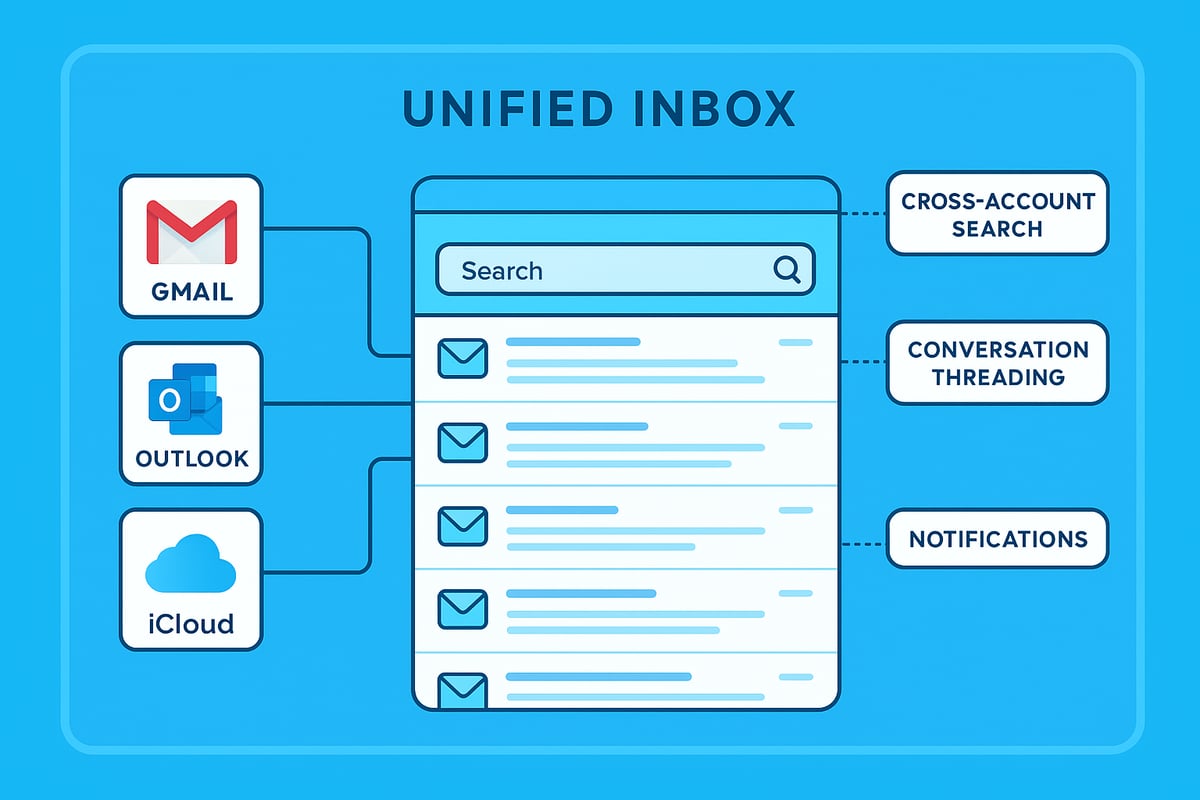
Managing all email in one place has become essential for anyone juggling multiple accounts. A unified inbox is a modern solution that brings together messages from different email providers into a single, streamlined interface. This approach transforms the way you handle communication, making it easier to stay organised and productive.
Core Features of a Unified Inbox
A unified inbox is designed to simplify your digital life by integrating all email in one dashboard. Here are the main features you can expect:
- Centralised View: Access messages from multiple accounts (work, personal, freelance) in one place.
- Cross-Account Search: Find any email, no matter which account it belongs to, with a single search bar.
- Conversation Threading: Follow discussions seamlessly, even if replies come from different accounts.
- Unified Notifications: Get alerts for new messages across all accounts without app switching.
- Smart Folders and Filters: Organise emails using labels and rules that apply to every connected account.
Below is a quick comparison of popular unified inbox solutions:
| Feature | Spike | Outlook | Apple Mail |
|---|---|---|---|
| Centralised Inbox | Yes | Yes | Yes |
| Cross-Account Search | Yes | Yes | Yes |
| Threaded Conversations | Yes | Yes | Yes |
| Mobile/Desktop Sync | Yes | Yes | Yes |
| Smart Filters | Yes | Limited | Yes |
Benefits of Managing All Email in One Place
The biggest advantage of using an all email in one solution is the reduction in context switching. Instead of toggling between tabs or devices, you can focus on what matters. Studies show that unified inboxes help users reach inbox zero faster and spend less time on email management. In fact, unified inbox productivity benefits include improved focus and shorter response times, which can have a measurable impact on your daily workflow.
Additional benefits include:
- Enhanced Organisation: Use global labels, filters, and smart folders to keep everything tidy.
- Improved Focus: With all email in one location, distractions are minimised, and urgent messages are easier to spot.
- Time Savings: One search finds any message, reducing the time spent hunting for information.
Security and Privacy Considerations
A unified inbox keeps each account's data separate while still making it accessible. This balance helps maintain privacy and security. Many solutions offer encryption, two-factor authentication, and app-specific passwords for each account. You can manage permissions and monitor activity from a single dashboard, lowering the risk of overlooked security issues.
Real-World Scenario: Freelance Email Management
Consider a freelancer who manages client work, personal correspondence, and project updates. With an all email in one inbox, switching between accounts is seamless. They can tag client emails, set up rules to prioritise deadlines, and never worry about missing a critical update. This unified approach leads to less stress, greater clarity, and more time for meaningful work.
By embracing a unified inbox, you can transform the chaos of multiple inboxes into a single, manageable hub. The result is a streamlined workflow, improved security, and a more productive digital life.
Step-by-Step: How to Set Up an All-in-One Email Inbox in 2026
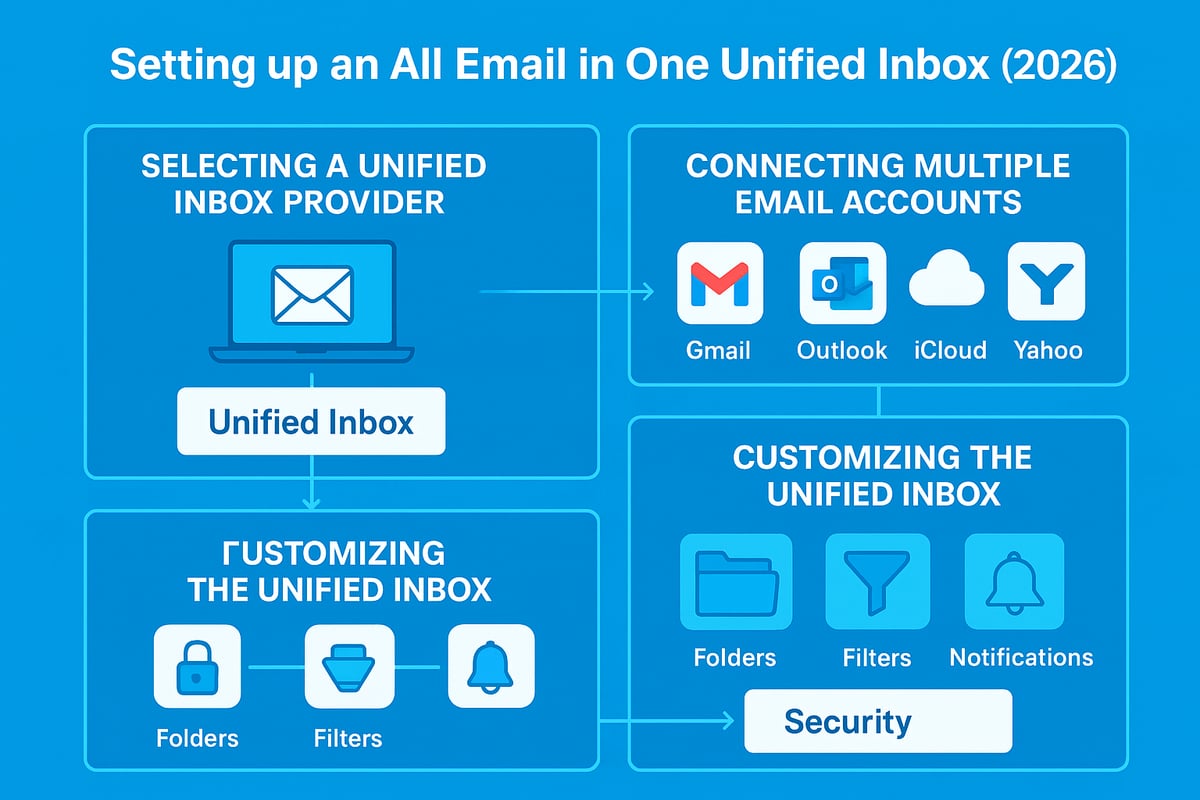
Setting up an all email in one solution can feel daunting, but with the right approach, you can achieve a seamless, centralised inbox that simplifies daily communication. This step-by-step guide will walk you through selecting the best unified inbox, connecting your accounts, personalising your setup, and managing accounts safely.
Choosing the Right Unified Inbox Solution
The first step in achieving all email in one is selecting a unified inbox platform that meets your needs. Several leading apps, such as Spike, Outlook, Apple Mail, and other third-party solutions, offer robust features for combining multiple accounts.
When making your choice, assess compatibility with your existing email providers. Ensure the platform supports Gmail, Outlook, iCloud, Yahoo, and any custom domains you use. Security should be a top priority, so look for options offering encryption, two-factor authentication, and regular security updates.
Ease of use is crucial. Evaluate the user interface and check whether the app supports both desktop and mobile synchronisation. Many users rely on seamless transitions between devices, so cross-platform support is essential.
Below is a comparison table of top unified inbox solutions:
| Provider | Supported Accounts | Security Features | Device Support |
|---|---|---|---|
| Spike | Gmail, Outlook, iCloud, Yahoo, IMAP | 2FA, Encryption | Windows, macOS, iOS, Android |
| Outlook | Gmail, Outlook, Yahoo, iCloud | 2FA, Encryption | Windows, macOS, iOS, Android |
| Apple Mail | Gmail, Outlook, iCloud, Yahoo, IMAP | App-specific passwords | macOS, iOS |
User reviews and ratings can be invaluable when narrowing your choice. According to industry surveys, a growing percentage of users prefer all email in one solutions over traditional single-inbox setups for improved efficiency.
Adding and Connecting Multiple Email Accounts
Once you have chosen your all email in one platform, begin connecting your various email accounts. Most unified inbox apps make this process straightforward on desktop, mobile, and web platforms.
Start by navigating to the "Add Account" or similar section within your unified inbox app. Select your provider (such as Gmail, Outlook, or iCloud) and follow the platform-specific prompts. For Gmail and Outlook, sign in with your credentials and grant the necessary permissions.
For iCloud accounts, you will need to generate an app-specific password. Visit Apple's official security settings, create the password, and enter it when prompted in your unified inbox platform.
Enable two-factor authentication whenever possible for each account. This extra layer of security protects your all email in one environment from unauthorised access.
If you encounter issues connecting accounts, check your credentials and ensure you have enabled access for third-party apps. Should you experience messages bouncing back or connection errors, refer to resources such as Fixing Emails Bouncing Back for troubleshooting tips.
After connecting each account, verify that emails are syncing correctly. Send a test email to and from each address to confirm successful integration. Regularly review your account list to remove unused or duplicate connections, ensuring your unified inbox remains relevant and efficient.
Customising Your Unified Inbox for Maximum Productivity
Now that your all email in one setup is active, it is time to tailor your workspace for optimal efficiency. Start by organising your inbox with folders, labels, and filters that span across all connected accounts. This unified approach reduces clutter and speeds up email triage.
Set up smart notifications by prioritising important senders or topics. Most unified inbox apps allow you to customise alerts so you only receive notifications for high-value emails, helping you maintain focus and avoid distractions.
Colour-coding and tagging are excellent strategies for visual clarity. Assign distinct colours to work, personal, and subscription emails, making it easier to scan your inbox at a glance.
Consider integrating your calendar and task management tools within your all email in one platform. This brings your entire workflow into a single space, reducing the need to switch between apps.
For example, create a rule that automatically moves personal emails to a dedicated folder while flagging work messages for follow-up. Adjust accessibility settings and notification preferences to suit your working style, ensuring your unified inbox supports your productivity.
Removing or Disconnecting Email Accounts Safely
Occasionally, you may need to remove an account from your all email in one setup. Doing this correctly is critical to maintain privacy and prevent data loss.
Begin by opening your unified inbox app's settings and selecting the account you wish to remove. Choose the "Remove" or "Disconnect" option and follow the prompts. Some platforms offer the choice to retain or delete downloaded emails from the device.
This process is especially useful for deleting inactive or spam-heavy accounts. Always review your provider's data retention policy before removing an account to ensure you do not lose important messages.
For example, in Spike or Outlook, account removal takes only a few clicks and preserves your other connected emails. Regularly cleaning your all email in one environment keeps your inbox relevant and secure.
Mastering Inbox Management: Tips, Tools, and Automation
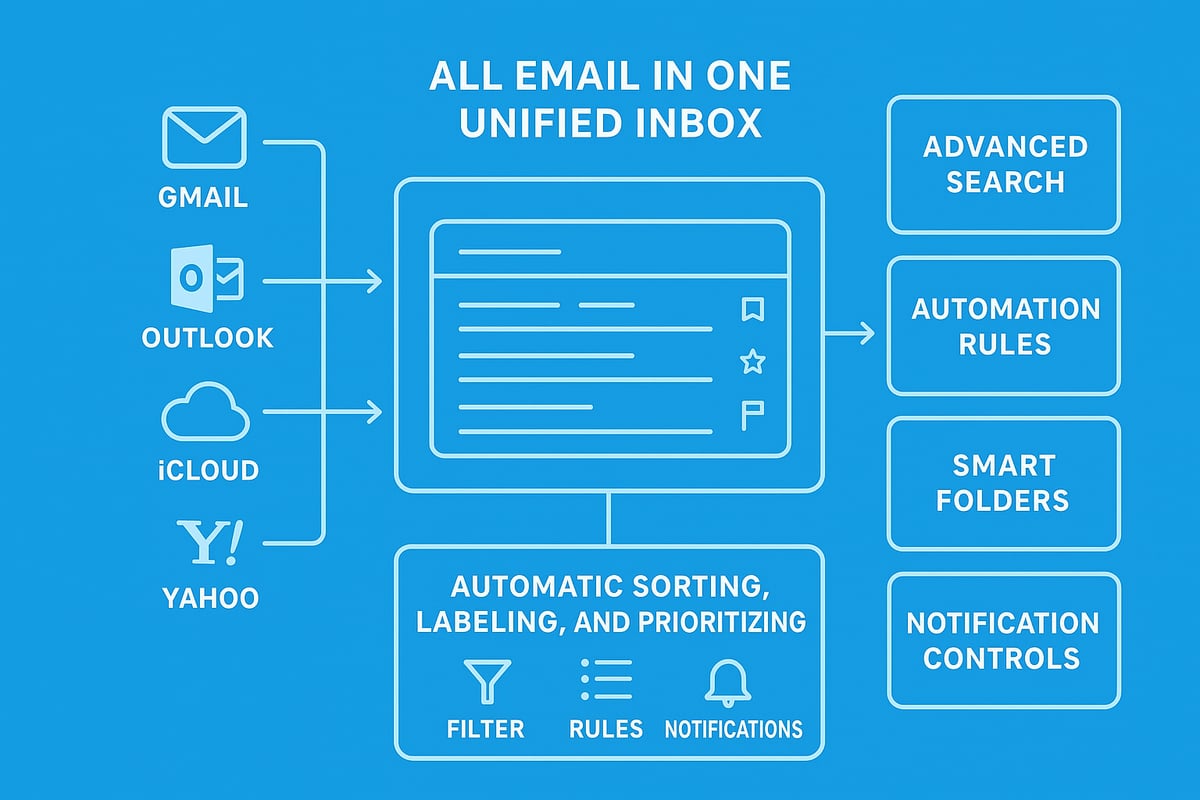
Managing all email in one unified inbox is not just about consolidation, but about harnessing powerful features to stay organised and efficient. With the sheer volume of messages professionals handle daily, mastering inbox management becomes crucial for productivity and mental clarity.
Below, we explore advanced techniques, smart automation, and notification controls to help you take control of your digital communication.
Advanced Search and Organisation Techniques
Finding the right message quickly is essential when using all email in one solutions. Advanced search operators let you filter by sender, date, attachment type, or keyword across every connected account. This unified search capability means you never have to waste time switching apps or missing important emails.
Smart folders and virtual inboxes automatically group related messages, such as invoices, project updates, or travel confirmations, from all sources. This feature is especially valuable when you want to keep work and personal emails distinct but accessible in one place.
Try pinning or snoozing emails that need action later. Most unified inboxes allow you to highlight critical conversations or temporarily hide less important ones until you are ready. These tools help you maintain focus and reduce clutter.
For those managing extensive contact lists, integrating contact management features is essential. Explore practical tips in Email My Contacts Efficiently to streamline communication across accounts. Leveraging these search and organisation strategies will help you get the most out of your all email in one experience.
Automation: Filters, Rules, and Smart Sorting
All email in one platforms empower users to automate repetitive tasks. Set up cross-account filters and rules to automatically archive, label, or forward emails based on sender, subject, or content. For example, you can create a rule to auto-label all receipts or newsletters, ensuring your main inbox stays clean.
Automation extends to smart sorting, where emails are categorised into folders like 'Finance', 'Clients', or 'Family' without manual intervention. Integrating your inbox with productivity tools, such as calendars or to-do apps, further streamlines your workflow. Some platforms even support scripts or code snippets for bespoke automation.
Statistics show that users who actively employ automation in their inboxes save hours each week. Reducing manual sorting not only cuts down on errors but also frees up time for more strategic work. Making the most of automation ensures your all email in one inbox remains a powerful asset, not a source of stress.
Managing Notifications and Reducing Distractions
Notification overload is a common challenge, especially when managing all email in one interface. Customise notification settings by account or contact, so you are only alerted to genuinely important messages. Most unified inbox tools let you mute non-essential threads or senders, reducing interruptions.
Set up VIP lists to receive notifications only for critical contacts, such as your manager or key clients. Use features like Do Not Disturb or schedule quiet hours during focused work periods. These settings help protect your time and improve your ability to concentrate on high-value tasks.
Adjusting notification preferences directly in your all email in one platform supports better mental wellbeing and long-term productivity. By actively managing alerts, you can create a calmer, more intentional digital workspace.
Security and Privacy in a Unified Inbox World
Managing all email in one place brings undeniable convenience, but it also introduces new security and privacy challenges. With multiple accounts aggregated into a single interface, the stakes are higher. If a unified inbox is compromised, it can potentially expose every linked account, making robust protection absolutely essential.
Understanding the Risks
Bringing all email in one unified inbox increases the risk of phishing, credential theft, and data breaches. If a cybercriminal gains access, they could compromise several accounts at once. Recent reports show a rise in phishing attempts targeting users who consolidate accounts, as attackers know the payoff is greater. According to Email security and data breaches, the average Briton has experienced multiple breaches since 2004, highlighting the need for vigilance when managing email in one platform.
Essential Security Features
A secure all email in one solution must provide industry-standard encryption for data both in transit and at rest. Two-factor authentication (2FA) is crucial, ensuring that even if a password is stolen, unauthorised access is blocked. Many leading apps now require app-specific passwords for connections to services like iCloud, further isolating access. Importantly, unified inboxes should keep each account’s data siloed, so a breach in one does not automatically expose others. Look for platforms that offer regular security audits and prompt software updates.
Best Practices for Protection
To keep all email in one place safe, users should adopt strict password hygiene. This includes using unique, complex passwords for every account and changing them regularly. Enable 2FA on all linked services, and review login activity to spot suspicious behaviour early. For businesses, it is wise to educate staff about phishing and invest in solutions tailored to professional needs. For more detailed strategies, see Secure Email for Small Business, which covers essential practices for unified inbox security.
Managing Privacy and Account Separation
Maintaining privacy with all email in one means understanding how your unified inbox app manages data sharing and third-party integrations. Always review consent settings and limit unnecessary access to sensitive information. For personal use, keep work and private accounts separated with clear labels and notification preferences. Business users should regularly audit who has access and ensure compliance with data retention policies. By following these steps, you can enjoy the benefits of a unified inbox without sacrificing peace of mind.
Future Trends: What’s Next for Email Unification and Productivity in 2026?
The future of all email in one solutions is rapidly evolving as digital communication needs become more complex. With professionals managing higher volumes of email than ever, the pressure to streamline inboxes and improve productivity is only increasing. According to daily email volume statistics, global email traffic continues to surge, making efficient management strategies essential for both individuals and businesses.
AI-Powered Email Sorting and Predictive Organisation
Artificial intelligence is at the heart of the next generation of all email in one platforms. Modern inboxes are using machine learning to automatically categorise, prioritise, and respond to messages. Predictive organisation tools will soon anticipate user needs by sorting emails based on context, urgency, and past behaviour.
For instance, AI can highlight urgent client requests or flag invoices that require immediate attention. This predictive approach reduces manual sorting, helping users reach inbox zero with less effort. As these tools become more sophisticated, all email in one solutions will feel increasingly intuitive and responsive.
Integration with Collaboration and Productivity Platforms
Unified inboxes are expanding beyond traditional email management. The latest trend is seamless integration with collaboration platforms, including chat, video conferencing, and document sharing tools. Imagine managing all email in one place while also accessing team discussions and shared files without switching apps.
For example, some platforms now offer built-in team chat or project management features directly within the inbox interface. This holistic approach helps streamline workflows for remote and hybrid teams, saving time and reducing context switching.
Comparison Table: Unified Inbox Trends
| Feature | 2020 | 2026 (Projected) |
|---|---|---|
| AI Smart Sorting | Basic | Advanced & Predictive |
| Collaboration Integration | Limited | Deep, Native |
| Voice Assistant Support | Rare | Commonplace |
| Security Standards | Varying | Strong, Standardised |
| Open Protocols | In Progress | Widely Adopted |
Security, Standards, and the Rise of Interoperability
Security remains a top priority as all email in one tools aggregate more sensitive data. Providers are focusing on end-to-end encryption, robust authentication, and improved user controls. Evolving open standards are making it easier for users to connect different email services securely.
The adoption rate for all email in one solutions is rising, with businesses and individuals recognising the productivity benefits of unified communication. Open protocols and interoperability are expected to become standard, allowing for greater flexibility and control across platforms.
Voice Assistants, Automation, and What Comes Next
Voice assistants are set to play a major role in the future of all email in one management. Users will soon be able to dictate, search, and sort their inboxes hands-free. Automation will reach new heights, with intelligent rules managing routine tasks and suggesting optimal actions.
Looking ahead, experts predict the following trends will define the next generation of all email in one tools:
- AI-driven smart replies and proactive follow-ups
- Deeper integration with project planning and calendar apps
- Enhanced customisation for individual and team workflows
- Real-time collaboration within the inbox
- Comprehensive analytics for email habits and productivity
As these advancements take shape, the all email in one approach will continue to redefine digital productivity in 2026 and beyond.