Add to Email Address Guide: Expert Tips for 2026
December 26, 2025
Managing several email accounts is more important than ever as digital communication grows increasingly complex in 2026. Whether for work, personal use, or privacy, knowing how to add to email address and keep your inbox organised is a vital skill.
This guide delivers expert, up-to-date tips for adding and managing email addresses on major platforms. You will find step-by-step instructions for Gmail, Outlook, and Apple Mail, plus advanced strategies and security best practices.
Ready to streamline your inbox and stay ahead of email challenges? Dive into actionable advice designed to help you master every aspect of modern email management.
Understanding Email Address Management in 2026
Email remains the backbone of digital communication for both personal and business needs in 2026. While messaging apps are popular, most professionals still rely on email for critical correspondence and document sharing. The need to add to email address lists has grown, as people separate work, personal, subscription, and privacy-related accounts.
A major 2026 trend is the rise of AI-powered inboxes that help users manage growing volumes of messages. Unified communication platforms now merge email, chat, and video, making it easier to add to email address books and view all conversations in one place. Enhanced privacy tools, such as temporary addresses and strict spam filtering, are now standard. According to Statista, the number of global email users is projected to exceed 4.8 billion in 2026. Many professionals actively manage three or more email accounts to stay organised and maintain privacy. To learn more about consolidating multiple accounts, see Manage all email accounts.
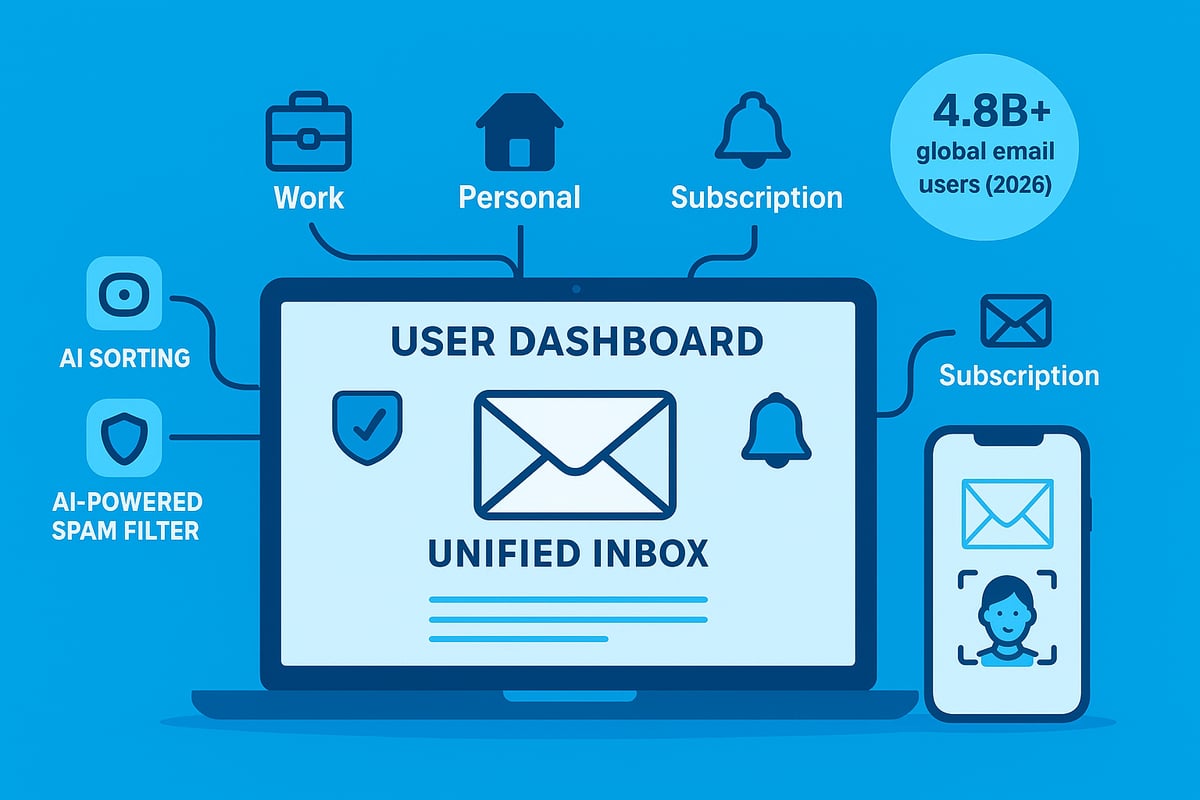
The Evolving Role of Email in Modern Communication
Email’s role has expanded beyond simple messaging. Users now add to email address lists for specific purposes, such as online shopping, newsletters, or professional networking. This separation makes workflow more efficient and ensures important messages are not lost among less critical ones.
2026 has brought smarter inboxes, with AI automatically categorising emails and suggesting responses. Enhanced privacy controls help users manage which addresses are visible and how data is shared. For example, a marketing manager might use a different account for client communications, project updates, and internal memos. This flexibility keeps digital life structured, especially as the volume of daily email grows.
Why Adding Email Addresses Matters More Than Ever
Organising multiple accounts is essential for productivity. When users add to email address books across platforms, they create a central hub that streamlines communication. This reduces missed messages and allows for faster responses.
Efficient address management also helps keep work and personal lives separate. Many people use unique addresses for subscriptions or online registrations to protect their main inbox from spam. For instance, a small business owner who centralises client and supplier accounts can improve response times and overall service quality. Separating transactional, marketing, and personal emails leads to a more organised and less cluttered inbox.
Key Challenges in 2026
Despite new features, managing several accounts is not without challenges. Phishing and spam attacks have become more sophisticated, often targeting users who add to email address lists across multiple platforms. Compatibility issues between providers can cause syncing problems, especially when integrating non-Google accounts with Gmail or Outlook.
Users also face notification overload, as alerts from different accounts can become overwhelming. To address these issues, it is vital to follow up-to-date best practices, such as using strong authentication methods, regularly updating passwords, and configuring inbox filters. Overcoming these obstacles ensures a secure and efficient email experience for all users.
How to Add Email Addresses in Gmail, Outlook, and Apple Mail
Managing multiple inboxes can be overwhelming, but learning how to add to email address lists in Gmail, Outlook, and Apple Mail can transform your workflow. With the right approach, you can unify your communications, improve response times, and stay organised across devices.

Adding a New Email Address in Gmail
Adding an email address in Gmail is straightforward in 2026, thanks to an updated interface on both web and mobile. Begin by clicking your profile icon in the top right, then select "Add another account." Follow the guided steps to sign in with your new address, whether it is a Gmail, Yahoo, Outlook, or another provider.
For advanced users, visit Settings > Accounts and Import to add to email address lists and manage send-from options. Gmailify allows you to link non-Google accounts, providing full spam protection, unified inboxes, and Google’s advanced filtering. However, some features like Smart Compose may be limited with external providers.
If you are updating or adding a new address, you might find this How to update email address guide helpful for step-by-step instructions. Gmail now supports up to 15 accounts per user, and 2026 brings improved auto-complete and contact management, making it easier to keep your communications seamless. Remember to check that each new account syncs properly, and customise your notification settings to avoid overload.
Adding Email Addresses in Outlook (Windows, Mac, Web)
To add to email address options in Outlook, start by opening the app and navigating to File > Add Account on Windows or Outlook > Preferences > Accounts on Mac. Enter your new email credentials and follow the on-screen prompts. Outlook.com users and Microsoft 365 subscribers may notice slight interface differences, but the core process remains consistent.
When adding Gmail or other providers, Outlook may prompt for additional security verification, such as two-factor authentication. You can manage multiple mailboxes from one dashboard and set a default send-from address for outgoing messages.
If you experience issues with integration, double-check the provider’s IMAP or POP settings. Outlook’s 2026 update streamlines the process and offers enhanced security prompts, ensuring your new accounts are protected from the moment you add to email address lists.
Adding Addresses in Apple Mail (iPhone, iPad, Mac)
Apple Mail makes it simple to add to email address books across all your devices. On iOS 18, go to Settings > Mail > Accounts, then tap "Add Account." On macOS 15, open System Preferences > Internet Accounts and select the service you wish to add, such as iCloud, Gmail, Exchange, or a custom IMAP/POP account.
Enter your login details and follow the instructions to sync your inbox, contacts, and calendars. Apple Mail now offers improved unified inbox views, allowing you to see all messages from your linked accounts in one place. You can also edit and manage contacts directly, helping you keep personal and work communications separate.
If you want to integrate both work and personal addresses, ensure you enable notifications only for priority accounts to avoid distractions. Apple’s privacy features help you manage each address securely.
Tips for Smooth Multi-Account Setup
To efficiently add to email address lists across platforms, start by avoiding duplicate contacts and emails. Use each platform’s built-in tools, such as Google Contacts merge or Outlook’s duplicate detection, to keep your address book clean.
Set up colour-coded inboxes or folders for each account, which makes it easier to distinguish between work, personal, and subscription emails. Most platforms now offer automation features—create rules in Outlook or labels in Gmail to filter messages as soon as they arrive.
Here’s a quick checklist for a smooth setup:
- Review sync settings for each account
- Customise notifications by account or sender
- Use automation to sort and prioritise emails
Staying organised from the start will help you maintain control as you add to email address entries, ensuring your digital communications remain efficient and secure.
Advanced Multi-Account Management and Automation
Managing multiple email addresses in 2026 is more sophisticated than ever. With advanced tools and automation, it is possible to streamline your digital communication and add to email address workflows efficiently. Whether you are handling personal, business, or project accounts, the right strategies can transform chaos into clarity.
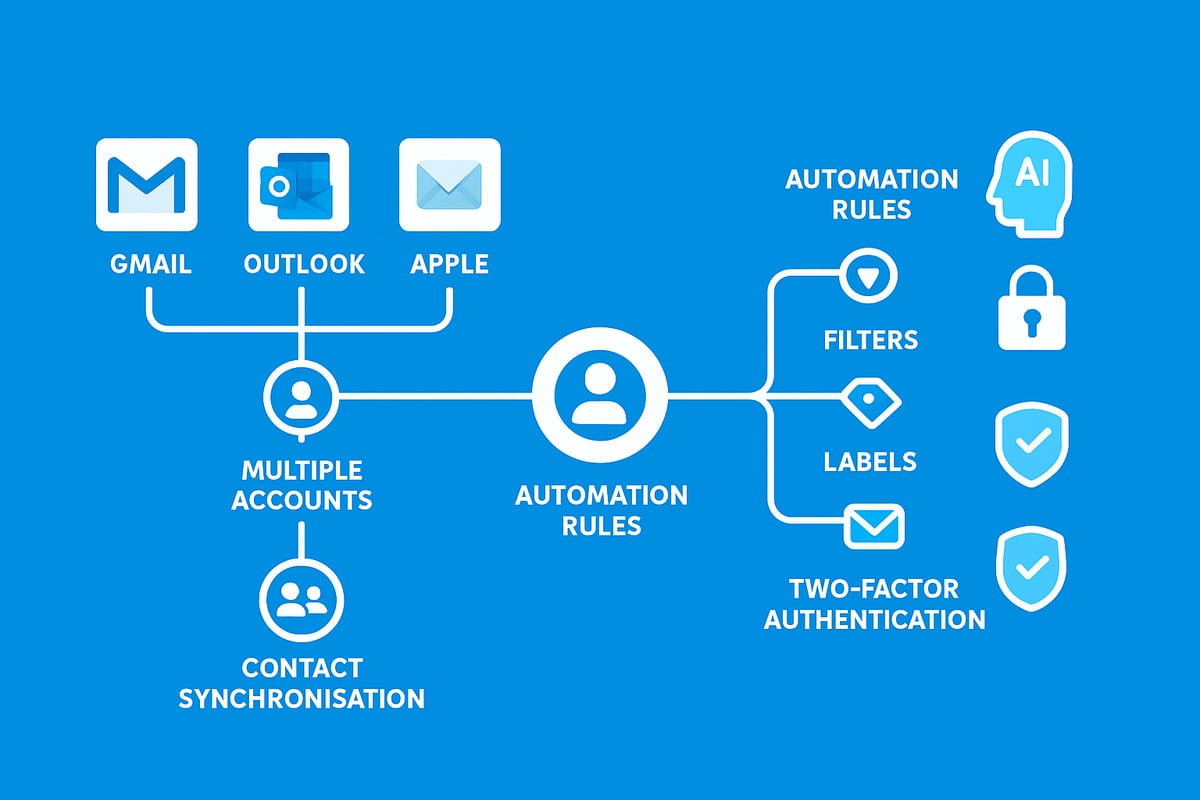
Tools and Features for Power Users
Power users looking to add to email address management routines benefit from a new generation of bulk inbox organisers. In 2026, platforms like Clean Email and their competitors offer AI-driven sorting, filtering, and cleaning across multiple accounts. These tools automatically categorise messages, flag important emails, and even suggest unsubscribing from low-value newsletters.
Automation is now at the heart of efficient inbox control. Setting up rules for archiving, labelling, or forwarding can save hours each week. For example, you can create automated rules to label invoices from a specific client or archive read receipts from team members.
Table: Comparison of Bulk Inbox Organisers (2026)
| Feature | Clean Email | Competitor A | Competitor B |
|---|---|---|---|
| AI Sorting | Yes | Yes | Yes |
| Cross-Platform Support | Yes | Yes | No |
| Privacy Compliance | High | Medium | High |
| Custom Automation | Extensive | Moderate | Limited |
Bulk organisers also help add to email address security by following privacy standards and supporting GDPR compliance. Many now include dashboards to monitor account activity and integrations for cloud backup.
Managing Contacts and Address Books Efficiently
As you add to email address collections across platforms, keeping contacts synchronised is essential. Modern email clients offer seamless syncing between Gmail, Outlook, and Apple Mail, ensuring your address book is always up to date.
One standout feature in 2026 is auto-saving new contacts from incoming emails. This reduces manual entry, but can lead to duplicates. Built-in tools help merge or de-duplicate entries, so your address book stays clean and organised.
For in-depth advice on optimising your address book, review these Email contacts management tips. Regularly updating and cleaning your contacts not only boosts productivity but also prevents errors when you add to email address lists for group communications.
Remember to use platform features like contact labels, custom fields, and unified search. These tools make it easier to find specific contacts, whether you are emailing a client, supplier, or friend.
Keeping Accounts Organised and Secure
Security is critical when you add to email address collections across multiple accounts. Regularly review which accounts are active and remove any that are obsolete. This minimises risk and ensures you are only managing what is necessary.
Enable two-factor authentication (2FA) for every account. Most platforms now support biometric login or passkeys, adding an extra layer of protection. Password managers are essential for securely handling multiple credentials and can alert you to weak or reused passwords.
If you ever suspect a security breach, act quickly. Revoke access, change passwords immediately, and review account activity logs. Routine audits help prevent issues and keep your add to email address strategy robust.
By following these advanced practices, you can maintain order, boost efficiency, and safeguard your digital identity across every email platform.
Security, Privacy, and Best Practices When Adding Email Addresses
Managing security and privacy is essential each time you add to email address in 2026. As inboxes grow and digital threats evolve, protecting your information requires proactive strategies. This section covers essential security protocols, privacy considerations, and proven best practices for anyone who wants to add to email address confidently and safely.
Protecting Your Accounts in 2026
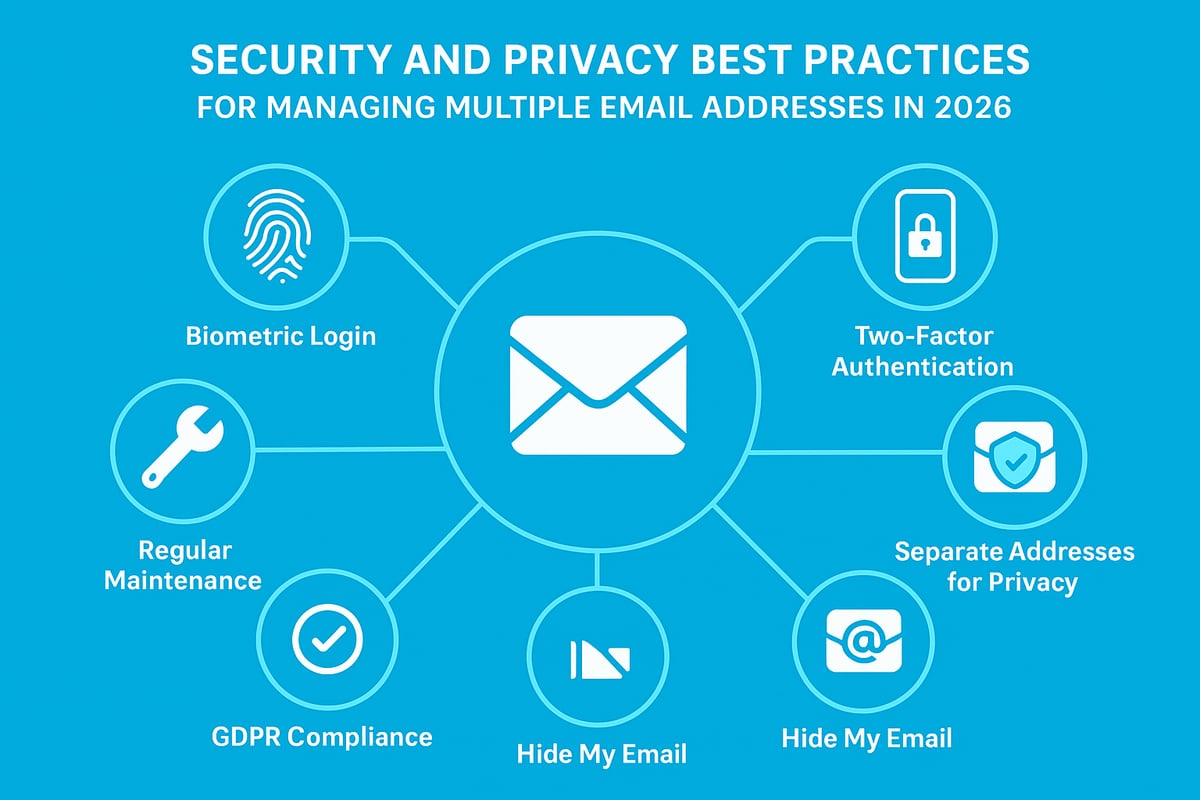
When you add to email address and centralise multiple accounts, you increase both convenience and risk. One compromised inbox can provide attackers with access to all connected addresses. To safeguard your data, always enable advanced security features. These include biometric logins, passkeys, and two-factor authentication (2FA) for every account you add.
Modern platforms now alert you to suspicious logins and offer detailed activity logs. For example, Gmail will notify you if an unknown device attempts access. Using a password manager helps store complex credentials for each account you add to email address, reducing the temptation to reuse passwords.
For more detailed security strategies when managing several addresses, see Secure email for small business, which provides actionable advice suitable for both individuals and organisations.
Privacy Considerations for Multiple Addresses
Every time you add to email address, consider how to maintain privacy across your digital footprint. Using separate addresses for different purposes—such as shopping, social media, or newsletters—helps reduce tracking and unwanted spam.
Privacy tools like “Hide My Email” let you generate unique, anonymous addresses for online sign-ups, shielding your real identity from marketers and potential breaches. Apple’s privacy relay and similar services forward emails without exposing your main account, adding another layer of protection.
Compliance with GDPR and other privacy laws is crucial when you add to email address, especially for business users. Always ensure your contact management respects user consent and data handling requirements. Regularly review which services have access to your addresses and remove unnecessary permissions.
Best Practices for Safe and Efficient Email Management
To keep all accounts secure and organised as you add to email address, adopt these proven habits:
- Update passwords regularly and use a unique one for each inbox.
- Enable two-factor authentication on every account.
- Avoid public Wi-Fi for sensitive email activities.
- Schedule monthly inbox and contact clean-ups.
- Review account permissions and remove obsolete or unrecognised devices.
Back up important emails and contacts to the cloud before making major changes. If you notice any suspicious account behaviour, act quickly—change your password, check access logs, and contact support if needed. These steps help ensure that every time you add to email address, your personal and professional data remains both secure and private.
Troubleshooting Common Issues When Adding Email Addresses
Managing multiple accounts is crucial when you add to email address, but even experts encounter technical hiccups. Knowing how to troubleshoot these problems can save time and protect your data. Below, we address the most common challenges users face in 2026.
Account Syncing and Compatibility Problems
When you add to email address across platforms like Gmail, Outlook, or Apple Mail, syncing errors are common. These may include delayed message delivery, missing folders, or incomplete contact lists.
To resolve these issues:
- Double-check that IMAP or POP settings match the provider's latest recommendations.
- Ensure two-factor authentication is configured, as some services block syncing without it.
- Confirm that your email app supports the account type you want to add to email address, especially with legacy providers.
If problems persist, try removing and re-adding the account. This refresh can clear cached errors and restore normal syncing.
Duplicate Emails and Contacts
Another frequent issue when you add to email address is the appearance of duplicate messages or contacts. These duplicates clutter your inbox and make organisation harder.
To fix this:
- Use built-in tools like Google Contacts’ merge function to identify and combine duplicate entries.
- In Outlook, take advantage of duplicate detection prompts when importing contacts.
- Regularly clean up your address book after you add to email address to prevent overlap.
If you notice repeated emails, check your account rules and filters. Sometimes, multiple forwarding or import rules can inadvertently create duplicates.
Notification Overload and Inbox Management
After you add to email address, notification overload can quickly become overwhelming. Each account may bring its own alerts, leading to constant interruptions and missed important messages.
Manage this by:
- Customising notification settings for each account, only allowing alerts for priority senders.
- Using Do Not Disturb or Focus modes on your device to limit interruptions.
- Setting VIP or starred contacts to ensure you only receive essential alerts after you add to email address.
Segmenting your inbox with folders or labels can also boost productivity, making it easier to spot urgent messages.
Security and Verification Challenges
Security and verification problems are critical when you add to email address, as failed authentication can block access entirely. Common issues include failed verification prompts, locked accounts, or suspicious login attempts.
If you encounter these challenges:
- Use backup codes and recovery emails to regain access.
- Enable advanced security protocols, such as those recommended by Zero Trust Email Frameworks in 2026, to enhance protection.
- Regularly monitor login activity and respond promptly to any alerts.
Staying vigilant and following robust security practices is essential for safeguarding your data as you add to email address across platforms.
Expert Tips for Efficient Email Address Management in 2026
Mastering how you add to email address lists and manage multiple inboxes is essential in 2026. With smarter tools and increasing threats, staying organised and secure is a must. Below, discover the most effective strategies for seamless multi-account management.
Leveraging AI and Automation for Smarter Emailing
AI has revolutionised how users add to email address systems and sort messages. In 2026, AI-driven inbox assistants can prioritise urgent emails, suggest smart replies, and automate repetitive tasks. For example, Gmail’s AI can auto-label messages and flag potential phishing attempts, while Outlook uses predictive typing to save time.
Modern AI tools also help detect phishing, keeping your add to email address routines secure. According to AI's Role in Phishing Detection, advanced algorithms can now spot suspicious emails with far greater accuracy than manual review. This ensures your inbox stays clean and safe.
- Use auto-sorting features to reduce clutter
- Enable smart notifications for priority contacts
- Try automation rules for archiving, labelling, and unsubscribing
Organisational Strategies for Multiple Accounts
Keeping your add to email address workflow organised is key to efficiency. Create dedicated folders or labels for each account or project. Many platforms now offer unified inboxes, letting you view all messages in one place, or segmented views for strict separation.
Consider colour-coding accounts in Outlook or using custom labels in Gmail. This makes it easy to identify which account received each message. Set up filters to direct marketing, personal, and transactional emails to the right folder instantly.
| Platform | Organisation Feature | Benefit |
|---|---|---|
| Gmail | Labels, Filters | Easy categorisation |
| Outlook | Colour-coded Accounts | Visual separation |
| Apple Mail | Smart Mailboxes | Unified or split view |
Keeping Up with Platform Updates and New Features
To effectively add to email address lists, stay informed about annual updates in Gmail, Outlook, and Apple Mail. Platforms regularly introduce new security protocols, UI changes, and productivity tools. Subscribing to official newsletters and joining user forums can help you adapt quickly.
For instance, recent updates may change how you manage contacts or automate email sorting. Keeping up ensures you never miss out on features that boost efficiency and security. Regularly reviewing release notes helps you make the most of every update.
Expert-Recommended Maintenance Routines
Routine maintenance is vital when you add to email address groups or accounts. Schedule monthly account audits and inbox clean-ups to remove obsolete emails and contacts. Back up important messages and contacts to the cloud to prevent data loss.
Security should always be a priority. Follow Cybersecurity Trends for 2026 to stay ahead of new threats. Update passwords regularly, review account permissions, and enable two-factor authentication on all accounts.
- Audit linked accounts monthly
- Delete unused addresses and contacts
- Regularly update passwords and security settings
When to Seek Professional Help
Sometimes, advanced issues with add to email address management require expert intervention. Persistent sync errors, suspected breaches, or repeated authentication failures are signs you might need IT support. Use official help centres and community forums for troubleshooting and learning.
If you plan major changes, such as migrating multiple accounts or restoring access after a breach, consult a professional. This ensures your data remains secure and your workflow uninterrupted.