Get Business Email: Professional Setup Guide for 2026
March 25, 2026
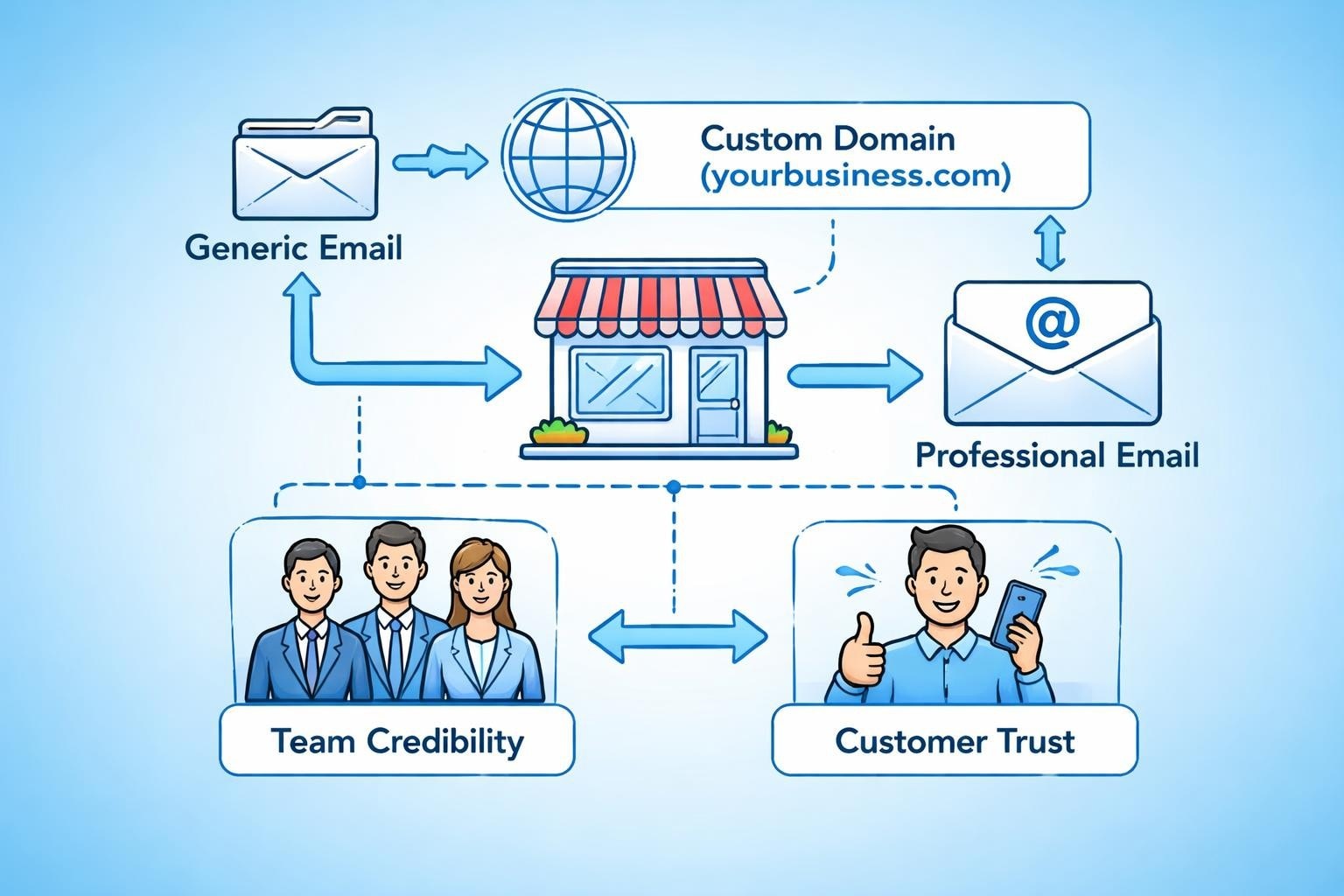
In today's competitive marketplace, the email address you use speaks volumes about your business before you've even sent your first message. When customers receive communications from a Gmail or Yahoo address, it raises questions about legitimacy and professionalism. The decision to get business email isn't just about appearances-it's a fundamental investment in your brand identity, customer trust, and operational efficiency. For small businesses looking to establish credibility and streamline their communications, professional email addresses represent one of the most accessible yet impactful upgrades you can make.
Why Professional Email Addresses Matter for Your Business
The difference between sending an invoice from "[email protected]" and "[email protected]" might seem subtle, but the impact on perception is substantial. When you get business email, you're signalling to customers, suppliers, and partners that you're serious about your operations.
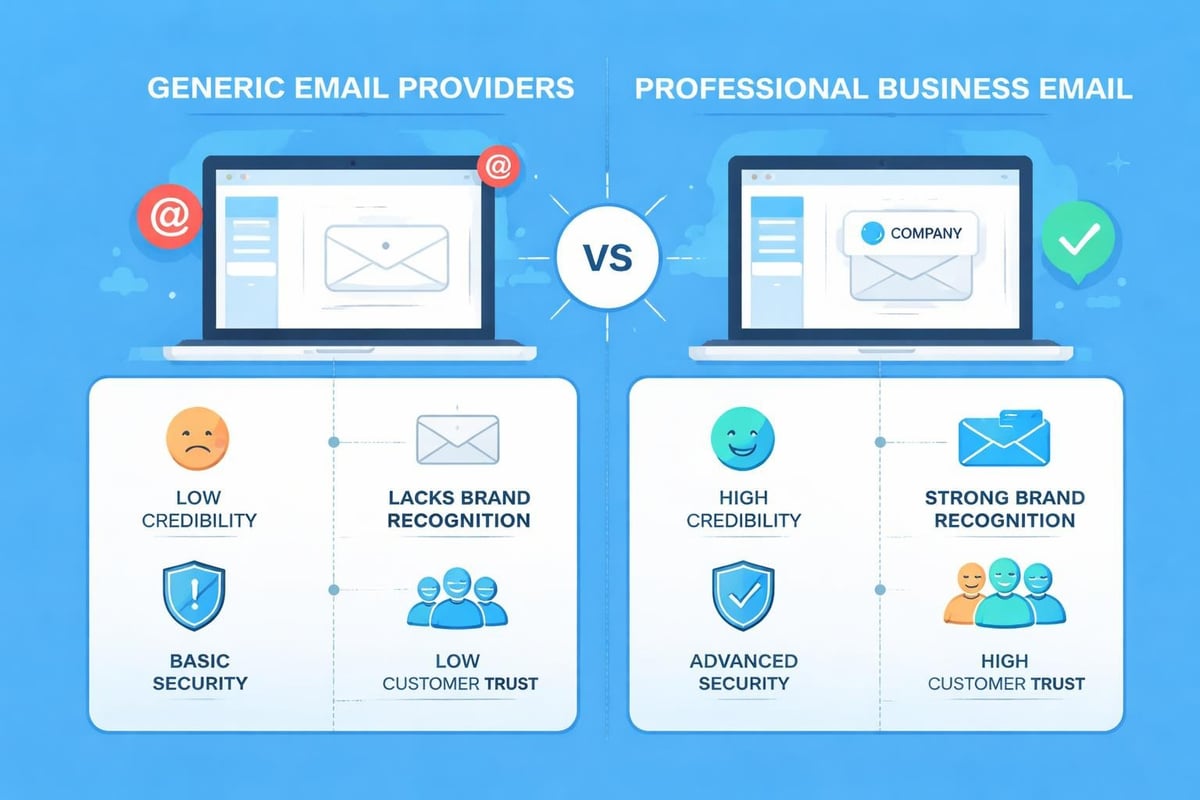
Professional credibility stands as the primary advantage. According to Microsoft's research on business email addresses, companies using custom domain emails receive significantly higher response rates and are perceived as more trustworthy. This perception directly influences purchasing decisions, particularly when customers are evaluating new vendors or service providers.
Beyond first impressions, branded email addresses offer practical benefits:
- Enhanced brand recognition with every message sent
- Improved email deliverability compared to free providers
- Greater security controls and administrative oversight
- Scalable team management as your business grows
- Professional continuity independent of individual employees
Small businesses often underestimate how much a professional email system contributes to their overall marketing effectiveness. When you create a professional email address, you're establishing a consistent touchpoint that reinforces your brand across all customer interactions.
Choosing the Right Email Provider for Your Needs
The market offers numerous options when you're ready to get business email, ranging from comprehensive business suites to specialized email hosting services. Understanding the landscape helps you select the solution that aligns with your budget, technical requirements, and growth plans.
Evaluating Provider Features
Different email providers cater to distinct business needs. TechRadar's comparison of the best email providers highlights key factors to consider during your evaluation process.
| Provider Type | Best For | Key Advantages | Considerations |
|---|---|---|---|
| Integrated Suites | Businesses needing full productivity tools | Includes calendar, storage, collaboration | Higher cost, potential feature overload |
| Email-Focused Hosting | Companies prioritizing email functionality | Cost-effective, specialized features | May require separate tools for other needs |
| Domain Registrar Packages | Startups bundling services | Convenient one-stop solution | Limited customization options |
| Marketing Platform Email | Businesses focusing on campaigns | Seamless integration with marketing tools | May lack robust personal email features |
Storage capacity remains a critical consideration. Your team will accumulate emails, attachments, and archived conversations over time. Providers typically offer between 5GB to unlimited storage, with pricing tiers reflecting these differences. Calculate your expected usage based on team size and communication volume to avoid running into limits unexpectedly.
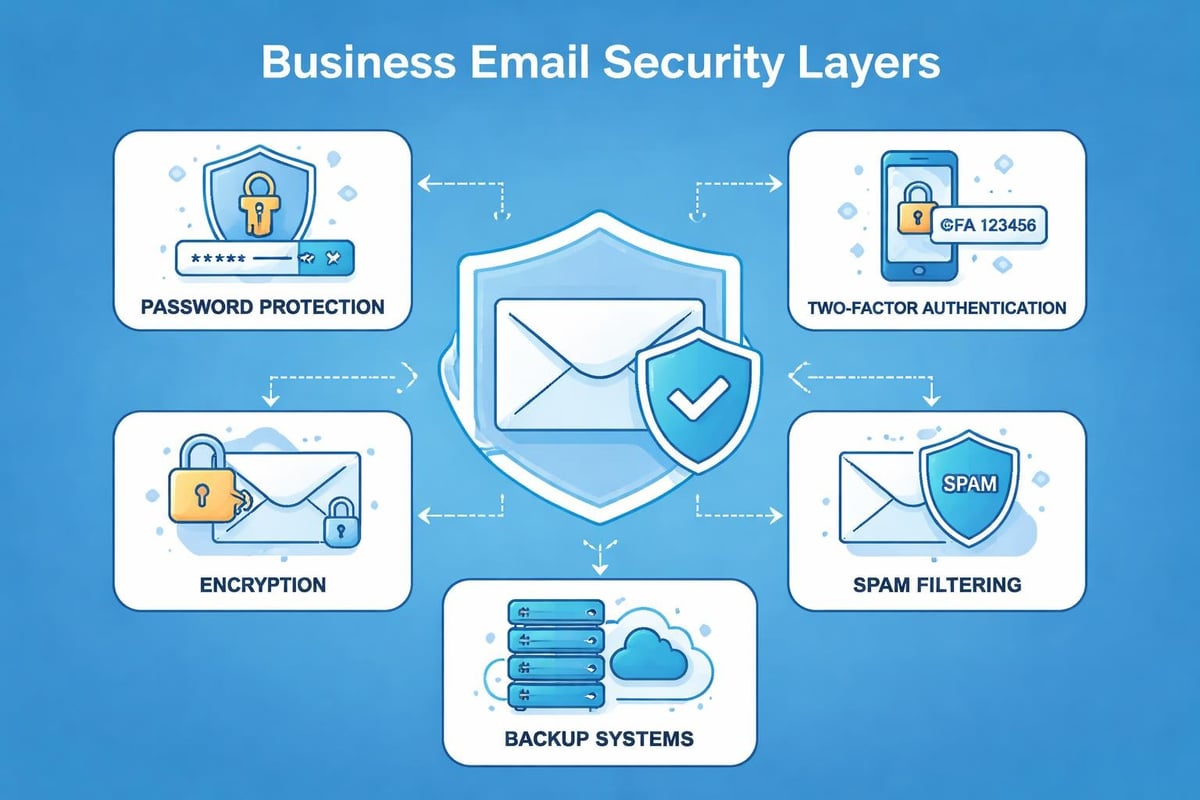
Security features deserve careful scrutiny when selecting where to get business email. Essential protections include:
- Two-factor authentication for account access
- Advanced spam and malware filtering
- Encrypted transmission (SSL/TLS)
- Data backup and recovery options
- Mobile device management capabilities
The integration ecosystem matters considerably for workflow efficiency. Your email provider should connect seamlessly with your existing tools, whether that's customer relationship management software, project management platforms, or accounting systems.
Setting Up Your Business Email Address
Once you've selected your provider, the actual setup process involves several sequential steps. Indeed's comprehensive guide on setting up business email walks through this process in detail, but here's the practical approach for small businesses.
Domain Registration and Configuration
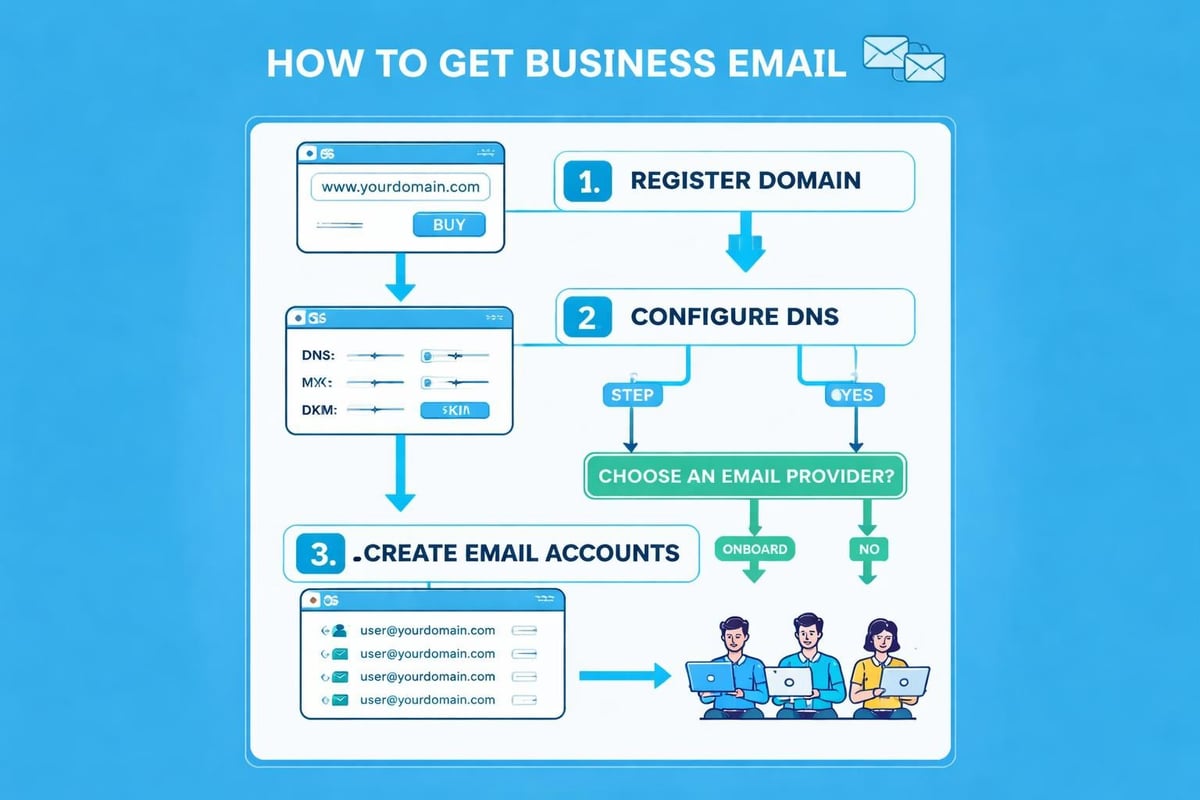
Your custom domain forms the foundation of your professional email. If you don't already own a domain, you'll need to register one that aligns with your business name. This domain becomes the part after the "@" symbol in your email addresses.
After securing your domain, you'll configure DNS records to connect it with your email provider:
- Access your domain registrar's DNS management panel
- Add MX (Mail Exchange) records provided by your email host
- Configure SPF records to prevent email spoofing
- Set up DKIM authentication for message verification
- Implement DMARC policies to protect against impersonation
- Verify domain ownership through your email provider's process
This technical setup might seem daunting, but most providers offer guided wizards and customer support to navigate these configurations. The investment of an hour or two ensures your emails reach recipients reliably and aren't flagged as spam.
Creating Individual Email Accounts
With your domain configured, you're ready to create email addresses for your team. Strategic planning at this stage prevents future inconsistencies and confusion.
Consider these naming conventions when you get business email addresses:
- [email protected] (works well for small teams)
- [email protected] (prevents conflicts in larger organizations)
- [email protected] (balances brevity with clarity)
- [email protected] (for shared functional accounts)
Mailchimp's guide on business email name ideas emphasizes maintaining consistency across your organization. Choose one format and apply it uniformly to all accounts, making it easier for customers to predict and remember team member addresses.
Avoid common formatting mistakes that undermine professionalism. Numbers, underscores, and special characters create confusion and appear unprofessional. Similarly, cute or clever handles that might seem fun initially often don't age well as your business grows.
Formatting Best Practices for Professional Email Addresses
The structure of your email addresses contributes significantly to brand perception and usability. When you get business email set up, adhering to established conventions ensures clarity and professionalism.
Professional email address formats should prioritize simplicity and memorability. Long or complex addresses increase the likelihood of typos when customers try to contact you, potentially resulting in lost opportunities.
Role-Based vs Personal Email Addresses
Smart email architecture includes both individual and functional addresses:
Personal addresses connect customers with specific team members:
Role-based addresses ensure continuity when staff changes occur:
This dual approach provides flexibility while maintaining professional continuity. When team members leave, role-based addresses continue functioning without disruption, whilst personal addresses can be forwarded or deactivated as needed.
Managing Multiple Email Accounts Effectively
As your small business expands, managing numerous email accounts becomes increasingly complex. Whether you're supporting a growing team or managing different departments, strategic organization prevents communication chaos.
Delegation and permissions allow you to control access appropriately. Administrators can create accounts, reset passwords, and manage storage allocation without requiring individual intervention from each team member. This centralized control becomes invaluable as you scale.
Consider implementing these organizational strategies:
- Shared inboxes for collaborative response handling
- Email aliases that redirect to primary accounts
- Distribution lists for team-wide communications
- Automatic forwarding rules for backup coverage
- Archive policies to manage storage proactively
Many businesses find that when they set up a business email account, they initially underestimate their future needs. Planning for growth from the outset prevents disruptive migrations later.
Email Client Selection and Configuration
Where you access your email significantly impacts productivity. Modern email clients offer varying features, interface designs, and integration capabilities.
Desktop applications provide robust functionality and offline access, whilst web-based interfaces offer flexibility to work from any device. Mobile applications ensure you stay connected whilst away from your desk. Most professionals use a combination, accessing their business email through whichever client suits their immediate context.
When evaluating different email clients, prioritize these factors:
| Feature Category | Why It Matters | What to Look For |
|---|---|---|
| Search Functionality | Finding historical conversations quickly | Advanced filters, attachment search, date ranges |
| Organisation Tools | Managing high email volumes | Folders, labels, smart categories, rules |
| Integration Options | Connecting with your workflow | Calendar sync, task management, CRM connections |
| Mobile Experience | Accessing email on the go | Intuitive interface, offline capability, notifications |
Security and Compliance Considerations
When you get business email, you're also accepting responsibility for protecting sensitive information. Customer data, financial details, and proprietary business information flow through your email system daily, making security a critical priority.
Implement strong password policies across your organization. Require complex passwords that combine uppercase letters, lowercase letters, numbers, and symbols. Enforce regular password changes and prevent password reuse across different systems.
Two-factor authentication adds a crucial security layer. Even if passwords are compromised, unauthorized access remains blocked without the secondary verification step. Most business email providers include this feature, and enabling it takes only minutes.
Data Protection and Privacy
Compliance requirements vary by industry and location, but fundamental principles apply universally. When handling customer information through email, you must:
- Obtain appropriate consent before adding contacts to marketing lists
- Provide clear unsubscribe mechanisms in promotional emails
- Protect personal data from unauthorized access
- Maintain audit trails of data processing activities
- Respond promptly to data access requests
For businesses operating in the UK, GDPR compliance isn't optional. Your email practices must align with data protection principles, including purpose limitation, data minimization, and secure processing.
Cost Analysis and Budgeting for Business Email
Financial planning for business email involves more than just the monthly subscription fee. When you get business email, consider the total cost of ownership across implementation, ongoing operation, and potential scaling.
Pricing Models Explained
Email providers structure their pricing in various ways:
Per-user monthly subscriptions charge a set fee for each email account. This model scales predictably with team growth but can become expensive for larger organizations. Typical costs range from £3 to £15 per user monthly, depending on features and storage allocation.
Tiered pricing packages offer different feature sets at various price points. Basic tiers might include standard email functionality, whilst premium tiers add advanced security, unlimited storage, or enhanced support. This structure allows businesses to select the appropriate balance between cost and capability.
Annual billing discounts typically provide 10-20% savings compared to monthly payments. If you're confident in your provider choice, annual commitment reduces overall costs whilst ensuring uninterrupted service.
Hidden costs to consider include:
- Domain registration and annual renewal fees
- Email migration services for existing communications
- Training time for team adoption
- Third-party integrations or add-ons
- Storage upgrades as needs expand
Professional email setup costs vary significantly based on business requirements, but most small businesses find comprehensive solutions available within reasonable budgets.
Transitioning from Free to Business Email
Many small businesses start with free email services before recognizing the need to get business email. This transition requires careful planning to avoid disruption whilst ensuring nothing falls through the cracks.
Communication continuity should guide your migration strategy. Running both email systems in parallel for a transition period allows time to update contacts, redirect important communications, and verify everything works correctly before fully cutting over.
Follow this phased approach:
- Set up your new business email accounts and verify functionality
- Configure email forwarding from old to new addresses temporarily
- Update your email signature to include both addresses during transition
- Notify key contacts about your new professional email
- Update all business listings with the new contact information
- Redirect the old account after confirming stable operation
- Archive historical emails for future reference if needed
The transition period typically spans 2-4 weeks for most small businesses. Rushing this process increases the risk of missed communications, whilst extending it unnecessarily creates confusion about which address to use.
Maximizing the Value of Your Business Email Investment
Simply obtaining professional email addresses doesn't automatically deliver value. Strategic utilization transforms your email system from a basic communication tool into a marketing and customer relationship asset.
Email signatures deserve attention as often-overlooked marketing real estate. Every message you send includes this space, making it prime territory for:
- Contact information and job titles
- Links to your website and social profiles
- Current promotional offers or announcements
- Professional certifications or awards
- Clear calls to action
Consistency across team signatures reinforces brand identity and ensures customers receive uniform information regardless of who they contact.
Integration with Marketing Efforts
When you get business email, you're creating infrastructure that should connect seamlessly with your broader marketing strategy. Professional addresses build credibility for marketing campaigns, improve deliverability rates, and enable sophisticated tracking and segmentation.
Your business email for small business operations should integrate with customer relationship management systems, allowing you to track interactions, segment audiences, and personalize communications based on customer history and preferences.
Advanced Features Worth Considering
As your comfort with business email grows, advanced features can significantly enhance productivity and professionalism. These capabilities often distinguish basic email services from comprehensive business communication platforms.
Email templates streamline repetitive communications. Whether you're sending quotes, following up with prospects, or responding to common questions, pre-built templates save time whilst ensuring consistent messaging. Most modern email systems include template functionality, allowing you to create, store, and deploy standardized messages with personalization fields.
Scheduling capabilities let you compose messages immediately but deliver them at optimal times. This feature proves particularly valuable when working across time zones or wanting to ensure your message arrives when recipients are most likely to engage with it.
Auto-responders and vacation messages maintain communication continuity during absences. Setting up professional out-of-office notifications ensures contacts know when to expect responses and provides alternative contacts for urgent matters.
Collaboration and Shared Resources
Modern business email extends beyond individual inboxes to support team collaboration. Shared mailboxes allow multiple team members to access and respond from a single address, perfect for sales@, support@, or info@ addresses requiring collaborative handling.
Calendar sharing and meeting scheduling integrate with email to streamline appointment coordination. Team members can view availability, schedule meetings, and send invitations without leaving their email interface, reducing the friction in organizing collaborative work.
Maintaining Email Hygiene and Best Practices
Long-term success with business email requires ongoing maintenance and adherence to best practices. The habits you establish early determine whether your email system remains an asset or becomes unwieldy and inefficient.
Regular inbox maintenance prevents overwhelming clutter. Implement the following habits:
- Archive or delete messages after addressing them
- Unsubscribe from irrelevant mailing lists promptly
- Create folder structures that reflect your workflow
- Use filters to automatically organize incoming messages
- Schedule regular cleanup sessions for older emails
Email etiquette matters for professional communications. When you get business email, you're representing your brand with every message sent. Consider these guidelines:
- Use clear, descriptive subject lines that indicate content and urgency
- Keep messages concise whilst remaining thorough
- Proofread before sending to catch typos and unclear phrasing
- Respond promptly to customer inquiries and time-sensitive matters
- Use appropriate formality levels based on recipient and context
List Management and Compliance
If you use business email for marketing communications, proper list management protects your reputation and ensures compliance. Never purchase email lists or add contacts without permission. These practices damage deliverability, violate regulations, and create negative brand associations.
Building your list organically through website signups, events, and customer interactions creates an engaged audience genuinely interested in your communications. Quality trumps quantity in email marketing effectiveness.
Establishing professional email infrastructure represents a foundational step in building business credibility and operational efficiency. From selecting the right provider to implementing security best practices and maximizing advanced features, the process requires thoughtful planning but delivers substantial returns. Whether you're just starting out or ready to upgrade from free email services, the investment pays dividends in customer trust, team productivity, and brand consistency. Astonish Email helps small businesses navigate these decisions with email marketing solutions designed specifically for growing companies. Get started today by exploring our pricing plans and discover how the right email tools can transform your business communications.