Get a Free Business Email: A Complete Guide for 2026
February 21, 2026
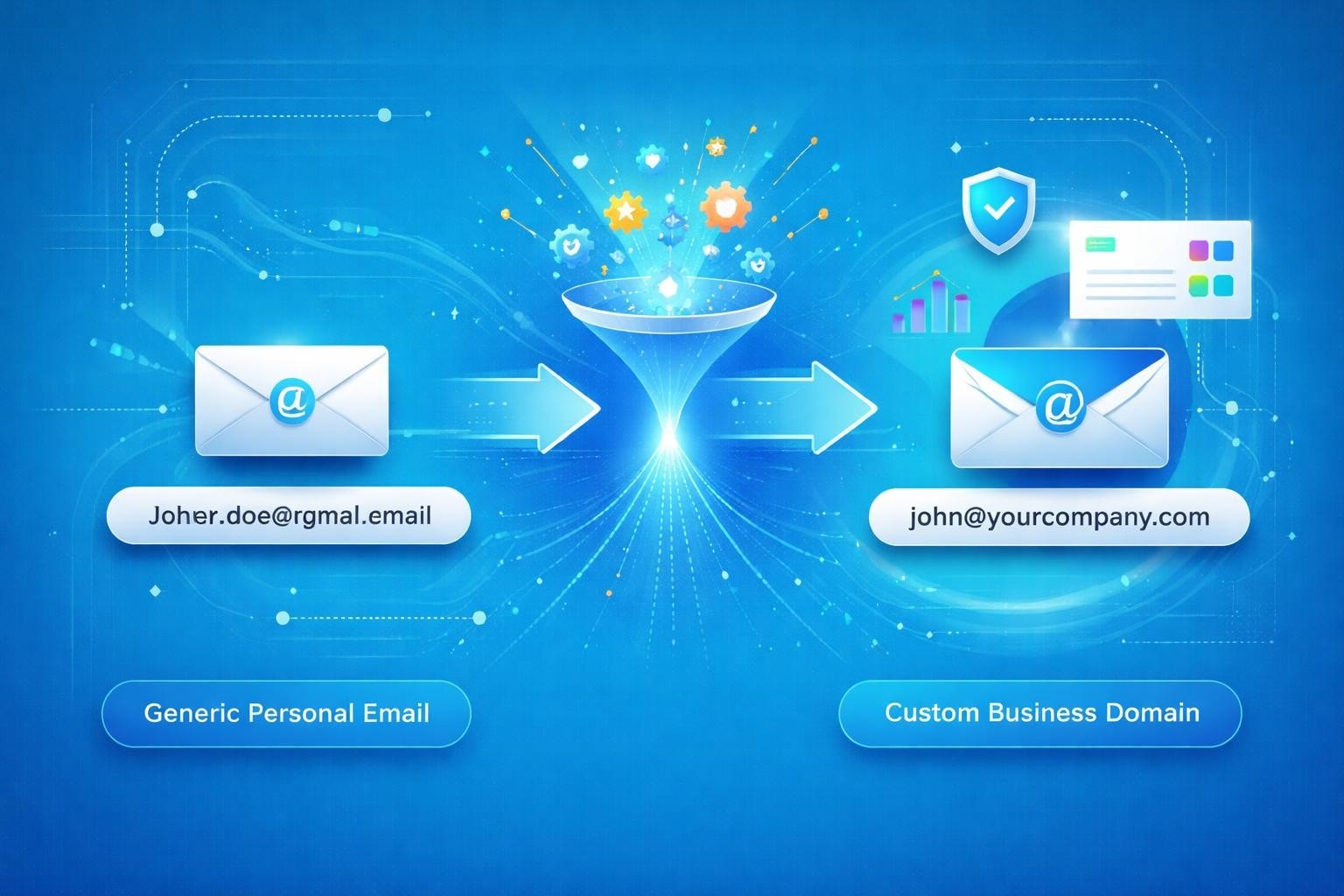
Setting up a professional communication channel doesn't require a substantial budget. Small businesses, freelancers, and startups can establish credibility with clients and partners by choosing the right email solution. When you get a free business email, you're making a strategic decision that impacts how customers perceive your brand, whilst keeping operational costs minimal during crucial growth phases.
Understanding Business Email Fundamentals
A business email address uses your company's domain name rather than a generic provider like Gmail or Yahoo. This distinction matters because [email protected] immediately signals professionalism, whilst [email protected] suggests a hobby or side project.
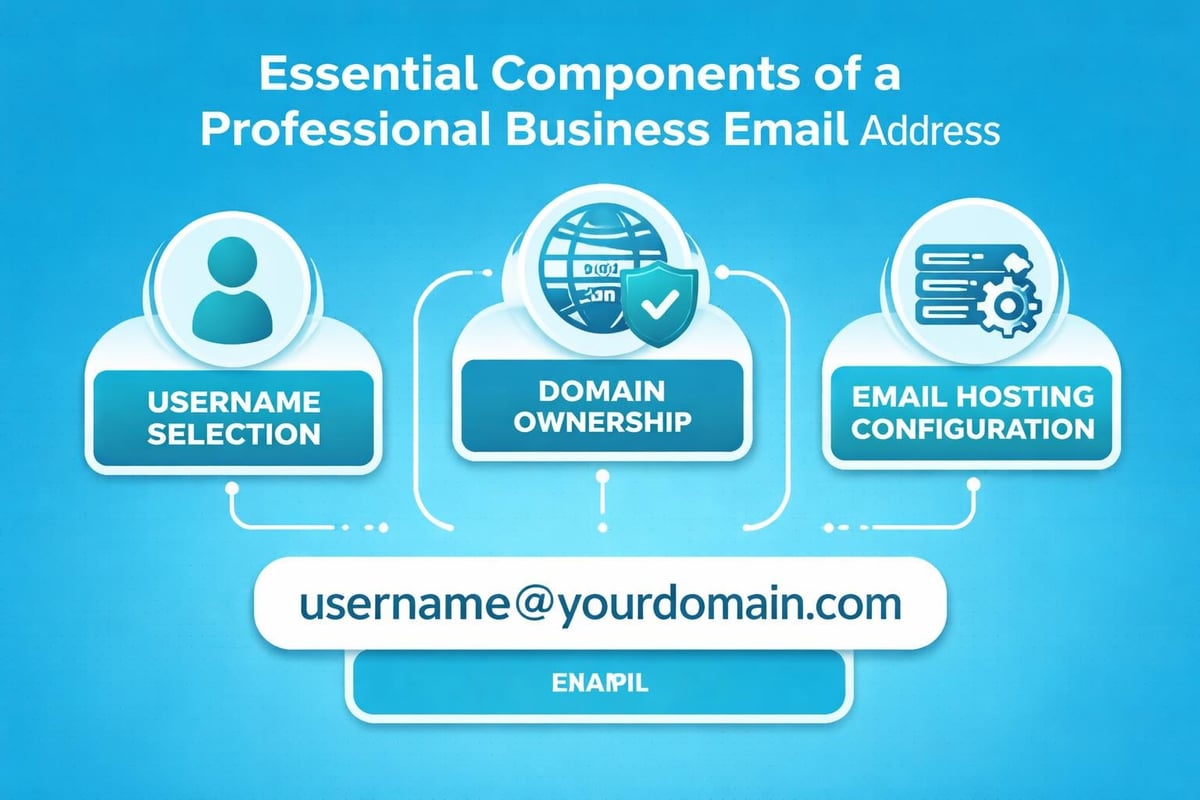
The anatomy of a professional email address includes three components: the username (typically your name or role), the @ symbol, and your custom domain. When businesses prioritise their email infrastructure, they're investing in brand consistency across every customer touchpoint.
Key benefits of professional email addresses:
- Enhanced credibility and trust with potential clients
- Improved brand recognition in every message
- Better email deliverability rates
- Increased security and data control
- Professional separation between personal and business communications
Many small business owners delay this transition, assuming custom email addresses require technical expertise or significant investment. However, numerous providers now make it simple to get a free business email with minimal setup requirements.
Top Providers for Free Business Email Accounts
The market offers several legitimate options for businesses seeking cost-effective email solutions. Each provider balances features, storage limits, and user experience differently.
Google Workspace Free Alternatives
Whilst Google Workspace typically charges for business accounts, certain workarounds exist for small operations. Some domain registrars bundle limited Google email services with domain purchases, though these often come with restrictions.
The primary limitation involves storage caps and the number of users. These free tiers work well for solo entrepreneurs or micro-businesses with minimal email volume, but growing teams quickly outgrow these constraints.
Zoho Mail Free Tier
Zoho Mail stands out amongst free business email providers by offering genuine functionality without immediate upgrade pressure. Their free plan accommodates up to five users with 5GB storage per user, making it suitable for small teams.
| Feature | Free Plan | Lite Plan |
|---|---|---|
| Users | Up to 5 | Up to 5 |
| Storage per user | 5GB | 10GB |
| Custom domain | Yes | Yes |
| Mobile apps | Yes | Yes |
| Price | £0 | £0.90/user/month |
Setting up Zoho Mail requires domain verification, which sounds technical but involves copying a simple text record to your domain settings. The process typically takes 15-20 minutes for first-time users.
ProtonMail for Privacy-Focused Businesses
Tuta email service represents another secure option, though ProtonMail remains more widely recognized. Both prioritize end-to-end encryption, making them attractive for businesses handling sensitive client information.
ProtonMail's free tier includes one email address with 500MB storage. This limitation means it's best suited for low-volume professional communication rather than full business operations.
GMX Mail for European Operations
GMX Mail offers free business email functionality primarily targeting European markets. With generous storage limits and no user restrictions, it provides a viable option for businesses operating across European territories.
The trade-off involves advertising within the interface and fewer integration options compared to mainstream providers. However, email service providers specializing in business accounts have expanded their offerings considerably in recent years.
Setting Up Your Free Business Email Step-by-Step
The technical barriers preventing businesses from professional email addresses have largely disappeared. Modern setup processes guide users through each stage with clear instructions.
Domain Registration Considerations
Before you can get a free business email, you need a domain name. Domain registrars like Namecheap, GoDaddy, and Google Domains charge annual fees ranging from £8-£15 for standard extensions.
Choosing the right domain involves:
- Selecting a memorable, spelling-friendly name
- Prioritizing .com or country-specific extensions (.co.uk)
- Avoiding numbers and hyphens that complicate verbal sharing
- Checking trademark availability to prevent legal issues
- Considering future business expansion in your choice
Some hosting providers bundle domain registration with web hosting packages, occasionally including basic email functionality. This bundling can simplify management but may lock you into specific providers.
Email Account Creation Process
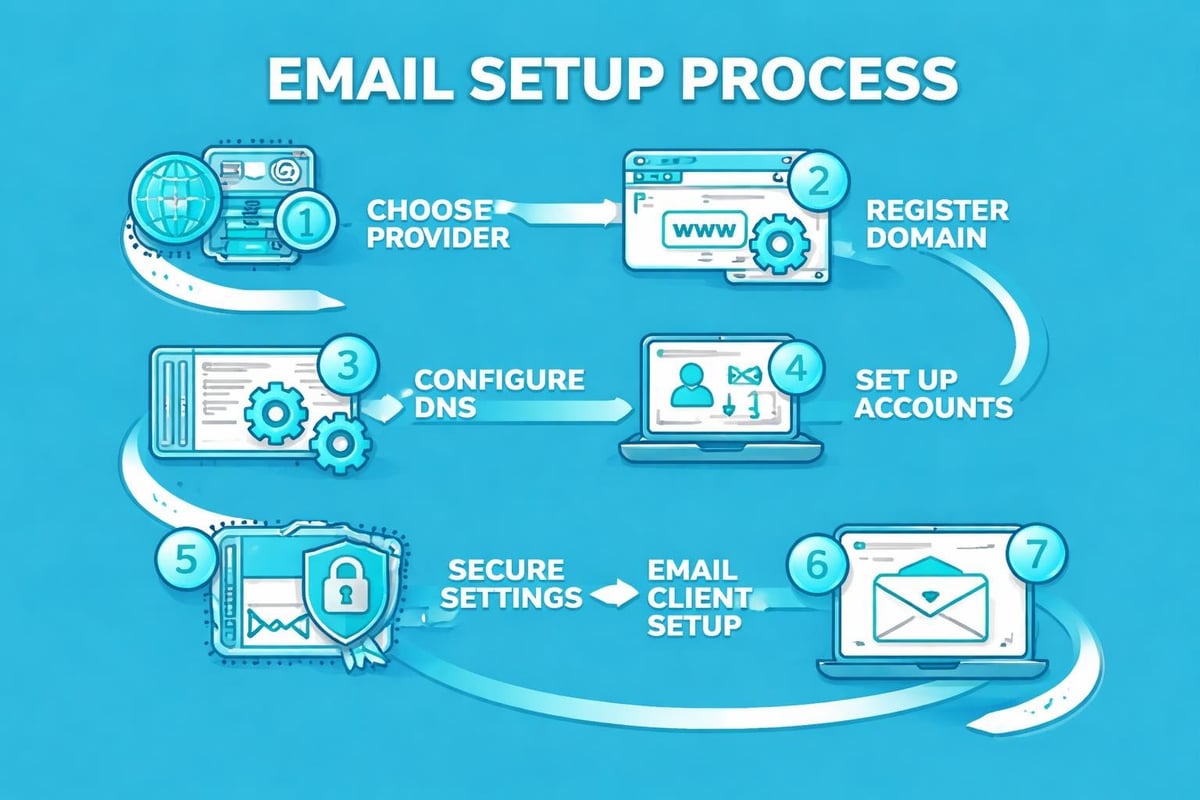
Creating a professional business email address follows a standardized pattern across most providers. The process begins with selecting your email provider and creating an account on their platform.
After account creation, you'll connect your domain by modifying DNS records. These records tell the internet where to route emails sent to your domain. Providers supply specific values to copy into your domain registrar's control panel.
DNS propagation takes 24-48 hours in some cases, though many changes activate within minutes. During this waiting period, avoid making additional DNS modifications that might complicate troubleshooting.
Comparing Free Versus Paid Business Email Solutions
Understanding when to invest in paid email services helps businesses allocate resources effectively. Free solutions serve specific scenarios brilliantly but reveal limitations under certain conditions.
Storage and Scalability Constraints
Free business email accounts typically restrict storage between 1GB and 5GB per user. Small businesses generating moderate email volume find this sufficient initially, but growth quickly consumes available space.
Attachment-heavy industries like design, photography, or construction exhaust free storage allocations rapidly. A single project folder containing high-resolution images or CAD files can fill gigabytes.
Feature Limitations and Integration Gaps
Advanced features distinguish free from paid email solutions. Calendar sharing, video conferencing integration, and collaborative document editing often require premium subscriptions.
| Feature Category | Free Plans | Paid Plans |
|---|---|---|
| Custom domain | Usually yes | Yes |
| Email aliases | 1-3 | Unlimited |
| Calendar integration | Basic | Advanced |
| Customer support | Community forums | Direct support |
| Team collaboration | Limited | Comprehensive |
| Email marketing tools | Rarely | Sometimes |
Businesses using platforms like Astonish Email for marketing campaigns benefit from dedicated business email that integrates seamlessly with campaign management. This integration streamlines workflows that would otherwise require manual data transfer between systems.
Professional Support and Reliability
Free email services provide community-based support rather than dedicated assistance. When email systems fail during critical business moments, the lack of immediate support creates significant stress.
Paid providers guarantee uptime percentages (typically 99.9%) and provide service level agreements. These commitments matter when your business depends on consistent email access for operations and customer communication.
Maximizing Your Free Business Email Effectiveness
Strategic implementation transforms basic email functionality into a powerful business tool. Small businesses must optimize their limited resources through intelligent configuration and usage patterns.
Email Address Structure and Organization
Establishing consistent email naming conventions creates professional impressions and simplifies internal communication. Role-based addresses like info@, sales@, and support@ route messages to appropriate team members.
Recommended email address structure:
- [email protected] for individual team members
- hello@ or contact@ for general enquiries
- sales@ for new business opportunities
- support@ for existing customer assistance
- billing@ for financial communications
This organization becomes particularly valuable as your email marketing platform grows and customer interactions multiply. Clear routing prevents missed opportunities and enhances response times.
Signature and Branding Consistency
Email signatures represent micro-advertisements in every message. Well-designed signatures include your name, position, company name, contact information, and relevant social media links.
Free email providers often insert their own branding into outgoing messages. Premium tiers remove this advertising, but free users should ensure their personal signature outweighs provider branding in visual hierarchy.
Security Best Practices for Business Email
Even free email accounts require robust security measures. Two-factor authentication adds a critical protection layer against unauthorized access, especially when email contains sensitive business information.
Regular password updates and unique credentials for each platform prevent cascading breaches. Password managers simplify this security requirement by generating and storing complex passwords automatically.
Essential security measures include:
- Enabling two-factor authentication immediately
- Creating passwords with 16+ random characters
- Reviewing account access logs monthly
- Avoiding public Wi-Fi for sensitive email access
- Training team members on phishing recognition
Common Mistakes When Selecting Free Business Email
First-time business owners frequently make preventable errors when establishing email infrastructure. Recognizing these pitfalls helps you avoid costly corrections later.
Choosing Providers Without Migration Plans
Free email providers occasionally discontinue services or change terms unexpectedly. Businesses deeply integrated with a single provider face significant disruption when forced migrations occur.
Selecting providers with standard email protocols (IMAP/POP3) ensures you can migrate to alternative services with minimal friction. Proprietary systems lock your data and contacts within their ecosystem.
Neglecting Domain Ownership
Some "free business email" offers actually lease domains to users rather than granting true ownership. Understanding how to create a business email properly includes verifying complete domain control before committing to lengthy setup processes.
Domain ownership matters because your email addresses, website, and brand identity all depend on maintaining control of this asset. Always register domains through reputable registrars under your business name.
Overlooking Email Deliverability Configuration
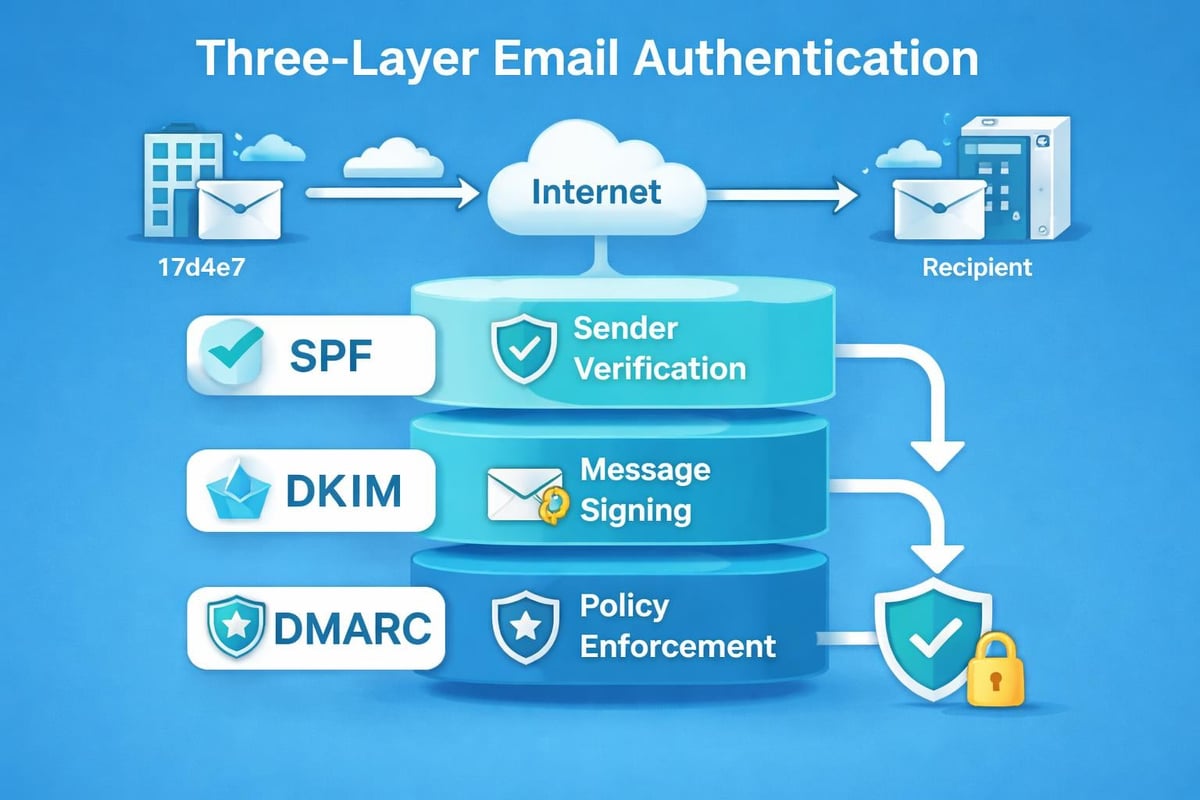
Getting a free business email represents only half the equation. Ensuring your messages reach recipient inboxes rather than spam folders requires proper SPF, DKIM, and DMARC record configuration.
These DNS records authenticate your domain as a legitimate email sender. Various free business email options provide guidance on implementing these records, though some providers configure them automatically.
Transitioning from Free to Paid Email Services
Growth eventually necessitates upgrading from free to paid email solutions. Recognizing the right transition moment prevents service disruptions and maintains communication quality.
Signs You've Outgrown Free Email
Storage warnings appearing monthly signal that your business generates more data than free tiers accommodate. Similarly, needing multiple email aliases or advanced calendar features indicates readiness for premium services.
Customer complaints about delayed responses might stem from inadequate organization tools rather than poor service habits. Paid email platforms offer sophisticated filtering, categorization, and automation that streamlines high-volume communication.
Migration Planning and Execution
Successful email migrations require careful planning across several weeks. Begin by documenting all existing email addresses, forwarding rules, and integrations that depend on current infrastructure.
Migration checklist items:
- Export all existing emails and contacts
- Set up new accounts on target platform
- Configure forwarding from old to new addresses
- Update email signatures and marketing materials
- Inform customers and partners of transition timeline
- Monitor both systems during transition period
Many businesses maintain free accounts as backup addresses during transition periods. This redundancy prevents missed communications whilst new systems prove their reliability.
Integrating Business Email with Marketing Operations
Professional email addresses form the foundation of effective email marketing campaigns. When you get a free business email from a reputable domain, you establish credibility that improves campaign performance.
Sender Reputation and Campaign Success
Email marketing platforms evaluate sender reputation when determining inbox placement. Messages from established business domains consistently outperform those from free generic providers.
Building sender reputation requires time and consistent positive engagement. New business domains start with neutral reputations that improve through regular sending, low bounce rates, and minimal spam complaints.
Platforms offering email marketing for small businesses often provide reputation monitoring tools that help you track deliverability metrics. These insights guide optimization efforts and identify potential issues before they impact campaign performance.
Coordinating Transactional and Marketing Email
Businesses using professional email addresses should separate transactional messages (receipts, password resets) from marketing communications. This separation maintains clean sender reputation and prevents critical business emails from being filtered as promotional content.
Dedicated IP addresses for different email types become relevant as volume increases. Initially, shared IP addresses on free business email plans suffice for small operations with modest sending requirements.
Alternative Approaches to Business Email
Beyond traditional email providers, several alternative strategies help businesses establish professional communication channels without significant investment.
Email Forwarding Services
Some businesses use email forwarding as an interim solution. This approach involves creating professional addresses that automatically forward to existing personal accounts.
Forwarding preserves the professional appearance in recipient inboxes whilst avoiding the complexity of managing separate accounts. However, replies originate from personal addresses unless users manually switch sending accounts.
Website Hosting Email Bundles
Web hosting packages frequently include basic email functionality at no additional cost. Businesses already paying for website hosting can activate these included addresses without separate email service fees.
The quality varies significantly between hosting providers. Budget hosts often provide minimal storage and unreliable delivery, whilst premium hosts offer robust email infrastructure comparable to dedicated providers.
Domain Registrar Email Services
Domain registrars increasingly bundle email services with domain registrations. These packages simplify management by consolidating domain and email under single providers.
Pricing remains competitive because registrars view email as a value-added service rather than primary revenue source. However, feature sets typically target basic business needs rather than advanced users requiring sophisticated automation.
Establishing professional email infrastructure doesn't require substantial financial investment when you leverage the right free resources and providers. By carefully selecting services that align with your business size, security requirements, and growth trajectory, you create a communication foundation that enhances credibility whilst controlling costs. Whether you're launching a new venture or refining existing operations, combining professional business email with comprehensive marketing tools amplifies your outreach effectiveness. Astonish Email provides the email marketing capabilities that small businesses need to convert professional communication into measurable growth, helping you maximize every customer interaction from initial contact through ongoing engagement.