Free Use Email Guide: Your Essential Handbook for 2026
December 10, 2025

Curious about how to stay ahead with your communications in 2026? Unlock the full potential of free use email and avoid falling behind as digital trends evolve.
This essential handbook gives you a clear roadmap for using free use email securely, legally, and with confidence. Whether you are new to email or looking to improve your skills, you will find practical steps and expert advice.
Explore what free use email really means, why it matters in today’s world, how to set it up, best practices, security tips, and the top tools to help you succeed.
Understanding Free Use Email in 2026
Unlocking the full potential of free use email requires a clear understanding of what it is, how it has evolved, and where it stands in 2026. The landscape has changed significantly, with new technologies, regulations, and user expectations shaping the way we send and receive emails at no cost.
Definition and Evolution of Free Use Email
At its core, free use email means the ability to send and receive electronic messages without paying for a subscription or access. This approach allows anyone with an internet connection to communicate easily and efficiently, regardless of their location or device.
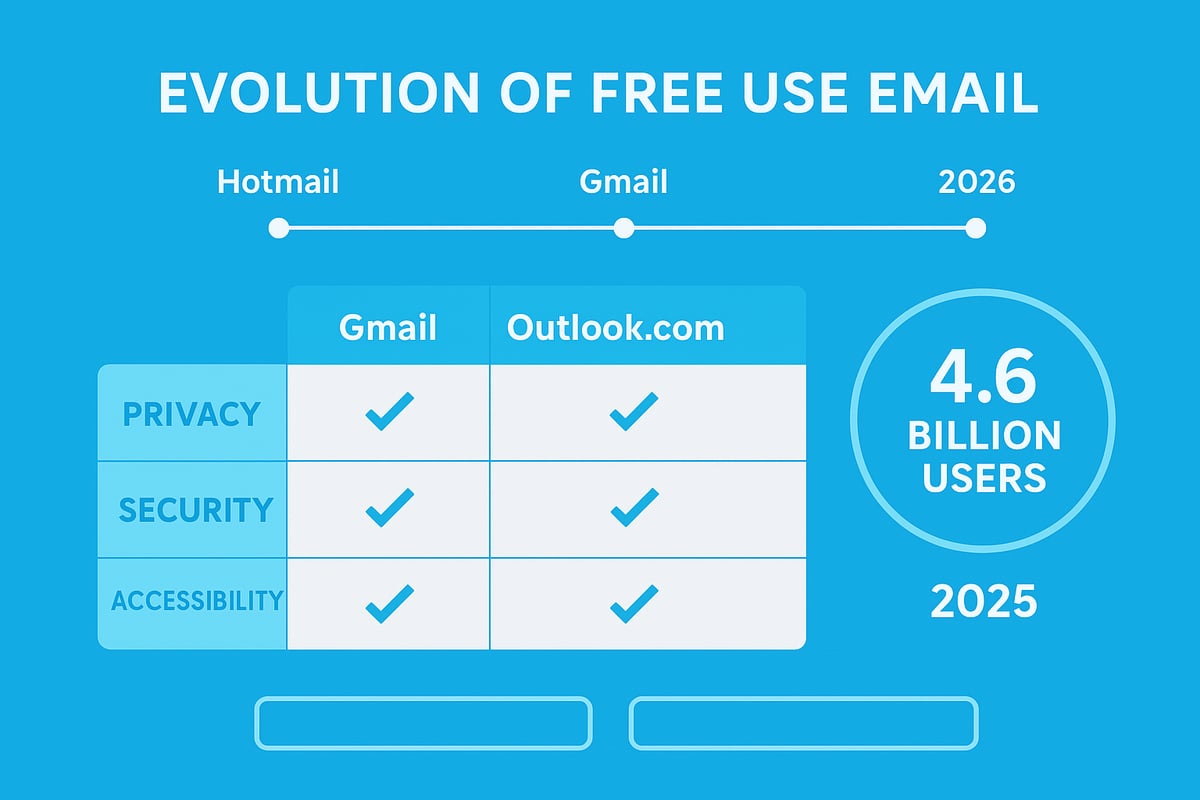
The journey of free use email began in the late 1990s, when services like Hotmail and Yahoo! Mail offered free web-based email to the public. Gmail followed in 2004, raising the bar with more storage and advanced features. Each innovation pushed competitors to offer more value, shaping the free use email experience we know today.
By 2026, user expectations have shifted dramatically. Privacy and security are now as important as convenience, with many users demanding control over their personal data and communications. Free use email providers have adapted, offering improved encryption, better spam protection, and more transparent privacy policies.
Legal considerations have also become central. In the UK and EU, regulations such as GDPR define how free use email providers must handle user data, ensuring transparency and consent. Free use email refers not only to the absence of cost, but also to compliance with these legal standards, which protect users’ rights and privacy.
Free use email serves a wide range of scenarios:
- Personal: Everyday communication, newsletters, online shopping.
- Business: Small businesses or startups managing correspondence and customer queries.
- Educational: Students and teachers collaborating on assignments.
- Non-profit: Charities and community groups staying connected.
The scale of free use email is immense. Over 4.6 billion people worldwide used email in 2025, with billions of messages sent daily (Global email usage statistics 2025). Leading platforms include Gmail, Outlook.com, and ProtonMail. While all offer free accounts, each has unique features and limits.
Here is a quick comparison:
| Provider | Free Storage | Key Focus | Ads | Privacy Level |
|---|---|---|---|---|
| Gmail | 15GB | Integrations | Yes | Standard |
| Outlook.com | 15GB | Office Apps | Yes | Standard |
| ProtonMail | 1GB | Privacy | No | High |
Choosing the right free use email service involves weighing these differences. Some providers prioritise privacy, while others focus on integration or storage.
Key Benefits and Limitations
Free use email brings major benefits, especially for individuals and small businesses. Cost savings are significant, as there are no fees for basic communication. Accessibility is another advantage. Users can check their free use email from any device, anywhere in the world, making it an essential tool for both personal and professional life.
There are, however, limitations to consider. Most free use email services impose storage caps. Once your inbox is full, you may need to delete old messages or upgrade to a paid plan. Advertising is common, with some providers displaying targeted ads based on your activity. This can raise concerns about data privacy, as companies may analyse your emails to serve relevant promotions.
Privacy trade-offs are an important consideration. While some free use email providers, such as ProtonMail, prioritise security and data protection, others use your information for advertising or analytics. It is crucial to review each provider’s privacy policies and settings to ensure your comfort level matches their practices.
For businesses, free use email may not always meet growing needs. Storage limitations, lack of custom branding, and reduced support can prompt companies to switch to paid solutions as they expand. Upgrading often brings advanced features like increased storage, priority support, and enhanced security.
Despite these challenges, free use email remains a powerful, accessible tool for billions. Understanding both its strengths and weaknesses helps you make informed choices and maximise its value in 2026.
Setting Up Your Free Use Email: Step-by-Step Guide
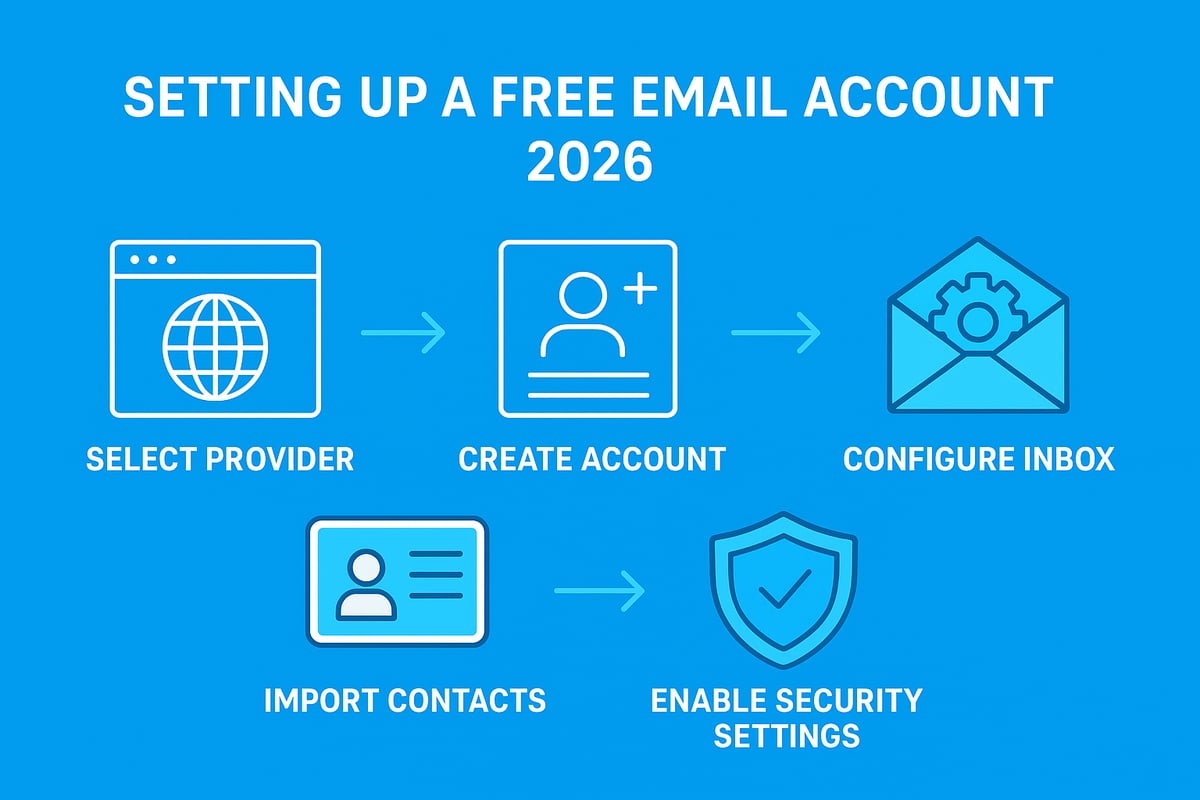
Setting up a free use email account in 2026 is straightforward, but getting the details right can make all the difference. Whether you are starting from scratch or moving from an old provider, following a structured process ensures your account is secure, efficient, and compliant. This guide walks you through each step, helping you maximise the benefits of free use email while minimising common pitfalls.
Step 1: Choosing the Right Free Email Provider
Selecting the right platform is the foundation of a seamless free use email experience. Start by evaluating providers based on security, storage, interface, spam filtering, and customer support.
Here is a quick comparison of leading options:
| Provider | Free Storage | Key Feature | Privacy Focus |
|---|---|---|---|
| Gmail | 15GB | Integrations | Moderate |
| Outlook.com | 15GB | Office 365 links | Moderate |
| ProtonMail | 1GB | End-to-end encryption | High |
| Zoho Mail | 5GB | Ad-free | High |
Gmail leads in storage and integrations, while ProtonMail is ideal if privacy is your top concern. Consider your own needs, such as whether you require advanced tools or simply want a reliable, straightforward free use email solution.
Look for providers with robust spam protection and regular updates. If you need business-grade features, check if the platform offers easy upgrades.
Step 2: Creating Your Account
Once you have chosen a provider, setting up your free use email account is usually a quick process. Begin by visiting the provider's registration page and entering your name, desired email address, and a strong password. Some platforms will ask for a mobile number or backup email for verification.
When choosing your email address, opt for something professional, especially for work or business use. For example, [email protected] looks credible, while nicknames or random strings can undermine your image.
Avoid common mistakes like using unprofessional usernames or weak passwords. Double-check your details before submitting your application. Many free use email providers send a confirmation link or code, which you must verify to activate your account.
Step 3: Configuring Your Inbox
After activation, take time to configure your inbox for efficient management. Start by organising your folders and labels to sort incoming mail automatically. Use filters to direct newsletters, receipts, and important updates into designated folders.
Customise your notifications to avoid constant interruptions. Set up a clear, concise signature to appear on all outgoing messages. Most free use email services offer synchronisation across mobile, tablet, and desktop, so enable syncing to access your account anywhere.
Well-configured settings help you stay organised and respond promptly, making your free use email a powerful communication tool.
Step 4: Importing and Managing Contacts
Migrating contacts is essential if you are moving from another service. Most free use email platforms allow you to import contacts via CSV, vCard, or direct sync with another account.
After importing, check for duplicate entries and merge as needed. Create groups for targeted communication, such as family, colleagues, or project teams. This step saves time and keeps your free use email contact list tidy and effective.
Step 5: Essential Security Settings
Securing your free use email account should be a top priority. Start by enabling two-factor authentication (2FA) for an extra layer of protection. Set up account recovery options, such as a backup email or phone number, to regain access if needed.
Update your password regularly and be alert to phishing attempts. Most providers offer security tips during setup—follow them carefully. For details on privacy settings and data compliance, review your provider's Email privacy and GDPR compliance documentation to ensure you meet current requirements.
A secure free use email account protects not only your messages, but also your personal identity and sensitive information.
Essential Free Use Email Best Practices
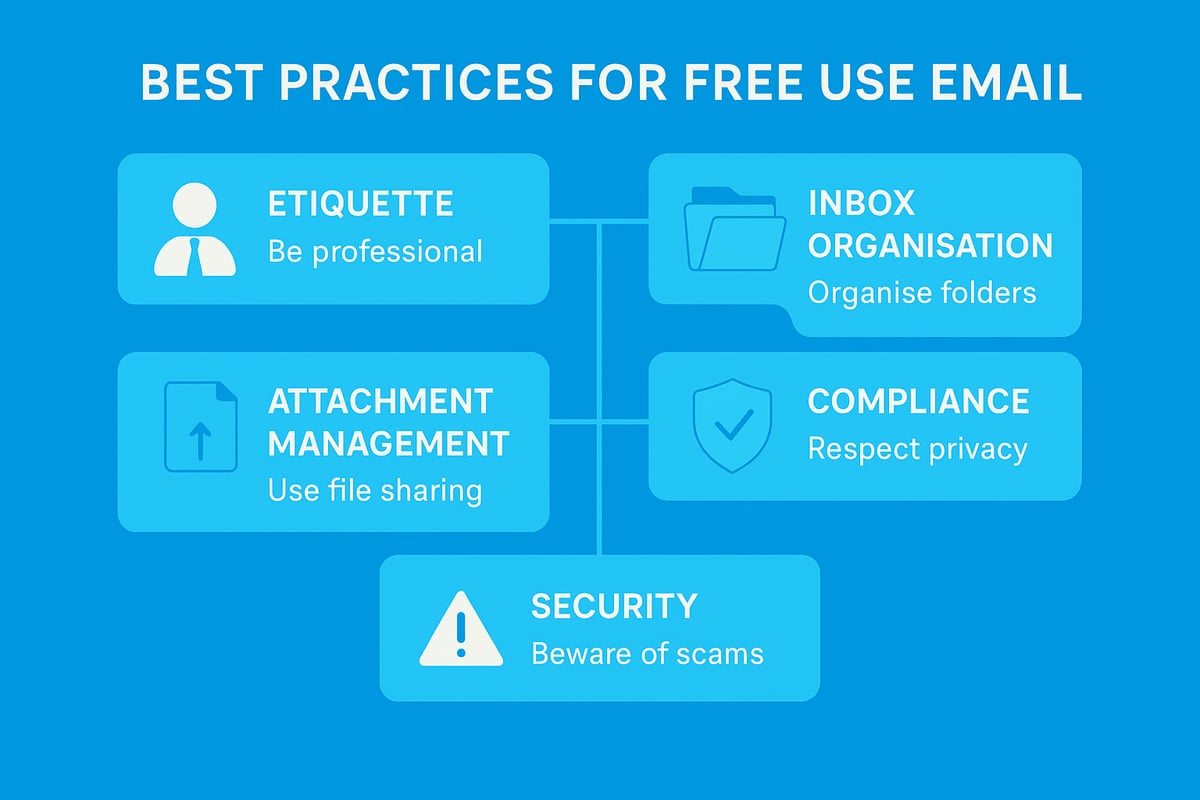
Mastering free use email is not just about having an account, it is about using it effectively and securely. To get the most out of your free use email, follow these essential best practices for communication, organisation, security, and compliance.
Email Etiquette and Professionalism
Presenting yourself well is crucial when using free use email for personal or business communication. Your tone should be polite and direct, ensuring clarity in every message. Always start with a clear subject line that reflects the email’s purpose.
Use a professional signature with your full name, role, and contact details. Avoid using nicknames or unprofessional usernames, as these can create a negative impression. For example, [email protected] is preferable to informal handles. Keep messages concise and proofread before sending to avoid misunderstandings.
Effective communication is a key benefit of free use email, so always consider your audience and maintain a respectful approach.
Organising and Managing Your Inbox
A cluttered inbox can quickly become overwhelming. With free use email, take advantage of folders, labels, and filters to streamline your messages. Set up rules that automatically sort incoming mail into relevant categories, such as work, personal, or important.
The Inbox Zero method is a popular strategy. It involves reviewing emails daily, archiving or deleting unnecessary items, and keeping your inbox clear. This method helps you stay organised and reduces stress.
Sync your settings across devices so your chosen structure remains consistent whether you access your free use email from a laptop, tablet, or phone.
Managing Attachments and Large Files
Free use email often comes with attachment size limits, so it is important to manage files efficiently. Use cloud storage tools like Google Drive, OneDrive, or WeTransfer to share large documents. Insert sharing links instead of attaching large files directly to avoid delivery issues.
Be cautious when downloading or opening attachments, especially from unknown sources, as these can contain malware. Always double-check file types and sender information.
Staying organised with your attachments not only keeps your free use email tidy but also protects you from common security risks.
Compliance and Privacy
When using free use email, it is vital to stay compliant with privacy regulations such as GDPR. Always respect unsubscribe requests and avoid sending unsolicited bulk emails. Be careful not to share sensitive personal data unless absolutely necessary.
To reduce the risk of spam complaints, follow Anti-spam best practices and only email contacts who have given explicit permission. This approach keeps your account in good standing and ensures your messages reach their intended recipients.
Review your email provider’s privacy settings regularly and enable security features that protect your data.
Avoiding Common Pitfalls
Free use email is a target for phishing, scams, and other threats. Learn to recognise suspicious messages by checking for strange links, urgent requests, or unfamiliar senders. Never click on links or download attachments from unknown sources.
Regularly review your account activity for unauthorised access and update your password frequently. Activate two-factor authentication for added security.
By staying vigilant and proactive, you can safeguard your free use email against most common pitfalls and maintain a secure communication environment.
Security and Privacy in Free Use Email
Staying secure and protecting your privacy is crucial when using free use email in 2026. With threats evolving and regulations tightening, users must be proactive to ensure their communication remains safe and compliant.
Understanding Security Risks
Free use email services are prime targets for cybercriminals. Common dangers include phishing scams, where fraudulent messages trick you into revealing sensitive information, and malware-laden attachments that can compromise your device. In recent years, account hijacking has become more frequent, with attackers using leaked credentials from data breaches. Real-world examples include widespread phishing campaigns targeting users of major providers. Staying vigilant and recognising suspicious emails is the first step in protecting your free use email account.
Protecting Your Free Email Account
Effective protection starts with strong, unique passwords for every account. Avoid using personal details or common words. Enable two-factor authentication (2FA) whenever possible, as this adds an extra layer of defence even if your password is exposed. Set up recovery options, such as a backup email or phone number, to regain access if your account is compromised. Regularly review your account activity for any unfamiliar logins. By following these steps, you significantly reduce the risk of unauthorised access to your free use email.
| Protection Step | Description |
|---|---|
| Strong Password | Use at least 12 characters, mix of types |
| Two-Factor Auth (2FA) | Adds a code sent to your device |
| Recovery Options | Set backup email or phone |
| Activity Monitoring | Check for unfamiliar logins |
Data Privacy Considerations
When you use free use email, providers often scan messages to display targeted ads or improve services. Check your provider’s privacy policy to understand how your data is handled. Most platforms allow you to adjust privacy settings or opt out of certain data uses. For those handling sensitive information, consider encrypting messages and attachments. UK and EU users must also comply with GDPR, which sets out clear rules for personal data protection. For official advice on encryption and compliance, consult the UK GDPR encryption guidance.
Secure Communication Tips
Whenever you need extra confidentiality, use encrypted email services such as ProtonMail or Tutanota. These tools prevent anyone but the intended recipient from reading your messages. Avoid accessing your free use email on public Wi-Fi networks, as these can be exploited by hackers to intercept your data. If you must use public networks, connect through a trusted VPN for added protection. Always log out after each session, especially on shared devices, to keep your information safe.
Top Free Use Email Tools, Extensions, and Resources for 2026
Navigating the world of free use email in 2026 means having the right tools at your fingertips. Whether you are a professional, student, or business owner, choosing the best platforms and add-ons can transform your daily workflow. Let us explore the top solutions, productivity boosters, and essential resources to help you get the most from free use email.
Recommended Free Email Platforms
The backbone of any free use email strategy is a reliable platform. In 2026, several providers stand out for their balance of features, privacy, and accessibility. Here is a quick comparison:
| Platform | Free Storage | Privacy Focus | Ad Presence | Integrations |
|---|---|---|---|---|
| Gmail | 15GB | Moderate | Yes | Google Workspace |
| Outlook.com | 15GB | Moderate | Yes | Microsoft 365 |
| ProtonMail | 1GB | High | No | Limited |
| Zoho Mail | 5GB | High | No | Zoho Suite |
| Yahoo Mail | 1TB | Low | Yes | Basic |
Gmail continues to dominate with over 1.8 billion users, according to Gmail user statistics 2025. However, ProtonMail and Zoho Mail are preferred by those seeking enhanced privacy within the free use email ecosystem.
Productivity Boosters
Maximise your efficiency with add-ons and extensions designed for free use email. These tools streamline communication and help you stay organised.
- Boomerang: Schedule emails to send later or set reminders.
- Grammarly: Ensure clear, mistake-free writing in every message.
- Mailtrack: Track when your emails are opened for better follow-up.
- Mobile apps: Use official apps from your provider for seamless access on the go.
Integrating these tools with your free use email can help you automate routine tasks, maintain professionalism, and respond faster to important messages.
Security and Privacy Tools
Security is critical for any free use email user. Start with a free VPN to secure your connection, especially when accessing email on public networks. Browser plugins such as anti-phishing filters and encryption tools add another layer of defence.
- Free VPNs: Encrypt your traffic and protect your data.
- Anti-phishing plugins: Warn you about suspicious links or attachments.
- Encryption tools: Use services like ProtonMail for built-in end-to-end encryption.
For a deeper dive into how your data is handled, review the Email security and data retention policies of your chosen provider. This helps you understand what information is stored and how it is protected.
Learning and Support Resources
Mastering free use email is easier with access to quality learning materials and support. Most major platforms provide comprehensive help centres and community forums.
- Official help centres: Step-by-step guides and troubleshooting.
- Online forums: Peer-to-peer support and expert advice.
- Online courses: Structured lessons on email productivity and security.
Using these resources ensures you stay up to date with the latest features and best practices in free use email, empowering you to communicate confidently and securely.
Using Free Use Email for Business and Marketing
Free use email has become a cornerstone for business communication in 2026. Whether you are a freelancer, a start-up, or a growing small business, understanding how to maximise its potential is crucial for your professional image and outreach.
Leveraging Free Email for Small Business Communication
Free use email offers a straightforward entry point for small businesses seeking professional communication. Many choose providers like Gmail or Outlook.com to establish their online presence quickly. Using a professional email address, even on a free plan, builds trust with clients and partners.
Collaboration is also more accessible with free use email. Shared inboxes and group aliases allow teams to coordinate responses and manage enquiries efficiently. Free platforms often integrate with calendars and cloud storage, making daily workflows smoother.
Adopting free use email helps businesses remain agile and cost-effective, especially when starting out or scaling gradually.
Limitations for Business Use
While free use email is a powerful tool, it comes with notable limitations. Storage caps may restrict the volume of messages and attachments you can keep. Branding options are limited; most free accounts use generic domains instead of your own business name.
Deliverability can be another challenge. Free use email addresses sometimes face spam filters or reduced trust from recipients. Data privacy is not always guaranteed, as free services may analyse content for advertising purposes.
Support is typically basic, so urgent issues might take longer to resolve. As your business grows, these constraints could hinder your operations.
When to Upgrade: Signs You Need a Paid Solution
Knowing when free use email is no longer enough is vital. Common signs include:
- Growing contact lists that exceed free account limits
- Needing advanced automation or analytics for campaigns
- Facing compliance requirements for data handling or security
- Wanting improved deliverability and custom branding
- Requiring priority support for mission-critical communications
If your business faces any of these challenges, it may be time to consider a paid solution. Upgrading ensures your email infrastructure can scale with your ambitions.
Astonish Email: A Smart Step Up for UK Small Businesses
Astonish Email provides a compelling next step for small businesses ready to move beyond free use email. Their free plan is tailored for UK companies and does not require a credit card. It features a drag and drop email builder, real-time analytics, and UK-based support.
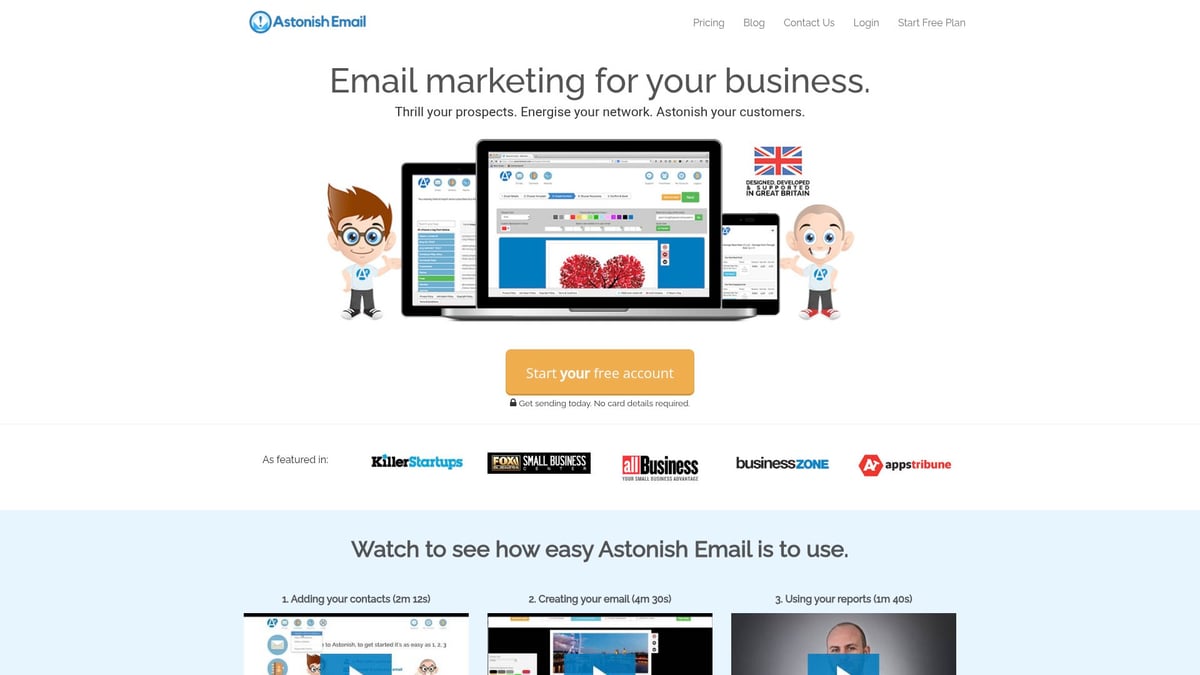
Automatic compliance with local regulations and easy contact management help small businesses stay protected. Real-world examples show how companies have improved their marketing results and saved time by switching to Astonish Email.
Consider making the switch when you need more than free use email can offer, especially for growing marketing demands.
Integrating Free and Paid Email Tools
Many businesses combine free use email for daily correspondence with dedicated marketing platforms for campaigns. This approach maximises cost savings while enhancing outreach capabilities.
When integrating, use import tools to migrate contacts seamlessly. Maintain clear groupings for regular communication and marketing activities. Sync calendars and tasks for unified workflow management.
A hybrid strategy allows you to keep free use email for routine operations and leverage advanced features from paid solutions as your business evolves.
Article written using RankPill.