App Email Address Guide: Secure Your Digital Identity in 2026
December 14, 2025

In 2026, your app email address is more than just a login, it is your digital passport and your first line of defence in a connected world. As digital threats evolve, safeguarding your identity starts with choosing the right app email address and knowing how to protect it.
This guide will show you how to create, secure, and get the most value from your app email address, whether for personal or business use. You will learn about the latest trends, security best practices, and integration tips to keep your identity safe. Ready to take control of your online identity? Let us begin.
Understanding App Email Addresses in 2026
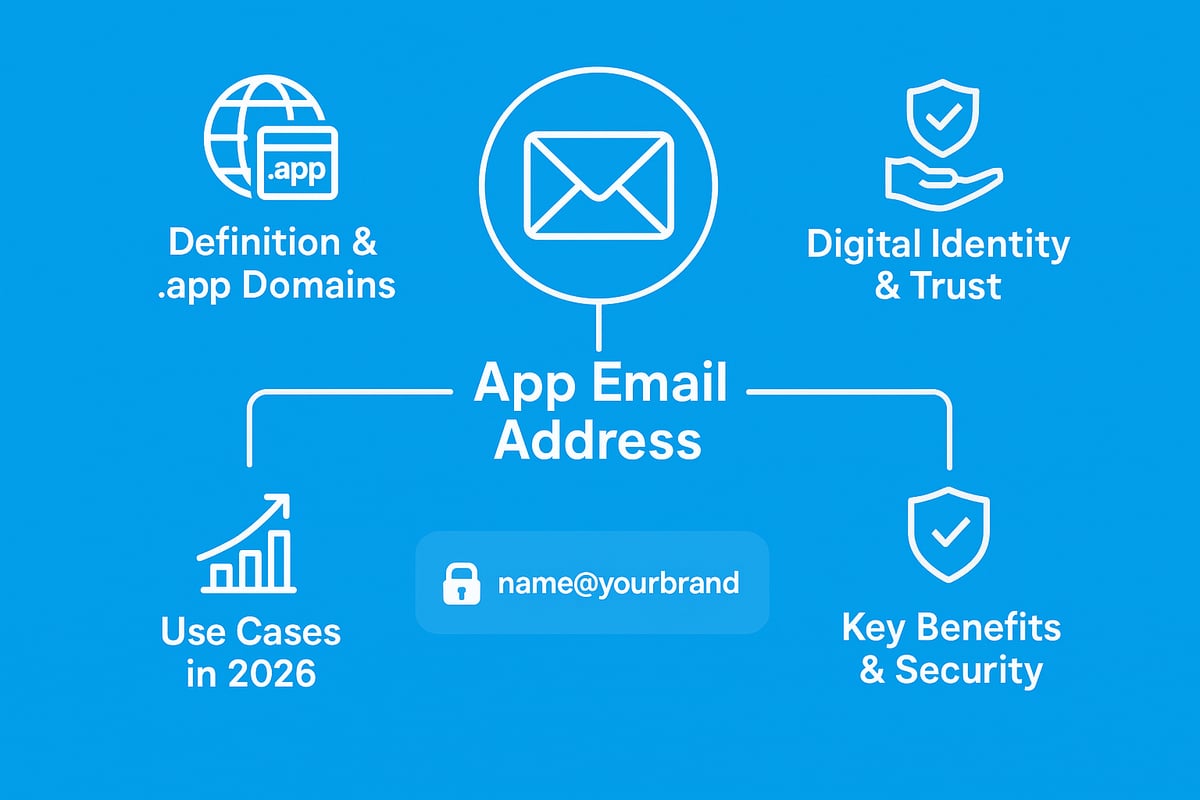
Email is evolving, and in 2026 the app email address stands out as a modern solution for digital identity. Unlike traditional email, an app email address uses an app-specific domain such as .app, providing a unique blend of security, credibility, and branding potential. This section explains what sets an app email address apart, why it matters, and how it can benefit you or your business.
What is an App Email Address?
An app email address is a professional email that uses an app-specific domain, most commonly ending in .app. This is different from the standard addresses you see with .com or .co.uk domains. The .app domain is managed by Google Registry and is designed for developers, startups, and digital-first businesses.
A typical example might be [email protected], instantly signalling innovation and technical credibility. The adoption of .app domains is accelerating, with over 130,000 businesses now using them for everything from user onboarding to customer communication. Tech companies and startups prefer app email addresses for their strong identity and branding capabilities.
Why App Email Addresses Matter for Digital Identity
Your app email address is now more than just a point of contact. It serves as a core identifier across apps, services, and online transactions. A branded app email address acts as a trust signal for users and partners, showing a commitment to professionalism and security.
Using a separate app email address also improves privacy by keeping business and personal conversations distinct. For example, app developers can use a .app address for product launches or support, giving users confidence. Security data from recent years shows that app-specific domains experience far fewer phishing attacks compared to generic domains, making them a safer choice for your digital identity.
Key Features and Benefits of App Email Addresses
A key strength of an app email address is security. .app domains enforce HTTPS by default, safeguarding communications and reducing risks of data interception. This built-in security is a major reason why digital businesses now favour .app addresses, as highlighted in Google's .app domain enhances security.
Other features include brand consistency in every message, higher deliverability rates, and reduced chances of emails being flagged as spam. Businesses using branded app email addresses often report improved open rates and stronger customer engagement. The flexibility to create custom addresses and scale up as your team grows is another core advantage.
Common Use Cases in 2026
The app email address is now fundamental for a wide range of users. App development teams rely on it to streamline onboarding and support. Small businesses use memorable addresses for sales and customer service, while freelancers and entrepreneurs build personal brands with a professional touch.
Integration with marketing, CRM, and automation tools is seamless, allowing businesses to manage communications efficiently. Industry reports confirm this shift, with a 30% increase in .app domain registrations in 2025 alone. As the digital landscape matures, the app email address is set to become the new standard for secure, credible, and scalable communication.
Step-by-Step Guide: Creating Your App Email Address
Setting up an app email address in 2026 is a strategic move for digital identity and brand security. Follow these six essential steps to build a robust, professional, and secure email presence for your app or business.
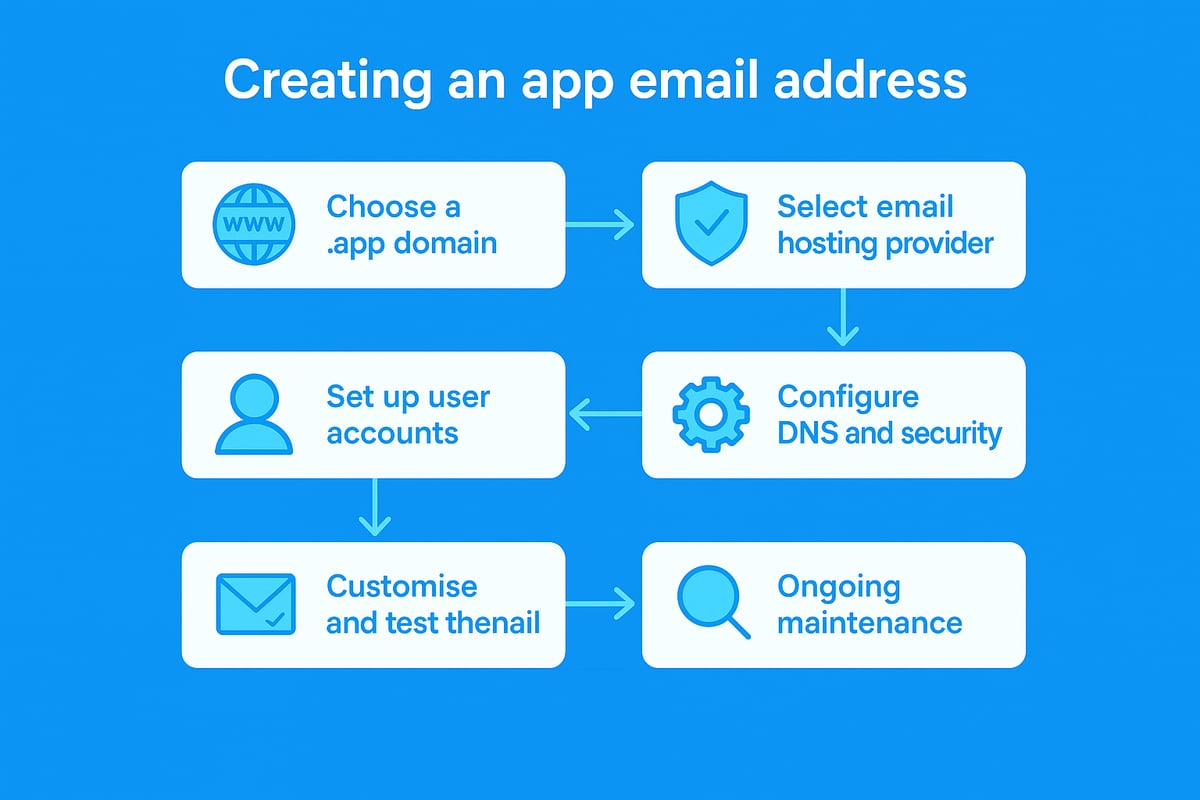
Step 1: Choose and Register Your .app Domain
The journey begins by selecting a memorable and relevant .app domain. Your choice should reflect your app’s purpose, brand identity, and be easy to recall. Use trusted registrars such as Google Domains, Namecheap, or GoDaddy.
Check the availability of your preferred domain. If it’s taken, brainstorm alternatives using keywords or unique spellings. For example, myfintechstartup.app is a strong choice for a finance app.
Be aware of costs. .app domains are competitively priced, but renewal fees vary between registrars. Read the terms carefully before purchasing. Registering your domain is the foundation for your app email address.
Step 2: Select a Secure and Reliable Email Hosting Provider
After securing your domain, choose an email hosting provider that aligns with your security and operational needs. Prioritise providers offering robust security, high uptime, responsive support, and scalability for future growth.
Popular options include Google Workspace, Neo, Zoho Mail, and ProtonMail. Compare free and premium plans—small businesses may start with basic plans, while larger teams might require advanced features.
Consider GDPR compliance and data residency, especially if you operate within the UK or EU. For instance, Neo offers seamless .app domain integration and a 15-day trial, making it suitable for testing your app email address setup.
Step 3: Set Up Your App Email Account
Once you have a hosting provider, create user accounts and aliases for your domain. Assign mailboxes to key team members or departments to streamline communication.
Configure your initial accounts, such as [email protected] or [email protected]. Use strong, unique passwords and enable two-factor authentication immediately.
The hosting provider will guide you through the first login and verification steps. This ensures your app email address is active and ready for internal and external communications.
Step 4: Configure DNS and Security Settings
Proper DNS setup is crucial for email delivery and security. Update your domain’s MX records to direct email traffic to your hosting provider.
Set up SPF, DKIM, and DMARC records to protect against spoofing and improve deliverability. Enforce HTTPS and secure connections, which are mandatory for .app domains.
Most providers offer a dashboard for these configurations. If you encounter issues, consult their documentation or seek assistance. For further insights into secure and compliant email practices, review these Anti-spam policy guidelines.
Step 5: Test and Customise Your App Email Address
Send and receive test emails to confirm your setup is working. Customise your email signature with your logo, contact details, and branding elements for a professional touch.
Set up forwarding, filters, and rules to automate workflows and ensure messages reach the right people. Use webmail, desktop, or mobile clients to integrate your app email address across devices.
Configure auto-replies for common queries and ensure your communications align with your brand’s tone.
Step 6: Maintain and Monitor Your App Email Account
Ongoing maintenance is essential for security and reliability. Regularly review your security settings and access logs to detect any unauthorised activity.
Update passwords and adjust user permissions as your team evolves. Monitor for phishing attempts or unusual account activity, and back up important emails and data.
Schedule regular audits to ensure your app email address remains compliant, secure, and aligned with your business needs.
Security Best Practices for App Email Addresses
Securing your app email address is essential to protect your digital identity and maintain trust with users and partners. In this section, we outline actionable security measures to help you safeguard your app email address from evolving threats in 2026.
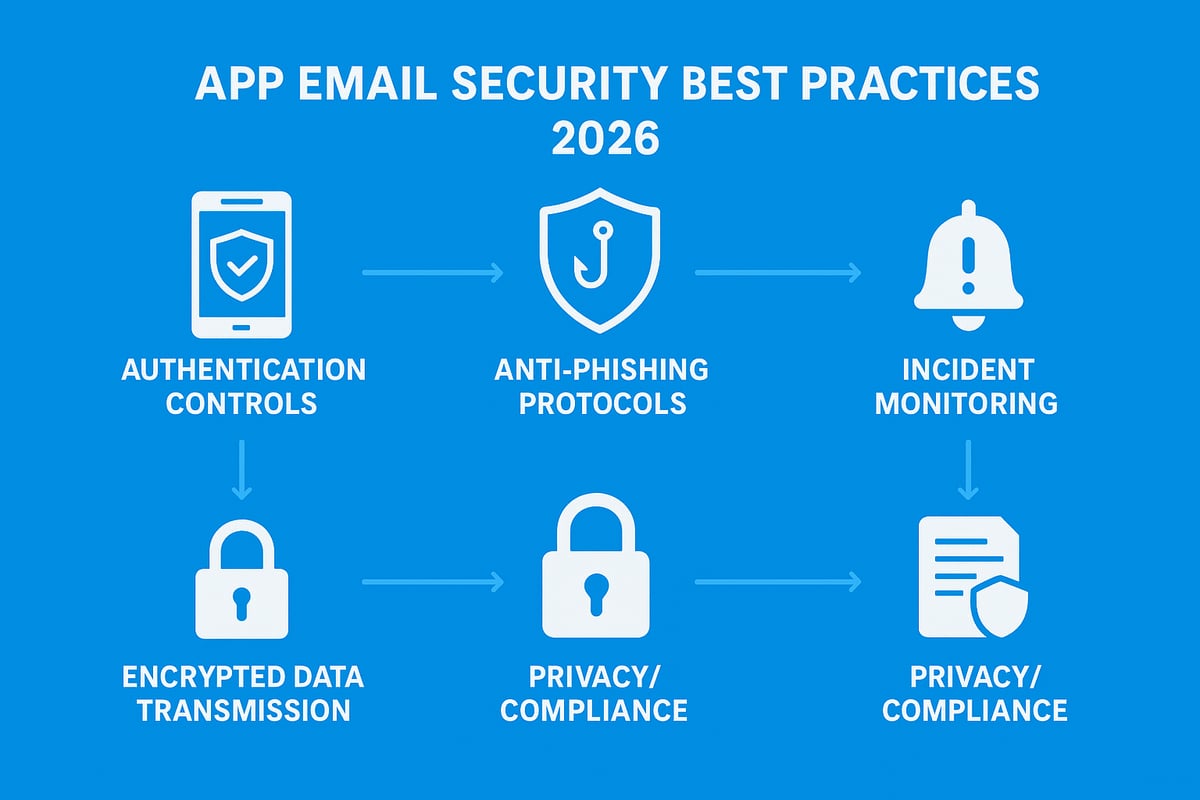
Enforce Strong Authentication and Access Controls
Protecting your app email address begins with robust authentication. Require two-factor authentication (2FA) for every user, as it significantly reduces the risk of unauthorised access. Limit sensitive mailboxes and administrative controls to essential personnel only.
Rotate credentials regularly, and encourage staff to use password managers for unique, complex passwords. For teams, set up role-based permissions so users only access what they need. According to Microsoft in 2024, adopting 2FA can prevent up to 99.9 percent of account breaches. By enforcing strict controls, you ensure your app email address remains secure even as your team grows.
Protect Against Phishing, Spoofing, and Malware
Phishing and spoofing attempts increasingly target app email address users. Train your team to recognise suspicious emails, links, and attachments. Implement SPF, DKIM, and DMARC protocols to authenticate senders and defend against impersonation.
A .app domain’s mandatory HTTPS requirement offers an extra layer of protection, making phishing less effective. Conduct regular security awareness sessions to reinforce best practices. Encourage users to report suspicious activity immediately, helping you respond swiftly to emerging threats targeting your app email address.
Secure Data Transmission and Storage
All communications from your app email address should be encrypted both in transit and at rest. Use end-to-end encryption for sensitive exchanges, and ensure connections are secured via HTTPS or TLS by default.
Store messages on encrypted servers with strict backup routines. Providers like Google Registry enforce HTTPS for .app domains, ensuring safe data flow. Always comply with UK and EU data protection standards. By prioritising encryption and secure storage, you dramatically reduce the risk of data breaches involving your app email address.
Monitor and Respond to Security Incidents
Continuous monitoring is vital for detecting and mitigating threats to your app email address. Set up alerts for unauthorised access or unusual login attempts. Maintain a clear incident response plan so your team can act quickly if an account is compromised.
Review email activity logs regularly to spot anomalies, such as failed logins or access from unknown IP addresses. Update recovery options to ensure rapid account restoration if needed. Proactive monitoring and response protect your app email address from lasting damage in the event of an incident.
Privacy Considerations and Regulatory Compliance
Upholding privacy standards is a core responsibility when managing an app email address. Ensure you comply with GDPR, CCPA, and other relevant regulations. Limit data retention and share only the minimum information required for operations.
Offer users clear tools for managing their personal data and document your privacy practices transparently. For further details on managing compliance and retention, review our data retention policy for email. Schedule annual audits to verify compliance and keep your app email address operations above reproach.
Integrating Your App Email Address with Digital Services
Integrating your app email address with essential digital services transforms how you manage communication, productivity, and customer engagement. By connecting your app email address to the right platforms, you streamline operations, boost professionalism, and unlock new efficiencies for your team or business.
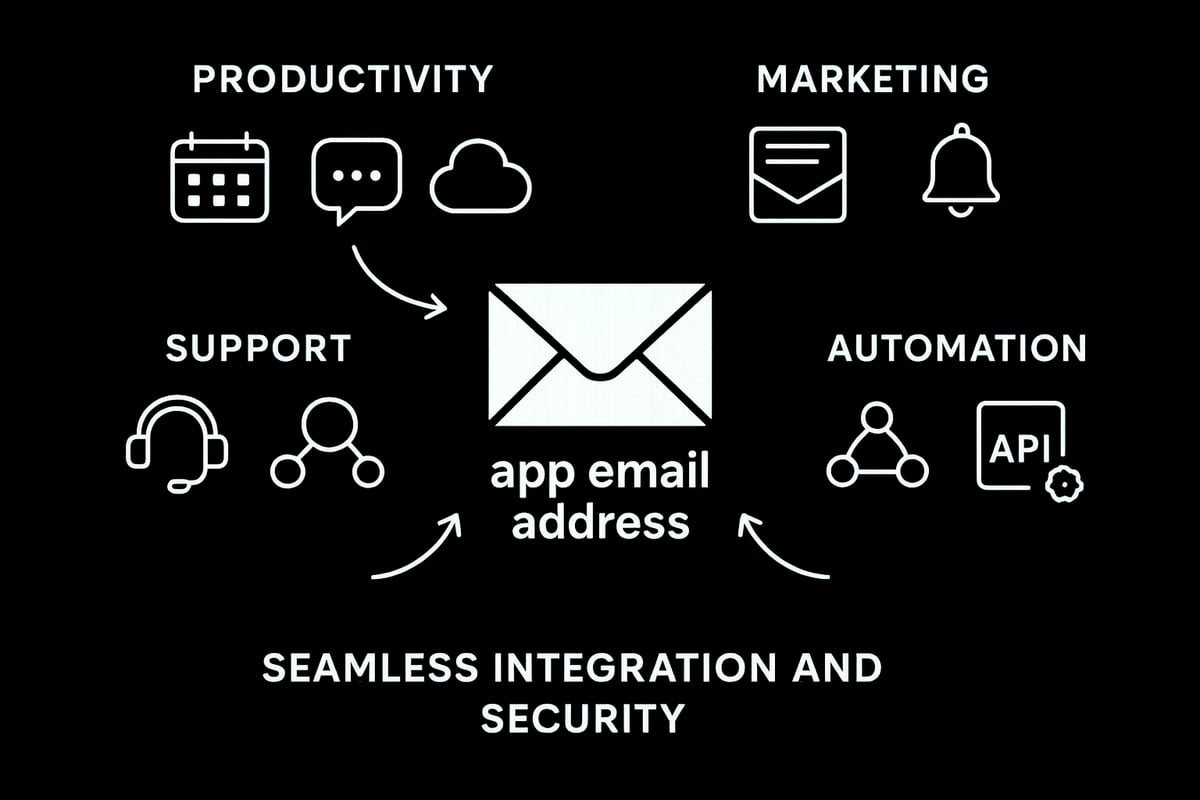
Connecting to Productivity Tools and Platforms
Your app email address becomes even more powerful when linked with productivity suites. Integrate it with Google Workspace or Microsoft 365 to synchronise emails, calendars, and contacts. This setup ensures all communications are unified, making team collaboration smoother.
You can also connect your app email address to tools like Slack or Trello to automate notifications and manage project updates. For example, use it to send automated onboarding emails when a new team member joins. Secure API connections maintain data privacy while supporting workflow efficiency.
Email Marketing and Customer Communications
Using your app email address for marketing ensures messages reflect your brand and build trust. Set up newsletters, transactional emails, and customer notifications through platforms like Mailchimp or Sendinblue. Branded addresses often see higher open rates compared to generic ones.
To improve engagement, segment your mailing lists and personalise content. Craft effective subject lines for better results, following email subject line best practices. Always ensure compliance with regulations such as PECR and CAN-SPAM when sending bulk messages.
App Email for User Support and Feedback
A dedicated app email address for support, feedback, and contact channels enhances your customer service. Create addresses like [email protected] and connect them to helpdesk platforms such as Zendesk or Freshdesk. This centralises user queries and ensures prompt responses.
Track and prioritise requests efficiently by integrating your app email address with your CRM. Monitor response times and customer satisfaction to continually improve support processes. This approach fosters trust and professionalism in every interaction.
Advanced Automation and Workflow Integration
Maximise the potential of your app email address by leveraging automation tools like Zapier or Make. Set up triggers for events such as new signups or support requests, allowing your systems to respond automatically. For example, new support emails can auto-generate tickets in your helpdesk.
Automated workflows reduce manual tasks and minimise errors. Always review security settings when integrating your app email address with third-party services to protect sensitive data. This combination of automation and security drives efficiency and scalability.
Future Trends: The Evolution of App Email Addresses
Understanding where the app email address is heading can help you stay ahead in digital identity and security. The landscape is changing fast, with new domains, smarter security, and AI-driven communications reshaping how businesses and individuals use email.
The Rise of App-Specific Domains and Identity Management
The adoption of app-specific domains like .app is transforming digital identity. Businesses, developers, and tech professionals are choosing these domains to reinforce trust and differentiate their brands. Major tech companies now use app email address formats to streamline staff communications and product launches.
App-specific domains are growing rapidly, supported by strong security and branding features. According to New gTLDs data study and statistics, the popularity of .app domains continues to rise as more digital-first brands embrace them. This shift is expected to accelerate, with .app domains projected to expand by 20 percent annually through 2027.
Short, memorable domains are becoming digital passports, improving brand perception and helping users recognise legitimate communications. The app email address is at the centre of this evolution, anchoring digital identity across platforms.
Enhanced Security Technologies and Protocols
Security is a top priority for the future of the app email address. The next wave includes advanced authentication methods, such as biometrics and passkeys, making unauthorised access significantly harder. AI-driven threat detection is also being integrated into email clients, enabling real-time identification and blocking of phishing attempts.
Encryption standards are evolving, with providers prioritising end-to-end security for all communications. Regulatory frameworks like GDPR and new UK laws are pushing for stricter compliance, influencing how app email address solutions handle sensitive data.
As technology advances, you can expect even stronger defences built into every app email address, protecting users and businesses from emerging threats in the digital world.
Personalisation and AI in App Email Communications
Artificial intelligence is reshaping how you use your app email address. AI-powered tools now personalise communications, automate responses, and even draft emails based on previous interactions. Businesses are leveraging these features to create dynamic, targeted campaigns that boost engagement and conversion rates.
Smart automation sorts and prioritises emails, saving time and reducing manual workload. Predictive analytics help segment audiences, ensuring the right message reaches the right person. AI assistants are also raising ethical considerations, as automation must respect user privacy while delivering value.
The app email address is becoming a hub for intelligent, context-aware communication, helping organisations connect more meaningfully with their audiences.
The Expanding Role of App Email in Digital Ecosystems
The app email address is evolving into the backbone of digital identity across services and platforms. It now plays a vital role in decentralised identity solutions, including blockchain-based authentication and single sign-on systems. Passwordless authentication and adaptive security protocols are gaining traction, making access both seamless and secure.
App email addresses integrate with multi-factor authentication systems, supporting higher security standards for users and organisations alike. As quantum-safe encryption becomes a reality, these addresses will continue to support future-proof security.
Looking ahead, the app email address will remain essential, connecting people, apps, and services in a secure, unified digital ecosystem.
App Email Address FAQs and Troubleshooting
Setting up and managing an app email address can present challenges, especially for those new to custom domains. Here, we address the most common issues and offer practical solutions to ensure your app email address works smoothly from day one.
Common Issues When Setting Up App Email Addresses
Many users encounter problems during the initial setup of their app email address. Delays in domain registration can occur if the chosen domain is unavailable or payment verification takes longer than expected. DNS misconfigurations are a frequent culprit, often resulting in emails not being delivered or received.
Authentication errors, such as incorrect login credentials or two-factor authentication not being enabled, can block access. SPF and DKIM setup failures may cause emails to be marked as spam. If you experience issues, double-check DNS records, ensure your provider's instructions are followed, and review any error messages. For persistent problems, you can contact support for email setup to receive expert assistance tailored to your app email address.
Managing Multiple App Email Accounts and Aliases
As your organisation grows, managing several app email address accounts and aliases becomes essential. Create separate addresses for different teams, such as info@, support@, and marketing@, to streamline communications. Many email clients allow unified inboxes, letting you monitor all messages in one place.
Set up forwarding rules to ensure important emails are not missed, and use clear naming conventions for new aliases. Regularly review account permissions to maintain security. By organising your app email address structure efficiently, you reduce confusion and keep your team connected.
Migrating to a New App Email Provider
Migrating your app email address to a new provider requires careful planning. Begin by backing up all emails, contacts, and important data. Update DNS records to point to the new host and verify that SPF, DKIM, and DMARC settings are correctly configured.
Minimise downtime by scheduling the migration during off-peak hours. Prepare a checklist to track each step, including testing the new setup before switching fully. Inform your team about changes and provide access details for their new accounts. Following these steps ensures a smooth app email address migration with minimal disruption.
Staying Informed: Resources and Ongoing Support
Keeping your app email address secure and up to date requires ongoing learning. Consult official documentation from your registrar and hosting provider for setup and troubleshooting guidance. Participate in online forums and user communities to exchange tips and resolve common issues.
Subscribe to updates on security best practices and new features. If you encounter complex or persistent challenges, do not hesitate to contact support for email setup or seek help from IT professionals. Staying informed empowers you to get the most from your app email address and protect your digital identity.